
LogoAi Picture Editor
  • AI Photo Editor
  • AI Image Generator
  • AI Image Agent
    • Background Remover
      Remove backgrounds locally with no sign-up or usage quota, then download a transparent or color-filled PNG.
    • Image Upscaler
      Enlarge images by 2× or 4× privately with no sign-up or usage quota.
  • Pricing
LogoAi Picture Editor
AI Picture Editor/Image to Image AI

AI Background Changer: Put Your Photo Anywhere

Use the AI Background Changer to place a person, family, pet, or portrait in a studio, office, beach, city, garden, home, or any scene you can describe.

Choose a portrait, travel, family, pet, or social photo in JPG, PNG, or WebP for the AI Background Changer.

Tell the AI Background Changer which setting, time of day, lighting, colors, and atmosphere you want behind the subject.
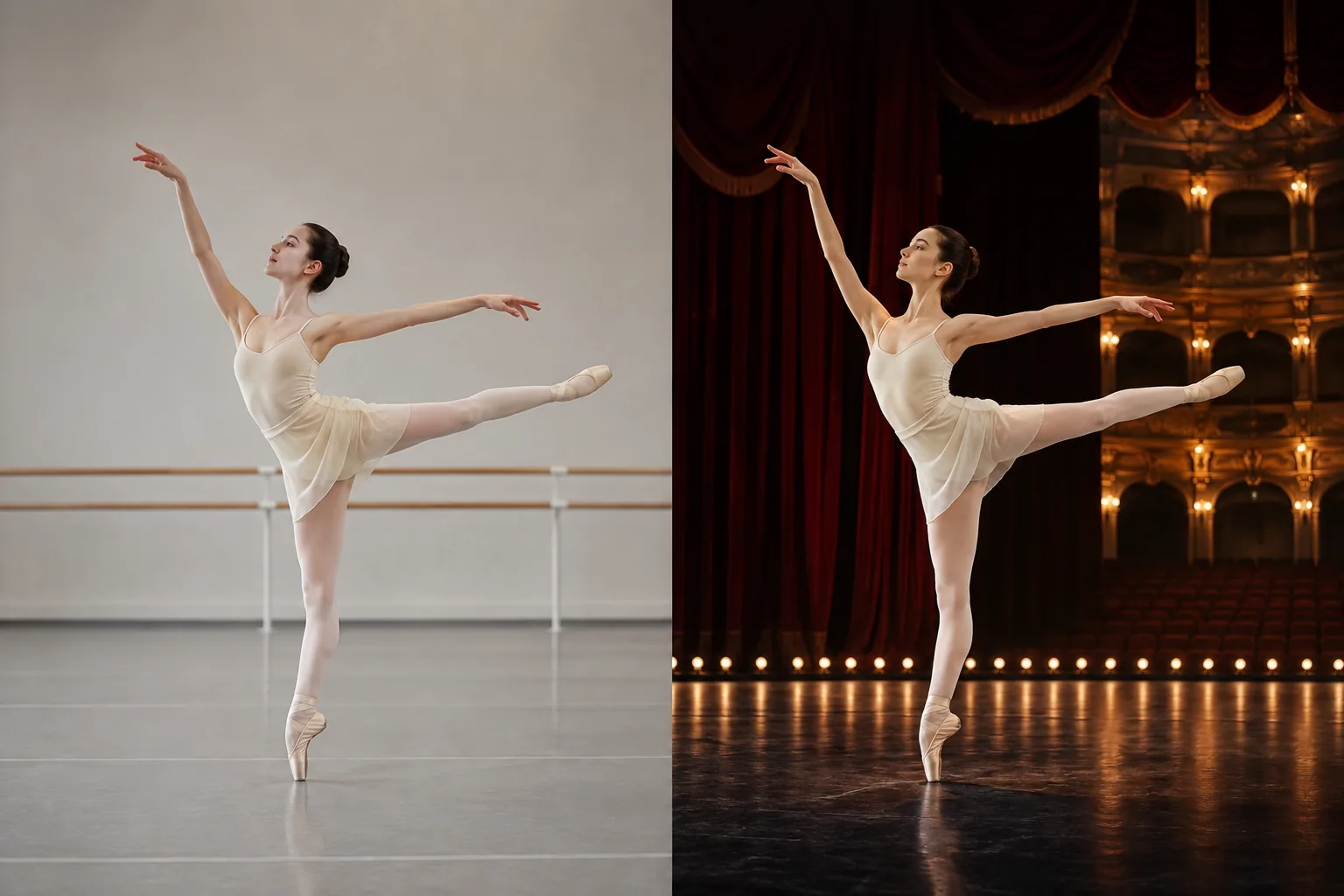
AI Background Changer before and after example moving a ballet dancer from a neutral rehearsal studio to a warm historic theater stage
Preparing generatorControls will be ready in a moment.

See the AI Background Changer Create a Whole New Scene

Five visual stories show how the AI Background Changer transforms professional portraits, travel memories, creator photos, family moments, and pet portraits with a new setting.

Create a Polished Studio or Professional Headshot

Turn an everyday portrait into a focused professional image by replacing a busy room with a warm gray studio, modern office, soft neutral wall, or elegant interior. The AI Background Changer keeps the person recognizable while the new environment adds clarity, confidence, and a more intentional first impression.
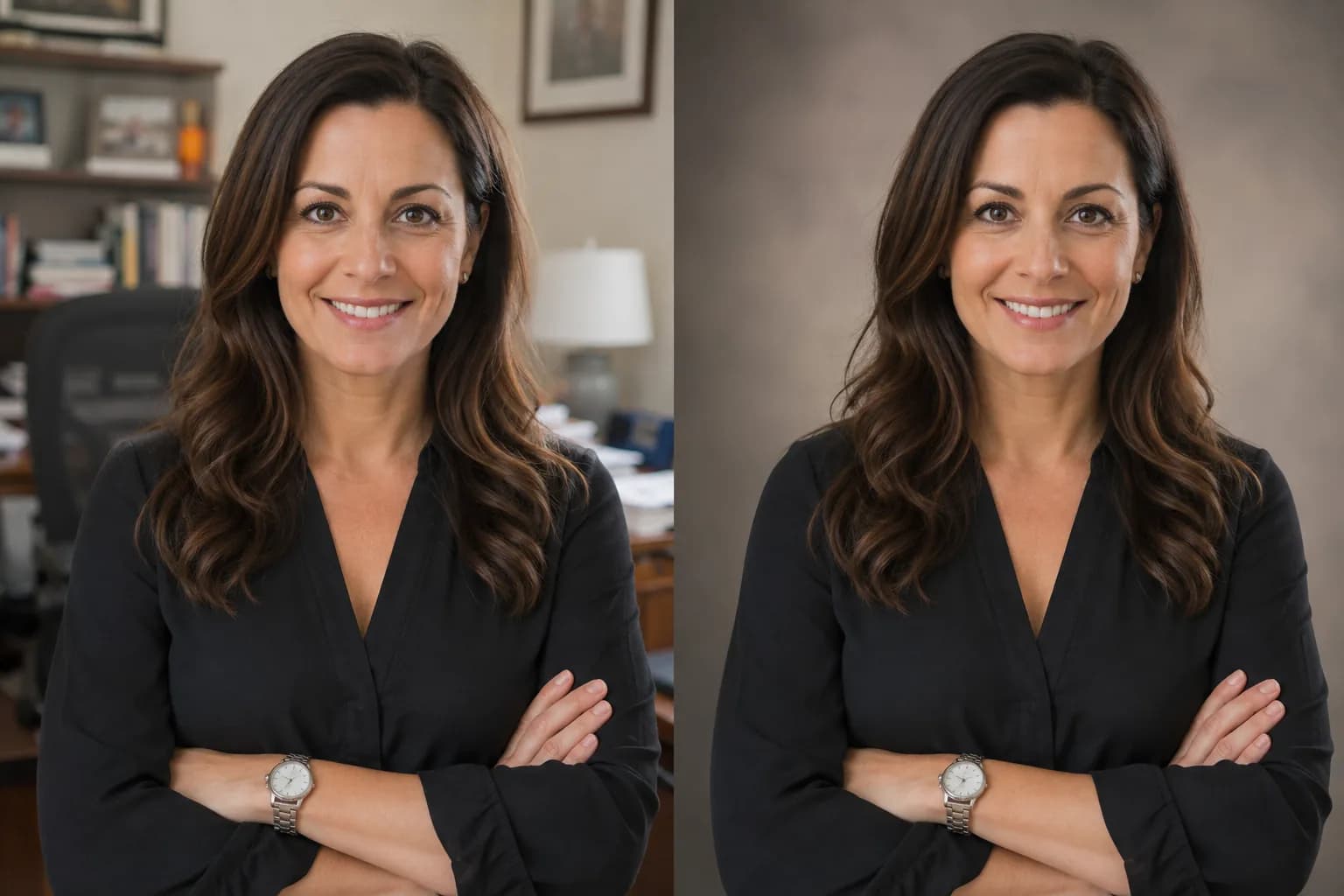
Create a Polished Studio or Professional Headshot

Move a Travel Portrait to an Inspiring Destination

Use the AI Background Changer to transform an ordinary sidewalk, hotel room, or plain wall into a Mediterranean promenade, tropical beach, mountain lookout, European street, or golden-hour coastline. The person stays at the center while the destination brings a stronger sense of story and adventure.
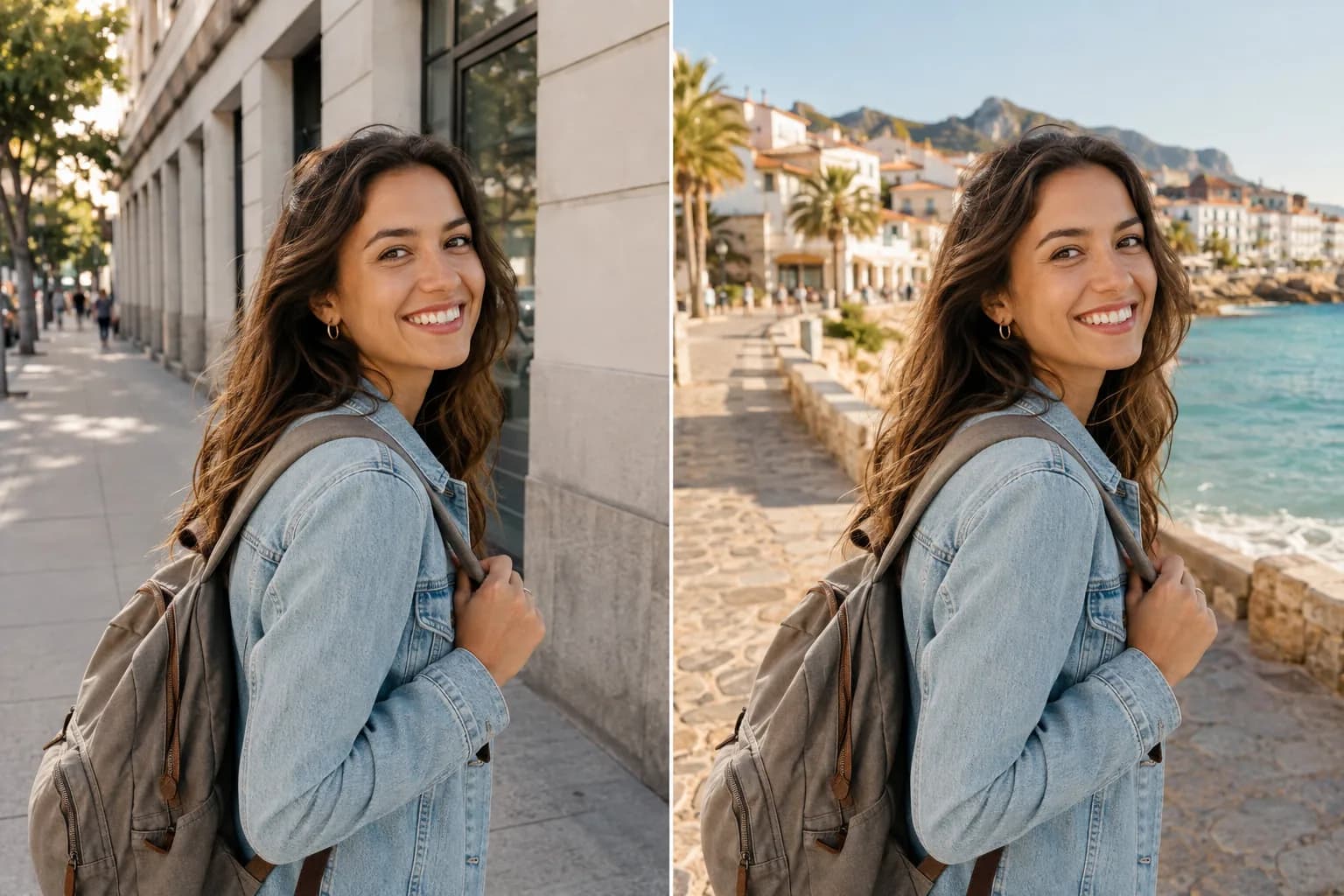
Move a Travel Portrait to an Inspiring Destination

Build Scroll-Stopping Social and Creator Photos

A creator portrait can take on a completely new energy when a plain wall becomes a city rooftop, atmospheric café, music studio, gallery, neon street, or cinematic night scene. The AI Background Changer gives one source photo multiple visual directions for social content and creative campaigns.
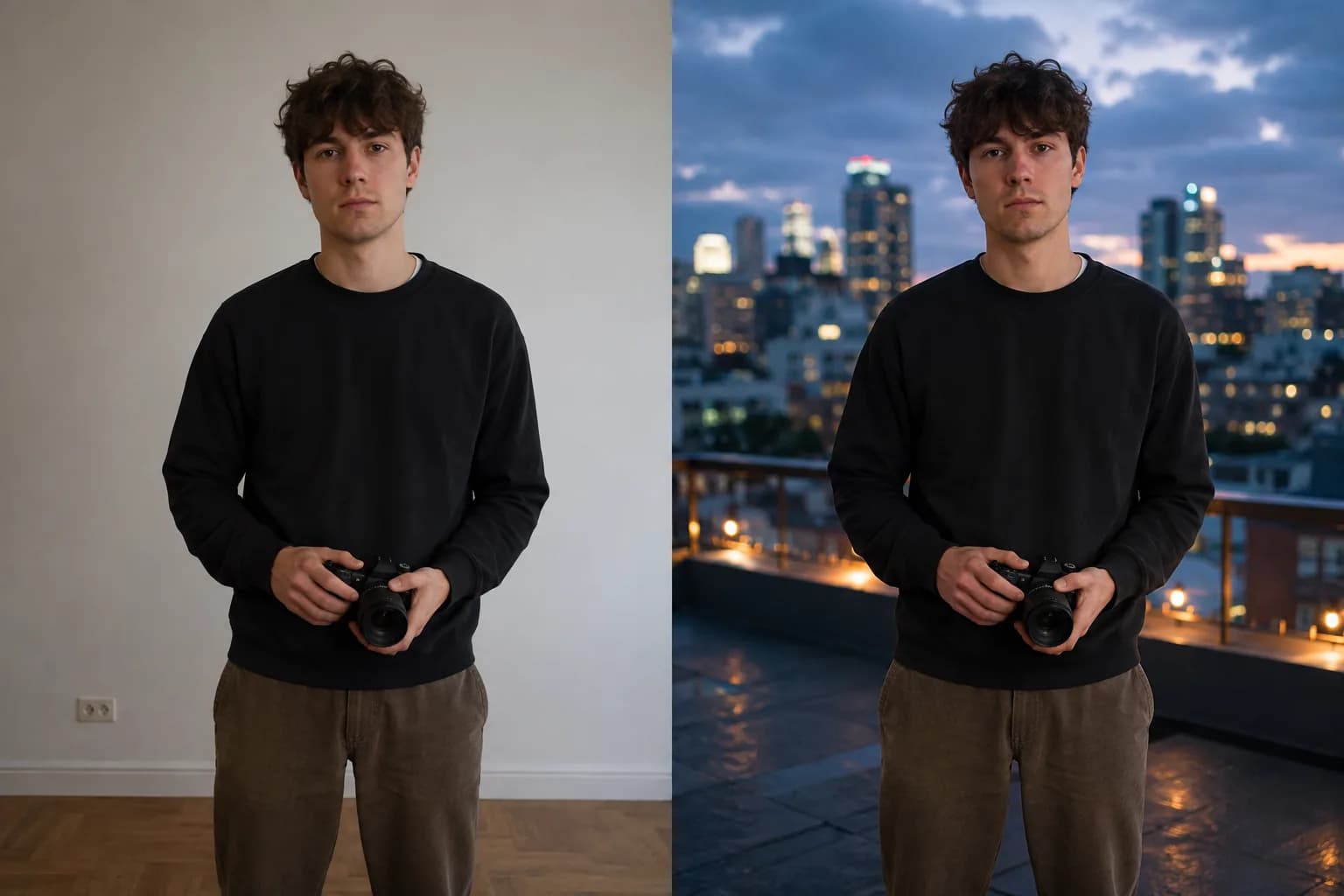
Build Scroll-Stopping Social and Creator Photos

Give Family Photos a Warm, Beautiful Setting

Bring a family portrait into a bright living room, cozy holiday interior, garden, celebration venue, or softly lit studio without organizing another group photo. The AI Background Changer helps the people and their connection remain the visual focus while the setting supports the emotion of the moment.
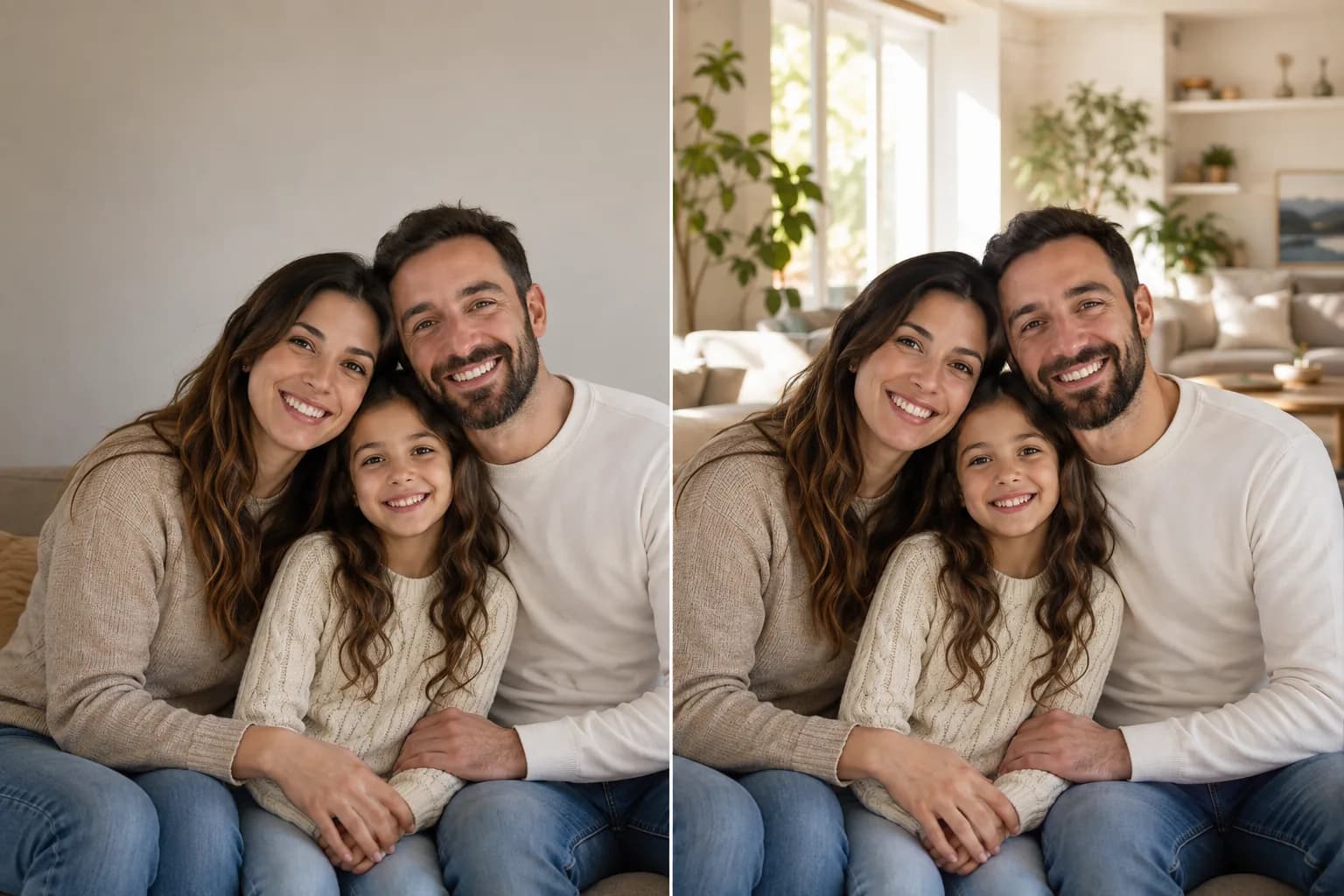
Give Family Photos a Warm, Beautiful Setting

Turn a Simple Pet Photo into a Portrait

With the AI Background Changer, place a favorite dog, cat, or companion animal in a sunlit garden, soft studio, cozy home, autumn park, beach, or playful themed scene. A thoughtful background can turn a simple snapshot into a cheerful keepsake with more color, depth, and personality.
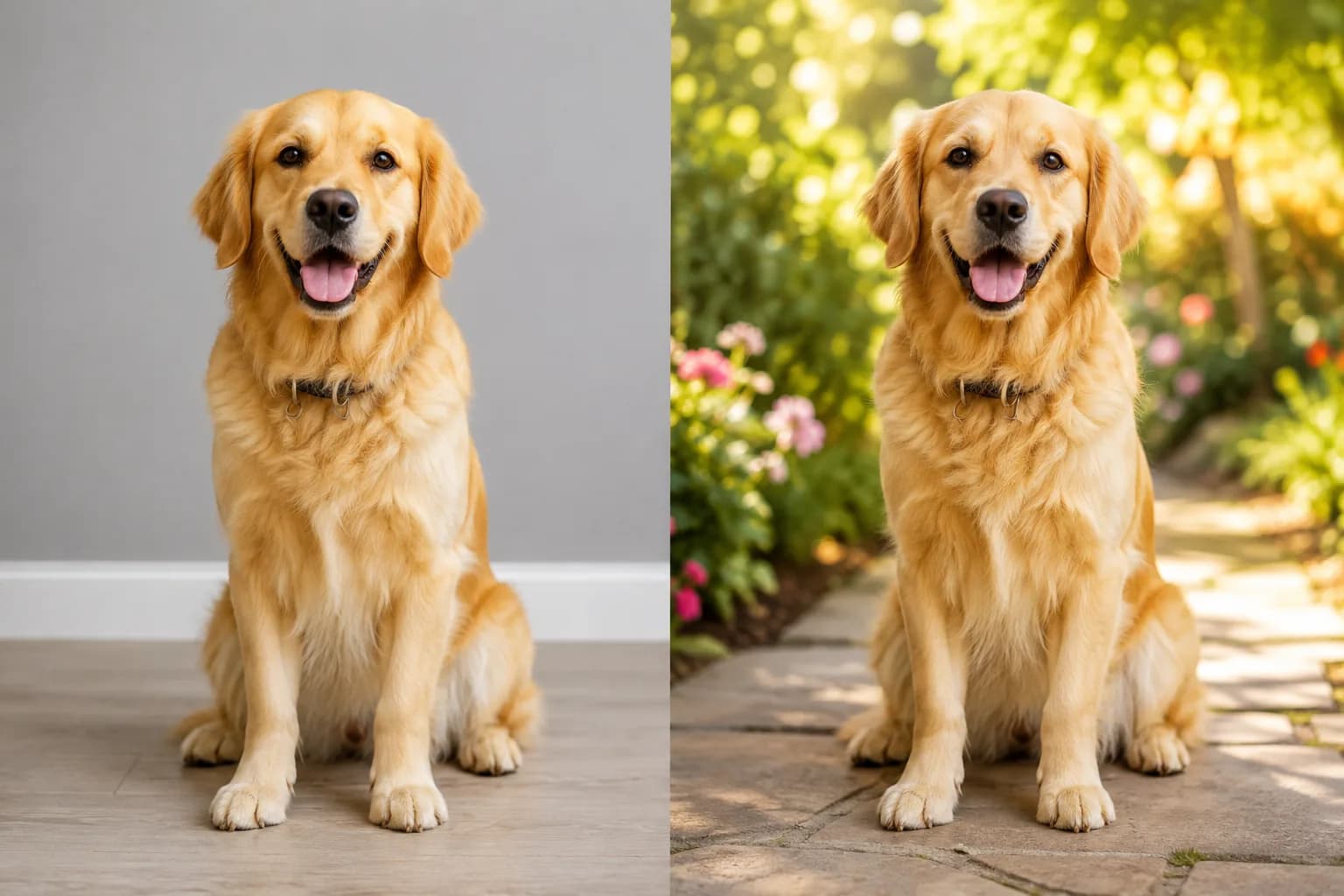
Turn a Simple Pet Photo into a Portrait

How to Use the AI Background Changer

The AI Background Changer turns one uploaded image and one scene idea into a polished new setting in three simple steps.

1

1. Upload Your Photo

Choose the portrait, travel photo, family picture, pet image, or creator photo whose subject you want the AI Background Changer to keep.

2

2. Describe the New Setting

Tell the AI Background Changer whether you want a studio, office, beach, home, city, garden, café, forest, event space, or imaginative scene, then add the mood.

3

3. Create the New Photo

Let the AI Background Changer generate the transformed image, then continue exploring backgrounds that fit your purpose.

Who Uses an AI Background Changer?

An AI Background Changer gives professionals, travelers, families, pet lovers, and creators an easy way to make the setting match the story.

Professionals

Use the AI Background Changer to create clean headshots for profiles, teams, resumes, speakers, and personal brands.

Travelers

Let the AI Background Changer turn an ordinary location into a destination scene filled with atmosphere.

Creators

Use the AI Background Changer to build distinctive social portraits, campaign concepts, and editorial visuals.

Families

Use the AI Background Changer to give portraits a warm home, garden, studio, holiday, or celebration setting.

Pet Lovers

Use the AI Background Changer to create expressive pet portraits for sharing, printing, and gifting.

Why Choose This AI Background Changer?

This AI Background Changer brings natural-language creativity, subject-centered editing, and scene-aware visual harmony into one focused workflow.

Creative

Any Scene You Can Describe

The AI Background Changer moves photos from polished studios and modern offices to beaches, cities, gardens, homes, cafés, forests, events, and cinematic worlds.

Focused

Subject-Centered Direction

The AI Background Changer keeps the person, family, pet, expression, pose, clothing, and visual identity at the heart of the transformation.

Natural

A Cohesive Finished Photo

The AI Background Changer coordinates edges, environmental light, shadows, perspective, color temperature, atmosphere, and depth in the new setting.

AI Background Changer FAQ

What is an AI Background Changer?+
An AI Background Changer is an online photo editing workflow that keeps the main subject and creates a new environment behind it. Upload a photo, describe the setting, and generate a version with a studio, office, beach, city, home, garden, or another scene.
How do I change the background of a photo with AI?+
Upload the photo, describe the new location and atmosphere in plain language, and generate. The AI Background Changer reads the subject and the requested environment together to create a visually connected result.
Can I create a professional headshot background?+
Yes. Ask the AI Background Changer for a warm gray studio, softly lit office, clean neutral wall, elegant interior, or another professional setting for a profile, resume, team page, portfolio, or speaker portrait.
Can I change a travel photo background?+
Yes. Use the AI Background Changer to explore a beach, mountain overlook, Mediterranean promenade, city street, forest, lake, or golden-hour destination while keeping the traveler as the focus.
Can I use the AI Background Changer for family and pet photos?+
Yes. The AI Background Changer can place a family in a warm home, garden, studio, celebration, or seasonal setting, or create a pet portrait in a park, beach, cozy interior, or colorful outdoor scene.
How do I make the new background feel natural?+
Describe the time of day, light direction, atmosphere, depth, and setting style you want. The AI Background Changer uses those cues to connect the new environment with the subject and composition.
Is a background changer the same as a background remover?+
They create different results. A background remover isolates the subject for transparency or a simple color. The AI Background Changer creates a complete new scene behind the subject for a finished portrait, travel image, or social photo.
Can I try the AI Background Changer online?+
Yes. Start with the AI Background Changer on this page, upload one photo, describe the new setting, and use the available guest generation experience or sign in to continue creating more visual directions.

Choose the Right Background Workflow

Use the AI Background Changer for a complete new setting, or continue with a focused cutout, product, lighting, or image-editing tool.

Background Remover

Isolate a person, pet, product, or logo and download a transparent or solid-color result.

Open tool →

AI Product Photo Editor

Build ecommerce packshots, product lifestyle scenes, campaign backgrounds, lighting, and shadows.

Open tool →

AI Photo Relighting

Shape the light direction, brightness, contrast, color temperature, and mood of a photo.

Open tool →

AI Object Replacer

Swap one object inside the current scene while keeping the surrounding background.

Open tool →

Create a New Scene with the AI Background Changer

Upload a favorite portrait, travel, family, creator, or pet photo and let the AI Background Changer place it in a setting that fits your story.

Change a Background Now

About This AI Background Changer

AI Background Changer is an online prompt-based photo editor for replacing the complete environment behind a person, family, pet, portrait, or other main subject. With the AI Background Changer, upload a JPG, PNG, or WebP and describe a studio, office, beach, city, garden, home, café, forest, event, travel destination, or imaginative setting. The AI Background Changer uses the uploaded subject and your written direction to create a new scene with connected perspective, environmental light, shadows, color temperature, atmosphere, and depth. Professionals can create profile and team portraits, travelers can build destination images, families can prepare warm album and announcement photos, pet lovers can make expressive keepsakes, and creators can develop social and campaign visuals. Use Background Remover when you need a transparent cutout, or choose the AI Product Photo Editor when ecommerce packshots and product-focused commercial scenes are the main goal.

LogoAi Picture Editor

AI image editing tools for cleaner, publish-ready visuals.

Email
Tools
  • Image to Image AI
  • AI Object Remover
  • AI Object Replacer
  • AI Image Extender
  • AI Product Photo Editor
  • AI Product Ad Generator
  • AI Fashion Model Generator
  • AI Ghost Mannequin Generator
  • Photo Colorizer
  • Old Photo Restoration
  • AI Image Text Editor
  • Remove Glasses AI
  • Family Picture Editor
  • AI Action Figure Generator
  • AI Furniture Remover
  • Photo Remove Filter
  • AI Flat Lay Clothing Generator
  • AI Photo Relighting
  • All Tools
Models
  • ChatGPT Image Editor
  • Qwen Image Edit
  • Grok AI Image Editor
  • Nano Banana Photo Editor
  • Nano Banana 2 Lite
Company
  • About
  • Contact
  • Changelog
Legal
  • Cookie Policy
  • Privacy Policy
  • Acceptable Use Policy
  • Terms of Service
© 2026 Ai Picture Editor All Rights Reserved.[email protected]We are not affiliated with the model providers. All trademarks belong to their respective owners.