
Old Photo Restoration Online with AI
Use Old Photo Restoration to repair scratches, dust, stains, fold lines, fading, blur, and torn areas while preserving the people, composition, and historical character of the original photo.
Use the identity-first prompt guidance to protect facial detail, age, expression, clothing, composition, film texture, and historical character throughout every repair.
Describe the damage to repair and the identity details to protect. State “preserve black and white” or request natural colorization when needed.
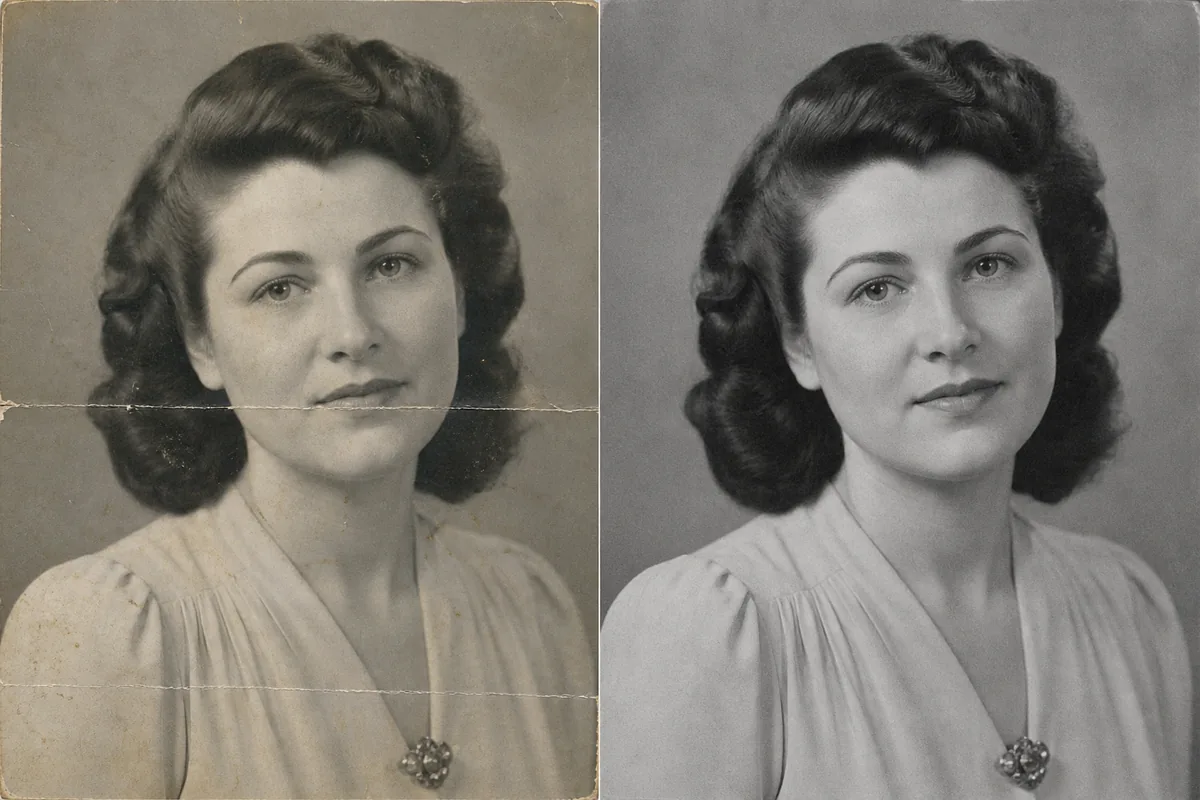
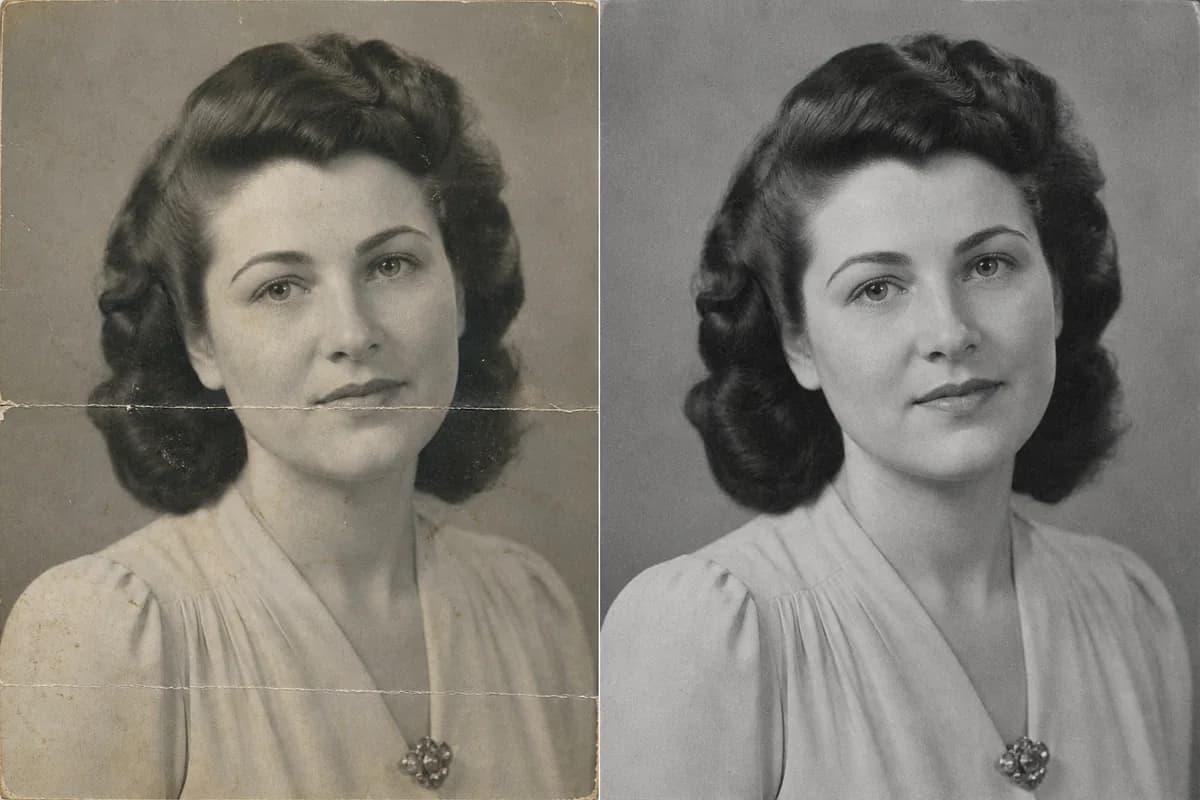
Old Photo Restoration for Common Types of Damage
Old Photo Restoration can combine old photo repair, fade recovery, sharpening, denoising, and natural colorization. Choose only the changes the family photograph actually needs.
Remove Scratches, Dust, Stains, and Fold Lines
Clean the physical marks left by storage, handling, and scanning while retaining real film grain, skin texture, clothing detail, and the original tonal character for a carefully restored photograph.
- Target fine scratches, dust spots, fingerprints, crease lines, foxing, and small stains.
- Preserve face shape, age lines, expression, hairstyle, jewelry, and studio lighting.
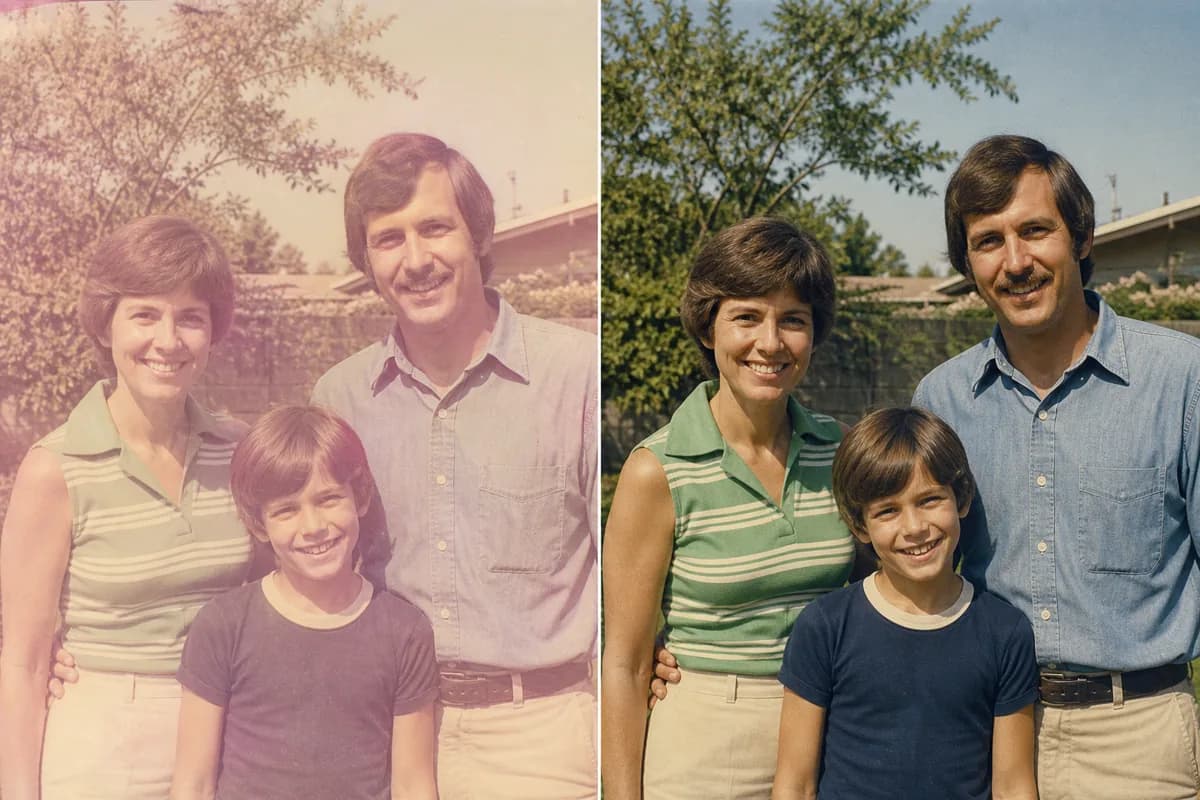
Restore Faded Photos and Natural Contrast
Old Photo Restoration can recover a balanced tonal range from washed-out prints and reduce yellow, magenta, cyan, or brown casts. Faded color photos gain believable skin, clothing, sky, foliage, and period-appropriate contrast.
- Useful for sun-faded albums, aged snapshots, weak scans, and discolored prints.
- Keep the original lighting, color era, film grain, people, setting, and crop.
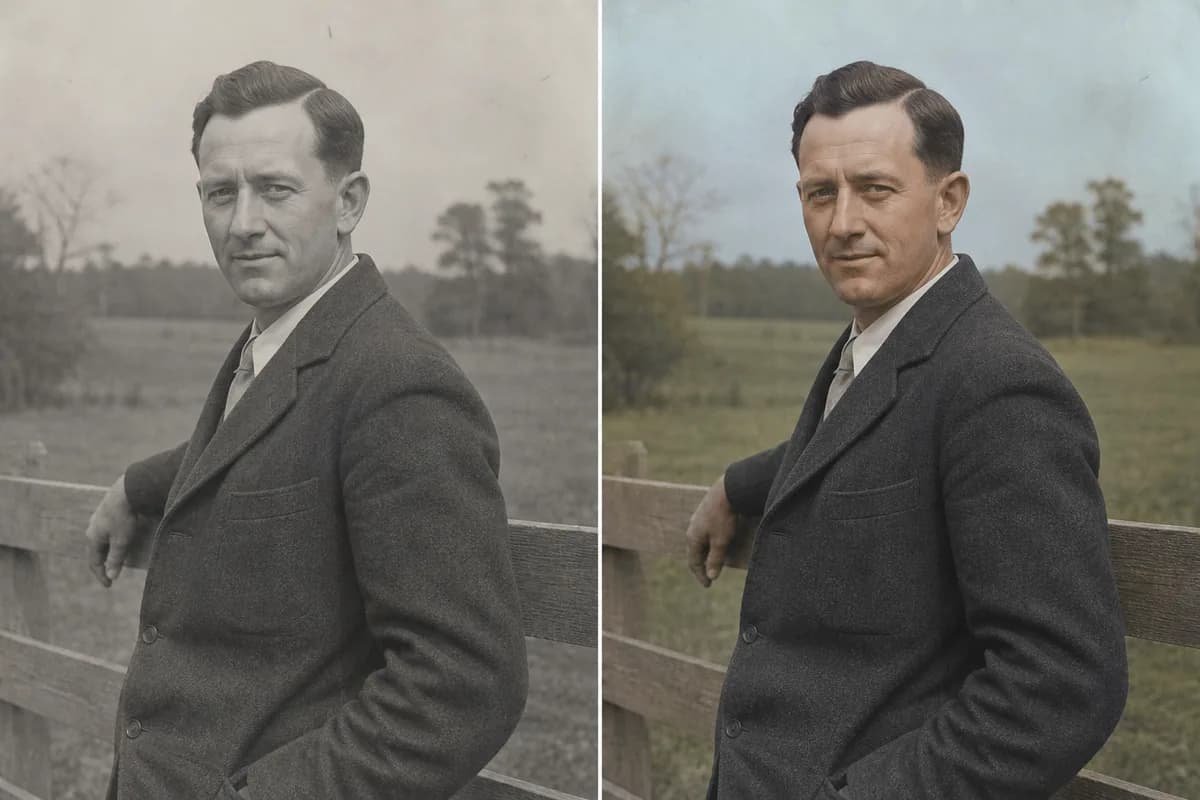
Choose Natural Color or Classic Monochrome
Shape the finished restoration around the character of the photograph. Keep a timeless black-and-white or sepia presentation, restore faded original color, or create a restrained color version after the visible damage has been repaired.
- Describe known eye, hair, clothing, uniform, building, vehicle, or landscape colors when available.
- Use the dedicated Photo Colorizer when monochrome-to-color transformation is the main creative goal.
Sharpen and Denoise a Soft Old Scan
Improve local contrast, facial readability, and edge definition in a blurry or noisy scan while preserving natural age lines, skin character, film grain, and the original lens quality.
- Reduce scanner noise, compression, mild motion softness, haze, and weak contrast.
- Keep eyelashes, teeth, fabric patterns, medals, and background objects aligned with the source image.
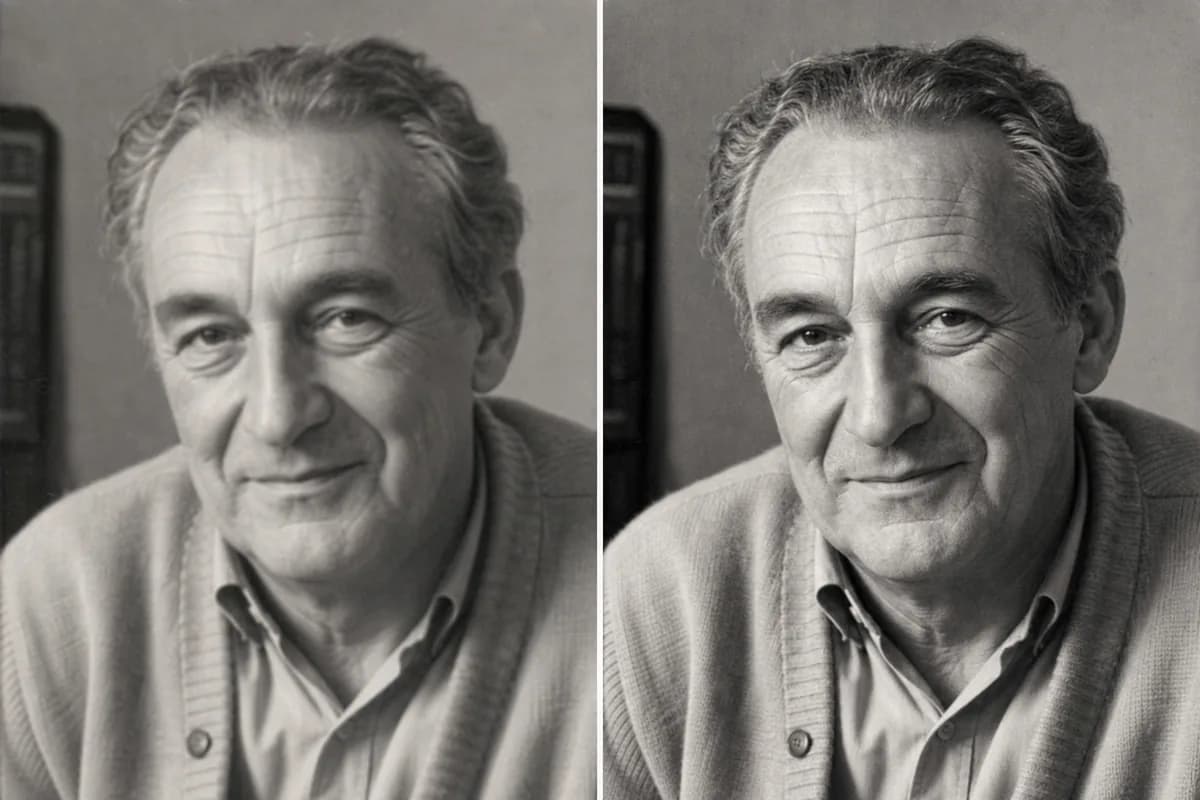
Repair Torn Photos and Heavily Damaged Edges
Rebuild cracks, torn corners, missing border areas, and broken background texture around the surviving subject. Old photo restoration uses nearby shapes, tones, and textures to create a seamless repair.
- Repair emulsion cracks, tears, fold intersections, missing corners, water stains, and edge wear.
- Preserve hands, clothing, facial areas, architecture, and meaningful keepsakes throughout the restoration.
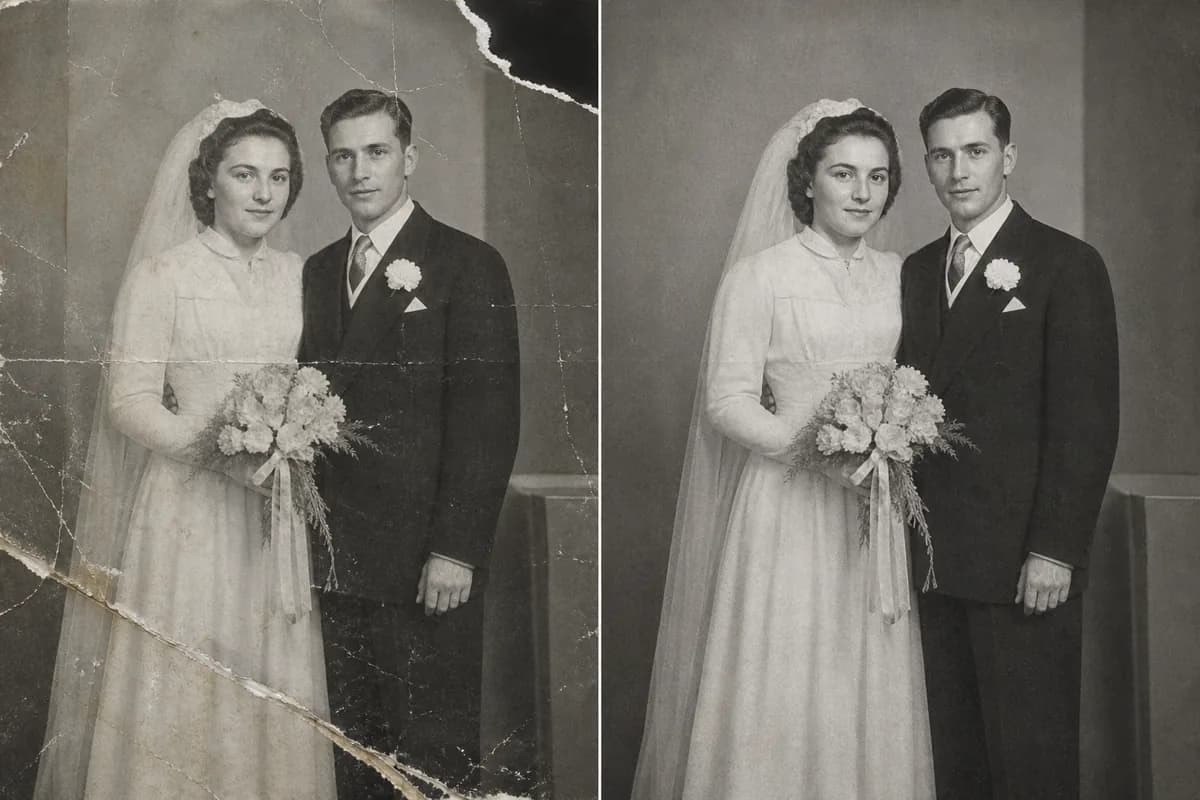
How to Use Old Photo Restoration Online
Old Photo Restoration turns a clear scan and a focused repair brief into a polished image that preserves people, period detail, and family character.
1. Scan and Upload the Best Copy
Use a flatbed scan when possible—around 300 dpi for a large print or 600 dpi for a small print is a practical starting point. Scan in color even for black-and-white photos so stains and paper tone remain visible to the restoration model.
2. Choose Repair, Color, and Preservation
Name the damage to remove, choose black and white or natural color, and list the identity, age, clothing, background, framing, grain, inscription, and historical details to preserve.
3. Preview and Fine-Tune the Restoration
Preview eyes, expression, hair, hands, jewelry, uniforms, buildings, and keepsakes at full size, then refine the prompt to shape your preferred finish.
Who Uses Old Photo Restoration?
People restore old photos for family memory, historical research, respectful sharing, archival collections, photo books, and beautiful prints.
Families and Caregivers
Repair portraits of parents, grandparents, childhood, weddings, reunions, military service, and everyday family life.
Genealogists
Improve the readability of inherited scans while retaining faces, clothing, settings, and clues that support family research.
Local Historians
Prepare careful viewing copies of community, school, workplace, street, migration, and cultural photographs.
Memorial and Event Creators
Create cleaner source images for remembrance boards, anniversary displays, slideshows, and family storytelling.
Photo Book and Print Makers
Repair album scans before designing archival albums, framed prints, gifts, documentaries, or digital family collections.
Why Choose This Old Photo Restoration Workflow?
The editor combines identity-preservation prompting, natural detail recovery, flexible color treatment, and a simple restoration workflow.
Identity Comes First
The empty prompt field includes guidance for protecting age, face geometry, expression, hair, clothing, pose, background, crop, grain, and period character.
Colorization Is Optional
Restore a monochrome print as black and white, request restrained natural color, or provide known colors when family evidence exists.
Natural Detail Recovery
AI rebuilds worn textures and damaged areas while keeping faces, clothing, backgrounds, and meaningful objects visually coherent.
Old Photo Restoration FAQ
What is Old Photo Restoration?
How do I restore old photos online with AI?
Can AI repair damaged old photos with scratches and tears?
Will the restored face still look like my relative?
Can I restore an old photo without colorizing it?
Can the tool colorize black-and-white photos?
Can I try old photo restoration free?
What scan resolution is best for old photo repair?
Can Old Photo Restoration fix blurry old photos?
Can it restore faded color photos?
Can it rebuild a missing corner or torn background?
How does AI rebuild worn or missing areas?
Bring an Old Photo Back to Life
Start Old Photo Restoration with your clearest scan and preserve every person, expression, keepsake, and period detail in one guided workflow.