Cartoon to Realistic AI for Lifelike Characters & Scenes
See your illustrated world through a photographic lens. Cartoon to Realistic AI reimagines characters, animals, and places using your artwork and a short description.
Upload image
or drag and drop
Choose a starting point
Choose a starting point, then describe the details that matter.

Explore what Cartoon to Realistic AI can bring to life
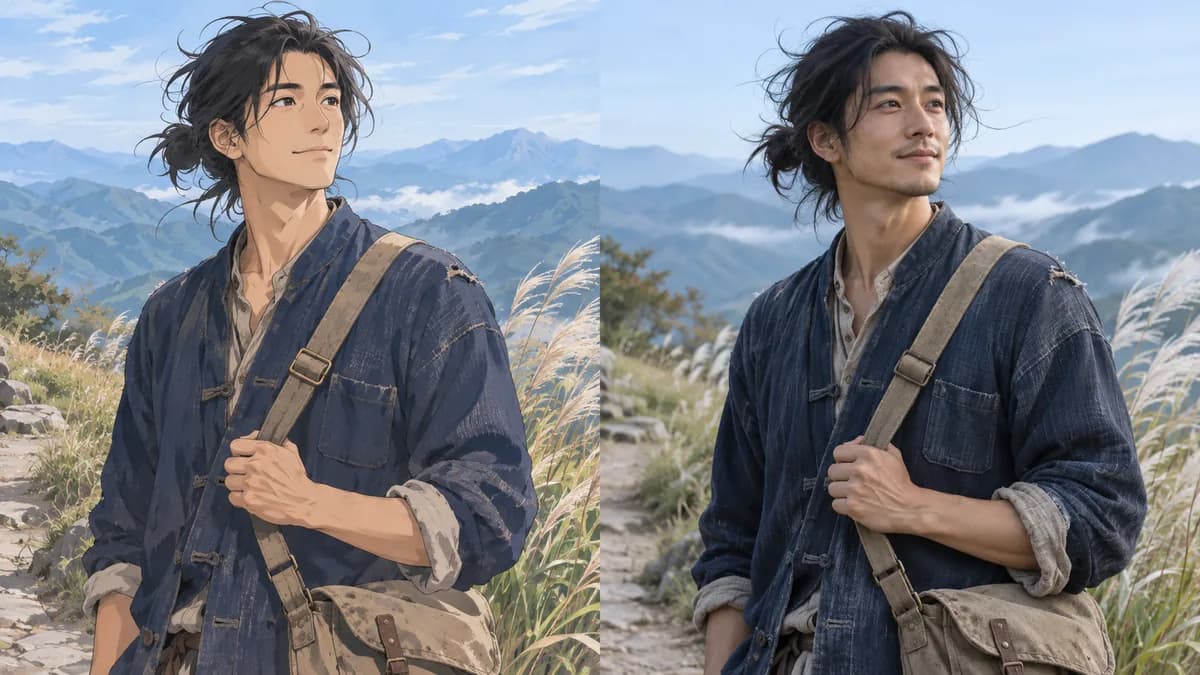
Bring your character into real life
Give an original character a photographic interpretation using your drawing as the visual reference. Describe the hairstyle, outfit, expression, or pose you want the model to follow. Cartoon to Realistic AI helps you explore how a familiar design could look beyond illustration, making it easier to compare character ideas and choose a direction for your next personal creative design project.
Try it on your image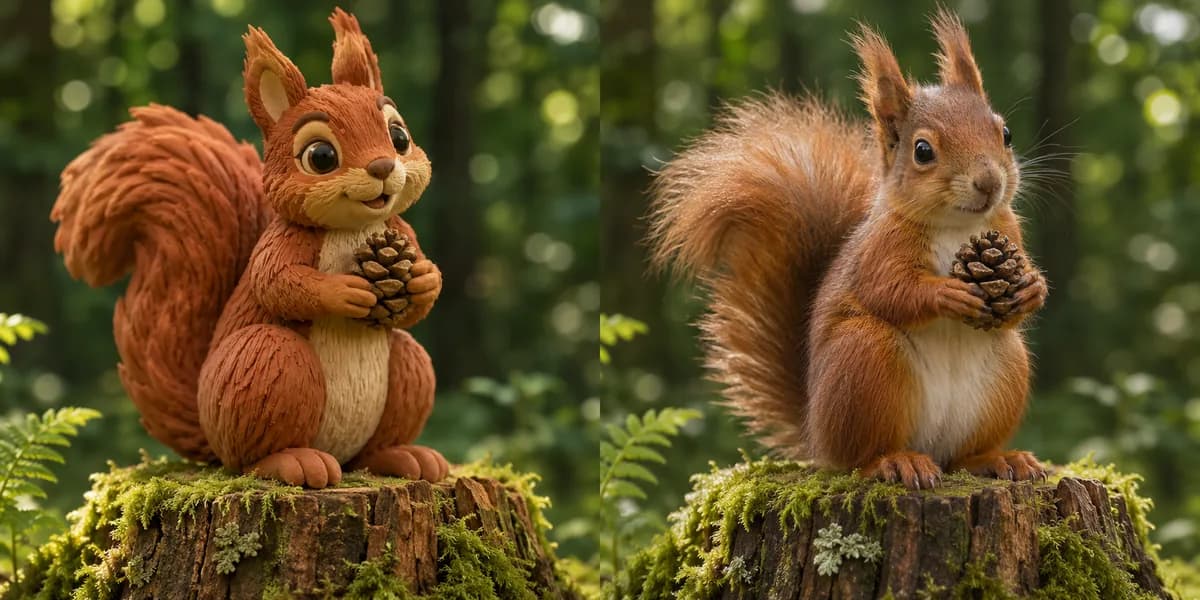
Give stylized details a natural texture
Use Cartoon to Realistic AI to explore how rounded shapes translate into believable fur, fabric, wood, or skin. A clay animal can become a wildlife concept with fine whiskers and soft woodland light. Describe the materials and lighting you have in mind, then inspect the result at a larger size. These details give your idea a more tangible feel when you share it with others.
Try it on your image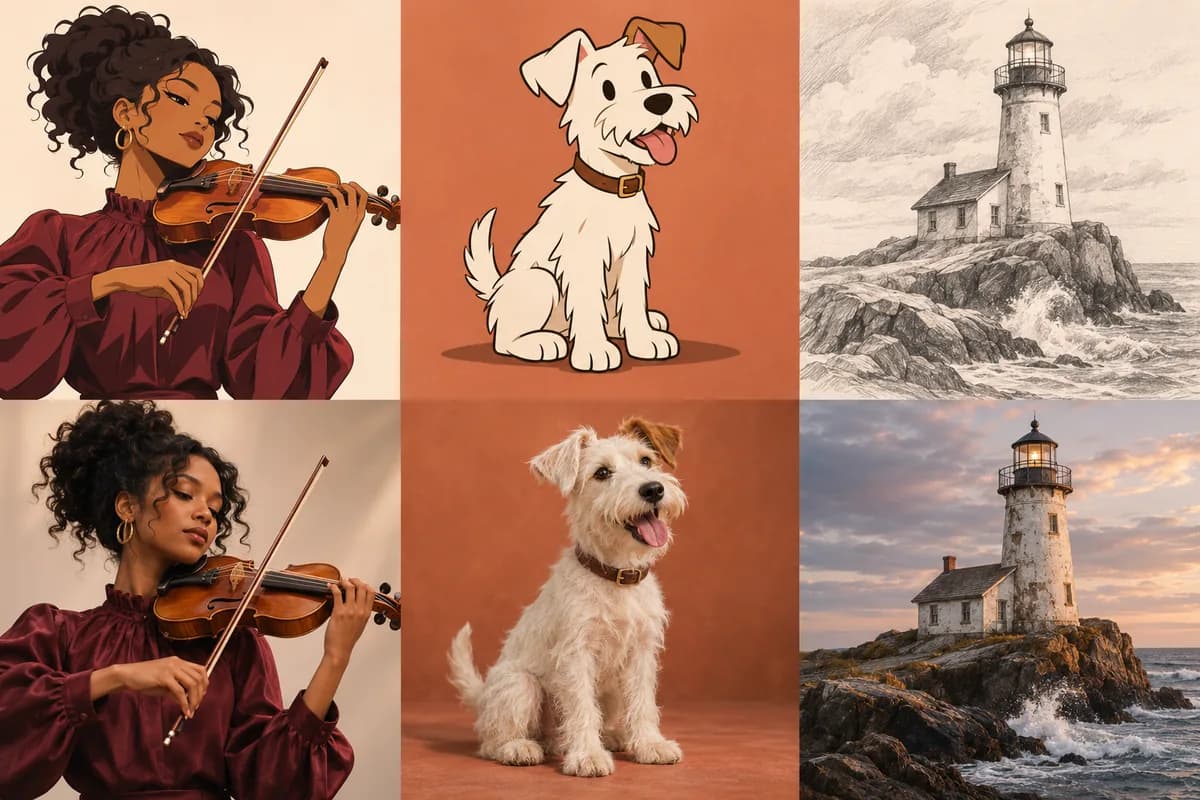
Start with anime, cartoons, or sketches
Bring different kinds of artwork into Cartoon to Realistic AI. Try anime to realistic portraits, a cartoon pet, or a pencil drawing of a place. Clear subjects and readable shapes give the model useful visual references. Choose the artwork that expresses your idea, then describe the photographic treatment you want to explore without rebuilding the composition from a blank canvas.
Try it on your image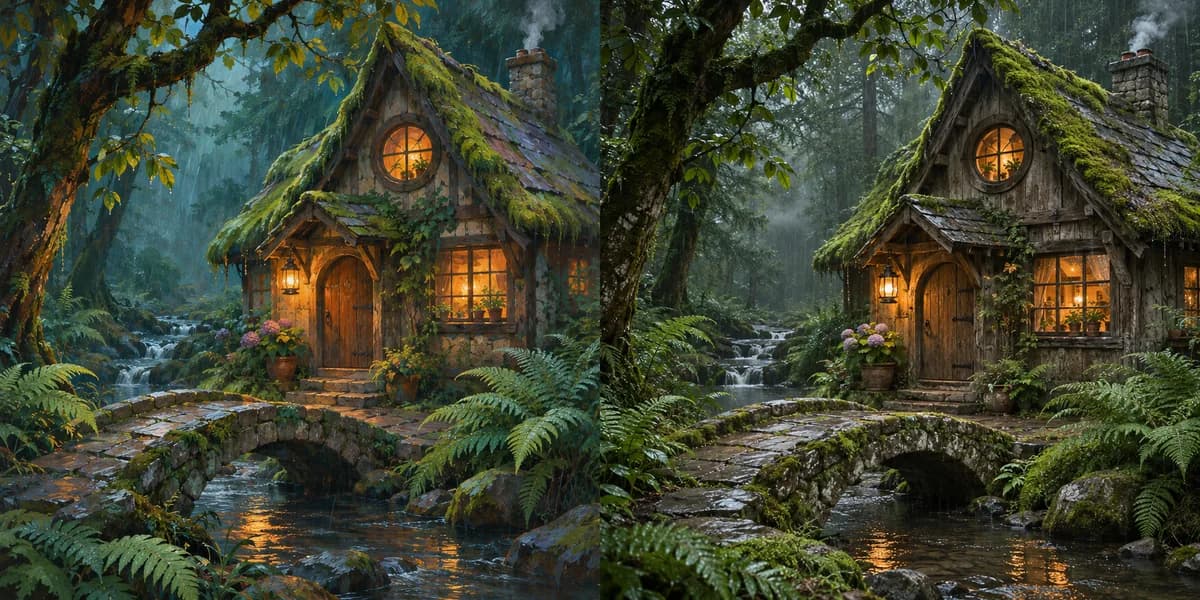
See illustrated places as lived-in worlds
Turn a storybook cottage, imaginary street, or illustrated landscape into a photographic scene concept. Use the original layout as a starting point and describe details such as aged timber, wet stone, or evening window light. Cartoon to Realistic AI lets you test the atmosphere of a setting and develop visual references for a story, game world, or creative mood board.
Try it on your image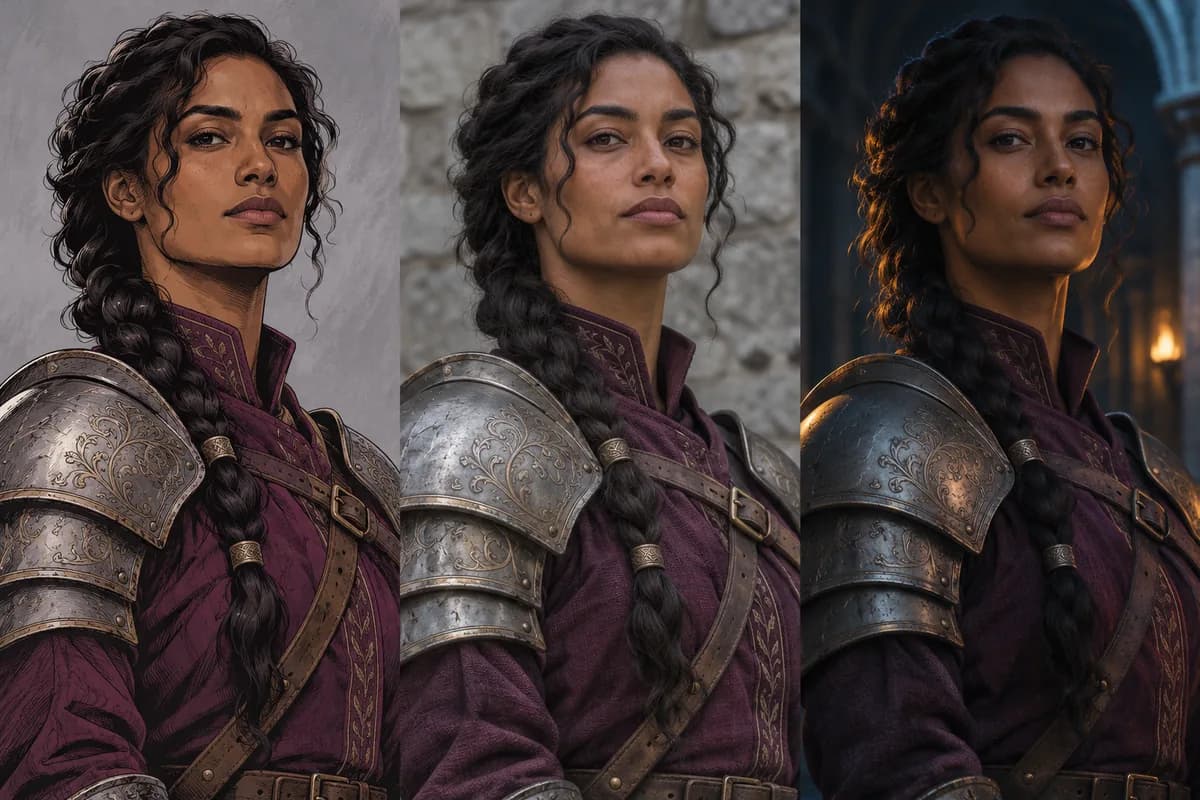
Guide the photographic look you want
Explore gentle daylight or dramatic cinematic interpretations with Cartoon to Realistic AI by changing a short description. Name the lighting, materials, and details you want emphasized, then generate another version to compare. An armored character might benefit from soft natural light for costume planning or deeper shadows for a story concept. Your prompt gives each new interpretation a clear creative direction.
Try it on your imageHow to use Cartoon to Realistic AI
Upload your artwork
Add your artwork to Cartoon to Realistic AI and check the selected model's upload limits.
Describe the look
Choose a starting prompt and describe the important details.
Generate and compare
Check the displayed credits, generate with Cartoon to Realistic AI, and compare your result.
Picture your next creative idea
Original character design
Use Cartoon to Realistic AI to explore references for character sheets and story pitches.
Cosplay planning
Plan makeup, hairstyles, and costume materials with Cartoon to Realistic AI.
Social profiles
Reimagine your own illustrated avatar as a realistic portrait.
Creative mood boards
Explore imagined places, animals, and stories with Cartoon to Realistic AI.
A workflow with room to explore
Start from your artwork
Give Cartoon to Realistic AI your artwork as a visual starting point.
Edit your direction
Change your Cartoon to Realistic AI prompt and compare a fresh interpretation.
See generation costs
Review the displayed credits before generating another version.
Cartoon to Realistic AI questions
Does Cartoon to Realistic AI work with anime and sketches?
Yes. Cartoon to Realistic AI works with clear anime, cartoon, or sketch artwork. Describe a photographic look and use a source with defined subjects and visible details.
How can I keep my character recognizable?
Tell Cartoon to Realistic AI which hairstyle, clothing, expression, and pose to reference. Details and proportions can change, so compare the output with your original before using it. Refine one detail at a time when comparing additional versions.
Can I convert animals and entire scenes?
Use Cartoon to Realistic AI to reimagine illustrated animals, objects, architecture, and landscapes. Describe the materials and lighting that would make your subject feel photographic.
What image files can I upload?
Start with a sharp image in Cartoon to Realistic AI. Supported formats, file sizes, and reference-image counts depend on the selected model and the limits shown in the tool.
Is there a free allowance?
Cartoon to Realistic AI trial credits depend on your account and eligibility. Check the displayed balance and selected model's generation cost. Additional credits can be purchased.
What size can I download, and is there a watermark?
Sign in to download Cartoon to Realistic AI results. Before purchasing credits, downloads are watermarked PNGs with a 640-pixel longest edge. Purchasing credits unlocks original-size downloads.
Try Cartoon to Realistic AI on your own artwork
Upload your artwork and discover a photographic direction for your next idea.
Make your cartoon look real