
LogoAi Picture Editor
  • AI Photo Editor
  • AI Image Generator
  • AI Image Agent
    • Background Remover
      Remove backgrounds locally with no sign-up or usage quota, then download a transparent or color-filled PNG.
    • Image Upscaler
      Enlarge images by 2× or 4× privately with no sign-up or usage quota.
  • Pricing
LogoAi Picture Editor
AI Picture Editor/Image to Image AI

Photo Colorizer: Bring Black & White Photos to Life

Use the Photo Colorizer to add vivid, natural-looking color to black-and-white, grayscale, and sepia photos while preserving the people, expression, composition, and timeless character you love.

Upload a black-and-white, grayscale, or sepia JPG, PNG, or WebP to the Photo Colorizer.

Tell the Photo Colorizer whether you want natural, warm, vivid, cinematic, or period-inspired color, and include any colors you already know.
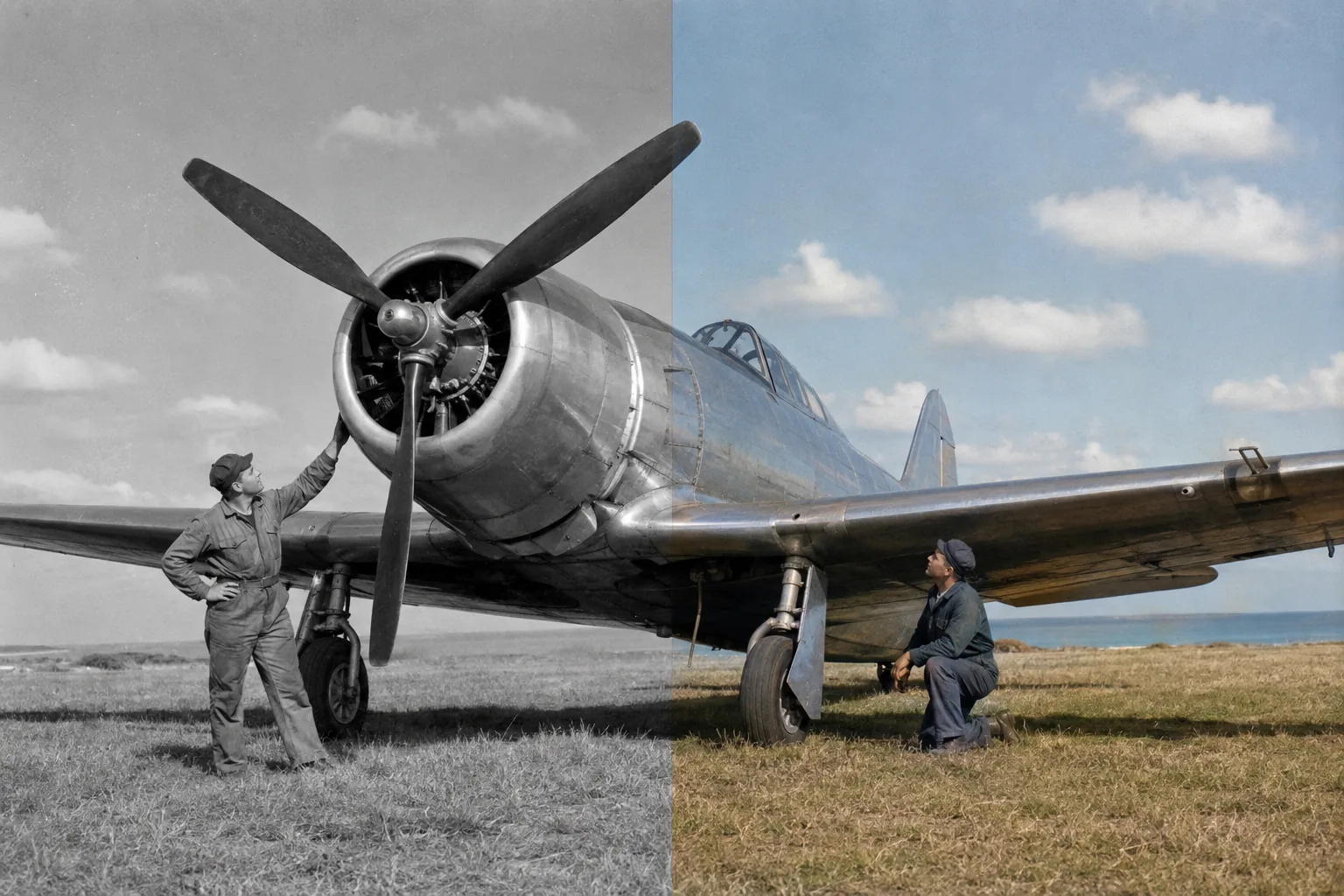
Photo Colorizer before and after example adding natural period-inspired color to a black-and-white propeller airplane photograph
Preparing generatorControls will be ready in a moment.

See the Photo Colorizer Bring Every Story to Life

Five rich examples show how the Photo Colorizer transforms family portraits, weddings, city history, modern monochrome photography, and classic landscapes into expressive color.

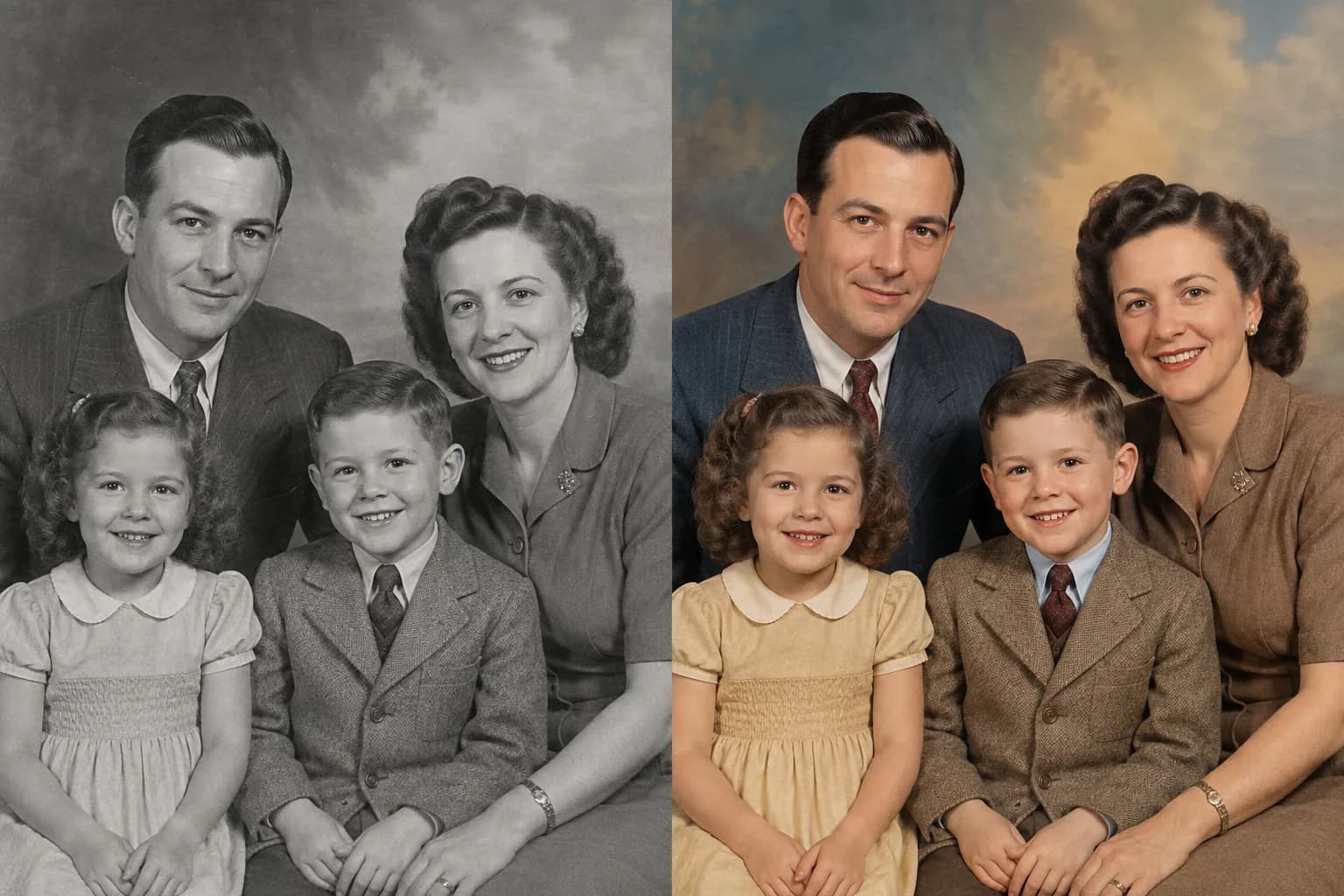
Colorize Family Photos with Warm, Natural Tones

A black-and-white family portrait becomes more immediate when familiar faces, clothing, and the studio atmosphere return in color. The Photo Colorizer creates lifelike skin tones and a balanced palette while keeping every smile, age detail, pose, and relationship at the heart of the image.
Colorize Family Photos with Warm, Natural Tones

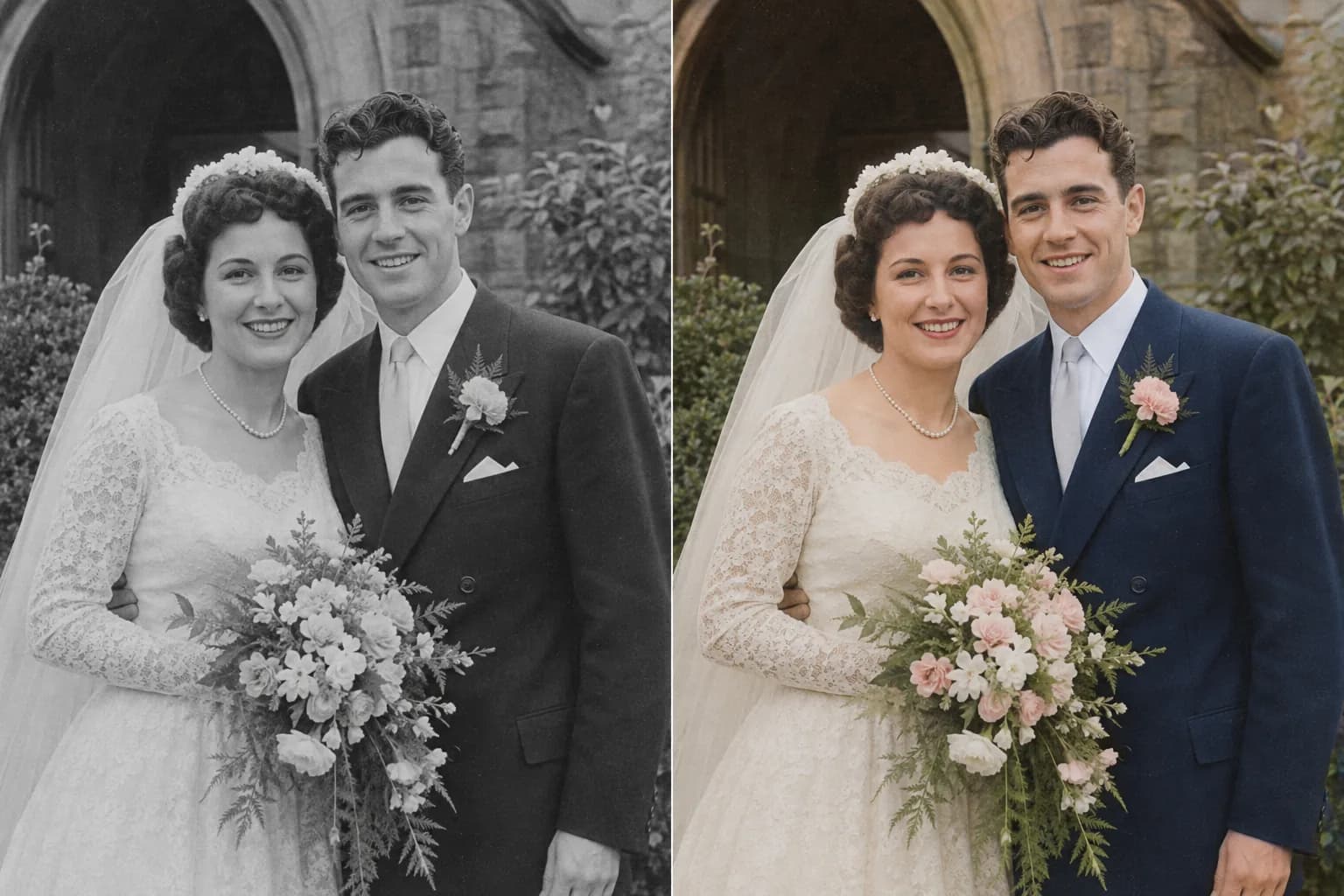
Turn Black-and-White Wedding Photos into Color

Use the Photo Colorizer to revive wedding portraits with elegant skin tones, ivory fabric, flowers, foliage, formalwear, and soft daylight. Color adds emotional detail to a treasured photograph while the original couple, expression, bouquet, lace, and composition remain beautifully recognizable.
Turn Black-and-White Wedding Photos into Color

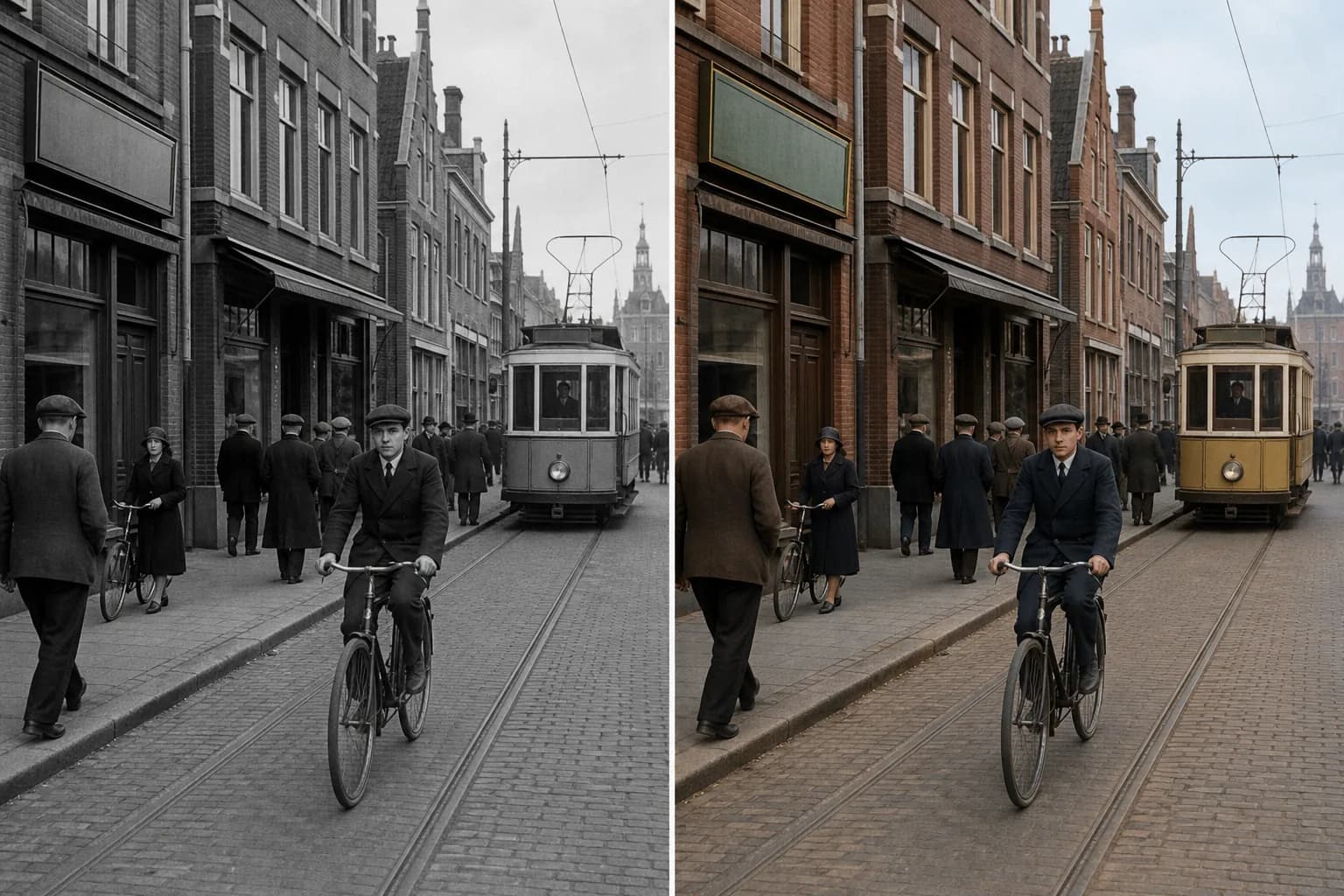
Revive Historic Streets, Buildings, and Everyday Life

History feels tangible when brick, stone, clothing, bicycles, vehicles, sky, and street details work together in color. The Photo Colorizer helps transform archival city scenes into engaging visuals for local history, exhibitions, editorial storytelling, educational projects, and community sharing.
Revive Historic Streets, Buildings, and Everyday Life

Colorize Modern Monochrome Portraits

The Photo Colorizer is not limited to visibly aged or damaged photographs. Turn a clean grayscale portrait into a contemporary color image with natural complexion, expressive hair color, coordinated clothing, and a studio backdrop that supports the person without changing the portrait itself.
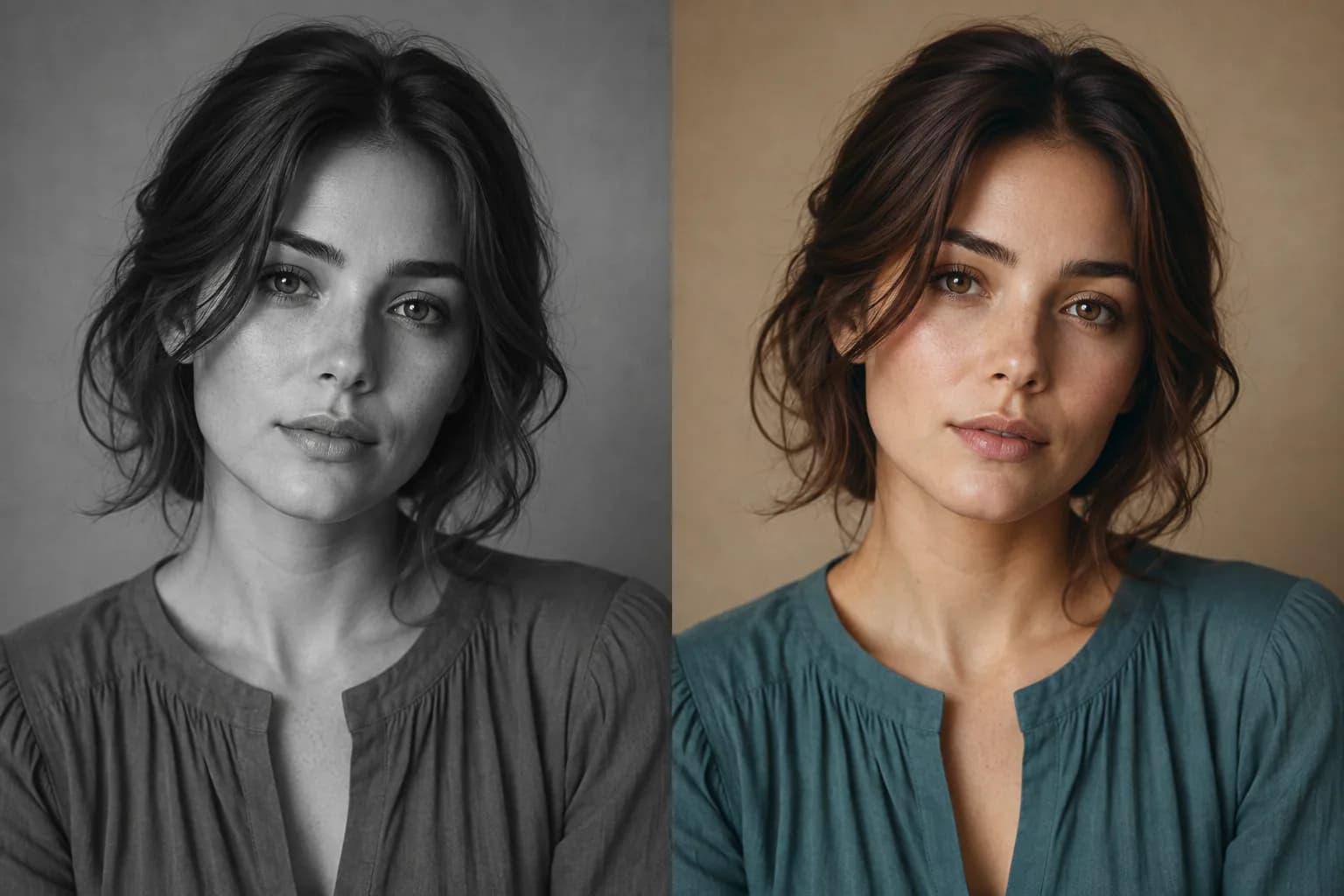
Colorize Modern Monochrome Portraits

Bring Landscapes and Travel Memories into Full Color

Use the Photo Colorizer to fill lakes, mountains, forests, boats, beaches, streets, and travel clothing with a unified natural palette. Blue water, green foliage, warm earth, open sky, and small human details can turn a monochrome travel photograph into a scene that feels alive again.
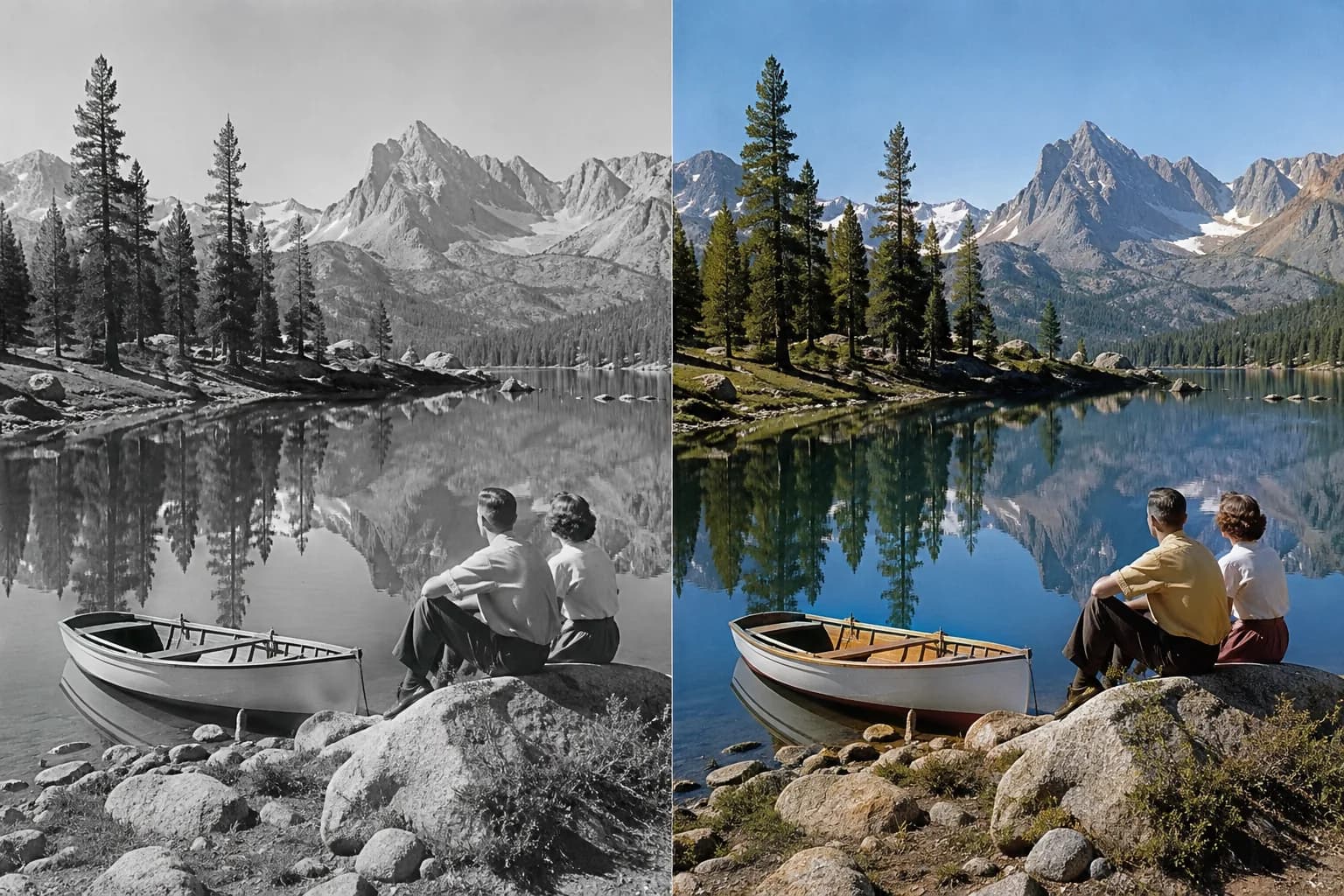
Bring Landscapes and Travel Memories into Full Color

How to Use the Photo Colorizer

The Photo Colorizer turns one monochrome image and one color direction into a vivid new version in three easy steps.

1

1. Upload a Monochrome Photo

Choose a black-and-white, grayscale, or sepia portrait, family photo, street scene, landscape, or creative image for the Photo Colorizer.

2

2. Choose the Color Mood

Tell the Photo Colorizer whether you want natural, warm, vivid, cinematic, or period-inspired color, then add any known clothing, eye, vehicle, building, or scenery colors.

3

3. Create the Color Version

Let the Photo Colorizer generate the transformed photo, then enjoy the before-and-after change and continue refining the palette to match your story.

Who Uses a Photo Colorizer?

A Photo Colorizer helps families, historians, archivists, photographers, and creators turn monochrome images into compelling color stories.

Families

Use the Photo Colorizer to revive portraits, weddings, childhood photos, reunions, and inherited albums.

History Storytellers

The Photo Colorizer makes archival streets, events, workplaces, and community photographs more immediate.

Genealogy Projects

Use the Photo Colorizer to add color to family-history pages, digital archives, timelines, and presentations.

Content Creators

Use the Photo Colorizer to create engaging before-and-after posts, documentaries, articles, and social stories.

Photo and Print Makers

Use the Photo Colorizer to prepare expressive images for albums, framed prints, exhibitions, gifts, and memorials.

Why Choose This Photo Colorizer?

This Photo Colorizer combines natural-language color direction with an identity-conscious workflow designed around the original photograph.

Natural

Context-Aware Color

The Photo Colorizer gives faces, clothing, sky, foliage, architecture, vehicles, and interior details colors that work together as one scene.

Personal

People Stay at the Center

The Photo Colorizer prioritizes the familiar faces, expressions, poses, composition, and photographic character already present.

Creative

A Palette You Can Direct

Guide the Photo Colorizer with known colors or describe a mood so the final image can feel warm, restrained, vivid, cinematic, or period inspired.

Photo Colorizer FAQ

What is a Photo Colorizer?+
A Photo Colorizer is an online AI editing workflow that turns a black-and-white, grayscale, or sepia image into a full-color version. It adds coordinated color to people, clothing, objects, scenery, and light while using the original photograph as the visual foundation.
How do I colorize a black-and-white photo?+
Upload the monochrome image, describe the color mood you want, and generate. The Photo Colorizer reads the faces, objects, lighting, textures, and background together to create one cohesive color result.
Can I colorize old family photos?+
Yes. Family portraits, weddings, childhood photographs, military portraits, reunions, and inherited album scans are excellent ways to use the Photo Colorizer for personal storytelling and sharing.
Can I choose specific colors?+
Yes. Give the Photo Colorizer known eye, hair, clothing, uniform, flower, vehicle, building, or landscape colors. You can also describe the overall palette as warm, natural, muted, vivid, cinematic, or period inspired.
Can it colorize landscapes and street photos?+
Yes. The Photo Colorizer can add coordinated color to sky, water, foliage, mountains, roads, brick, stone, vehicles, clothing, and other scenery while preserving the original photographic composition.
Can I colorize a modern grayscale portrait?+
Yes. A clean contemporary monochrome portrait can become a natural color profile image, editorial photograph, creative project, or social visual without needing to look like an old-photo restoration.
Is a Photo Colorizer the same as old photo restoration?+
They serve related but distinct goals. A Photo Colorizer focuses on adding color to a monochrome image. Old Photo Restoration focuses on repairing scratches, stains, creases, tears, fading, blur, and other visible damage.
Can I try the Photo Colorizer online?+
Yes. Upload one black-and-white, grayscale, or sepia image in the editor, describe the color direction, and use the available guest generation experience or sign in to continue creating.

Continue Enhancing Your Photos

Use the Photo Colorizer for monochrome-to-color transformation, then continue with a focused restoration, enlargement, or lighting workflow.

Old Photo Restoration

Repair scratches, folds, tears, fading, blur, and worn areas in an aged photograph.

Open tool →

Image Upscaler

Enlarge a finished image and improve clarity for screens, albums, and prints.

Open tool →

AI Photo Relighting

Shape the direction, warmth, contrast, and mood of light in a photo.

Open tool →

Image to Image AI

Explore a broader prompt-guided transformation from an existing image.

Open tool →

Bring a Black-and-White Photo to Life

Upload a favorite monochrome image and let the Photo Colorizer create a vivid version filled with natural, expressive color.

Colorize a Photo Now

About This Photo Colorizer

Photo Colorizer is an online AI photo colorization workflow for turning black-and-white, grayscale, and sepia pictures into vivid color images. Upload a JPG, PNG, or WebP and describe a natural, warm, muted, vivid, cinematic, or period-inspired palette. The Photo Colorizer can add coordinated color to skin, hair, eyes, clothing, flowers, sky, foliage, water, architecture, vehicles, interiors, and meaningful background details while preserving the people, expression, pose, composition, texture, and visual character of the original photograph. Families can colorize wedding photos and inherited portraits, historians can enliven archival streets and public life, genealogists can enrich family stories, and creators can build compelling before-and-after visuals. Use Old Photo Restoration when the source also needs scratch, tear, stain, fade, or blur repair, then return to the Photo Colorizer when color is the main transformation.

LogoAi Picture Editor

AI image editing tools for cleaner, publish-ready visuals.

Email
Tools
  • Image to Image AI
  • AI Object Remover
  • AI Object Replacer
  • AI Image Extender
  • AI Product Photo Editor
  • AI Product Ad Generator
  • AI Fashion Model Generator
  • AI Ghost Mannequin Generator
  • AI Background Changer
  • Old Photo Restoration
  • AI Image Text Editor
  • Remove Glasses AI
  • Family Picture Editor
  • AI Action Figure Generator
  • AI Furniture Remover
  • Photo Remove Filter
  • AI Flat Lay Clothing Generator
  • AI Photo Relighting
  • All Tools
Models
  • ChatGPT Image Editor
  • Qwen Image Edit
  • Grok AI Image Editor
  • Nano Banana Photo Editor
  • Nano Banana 2 Lite
Company
  • About
  • Contact
  • Changelog
Legal
  • Cookie Policy
  • Privacy Policy
  • Acceptable Use Policy
  • Terms of Service
© 2026 Ai Picture Editor All Rights Reserved.[email protected]We are not affiliated with the model providers. All trademarks belong to their respective owners.