
AI Photo Relighting for Better Light and Mood
AI Photo Relighting fixes difficult illumination or creates a new atmosphere without a studio reshoot. Upload a portrait, product image, interior, or everyday photo, then describe the light direction, brightness, color temperature, and mood you want.
This is generative photo relighting, not a RAW exposure editor or measured 3D light simulator. It can create plausible light and shadows, but it cannot recover clipped highlights or detail the camera never captured.
Choose photo
or drag and drop
Try “fix the dark face,” “soft key light from the left,” “warm golden-hour light,” or “cinematic rim light with natural shadows.”
The selected resolution controls the configured credit cost.
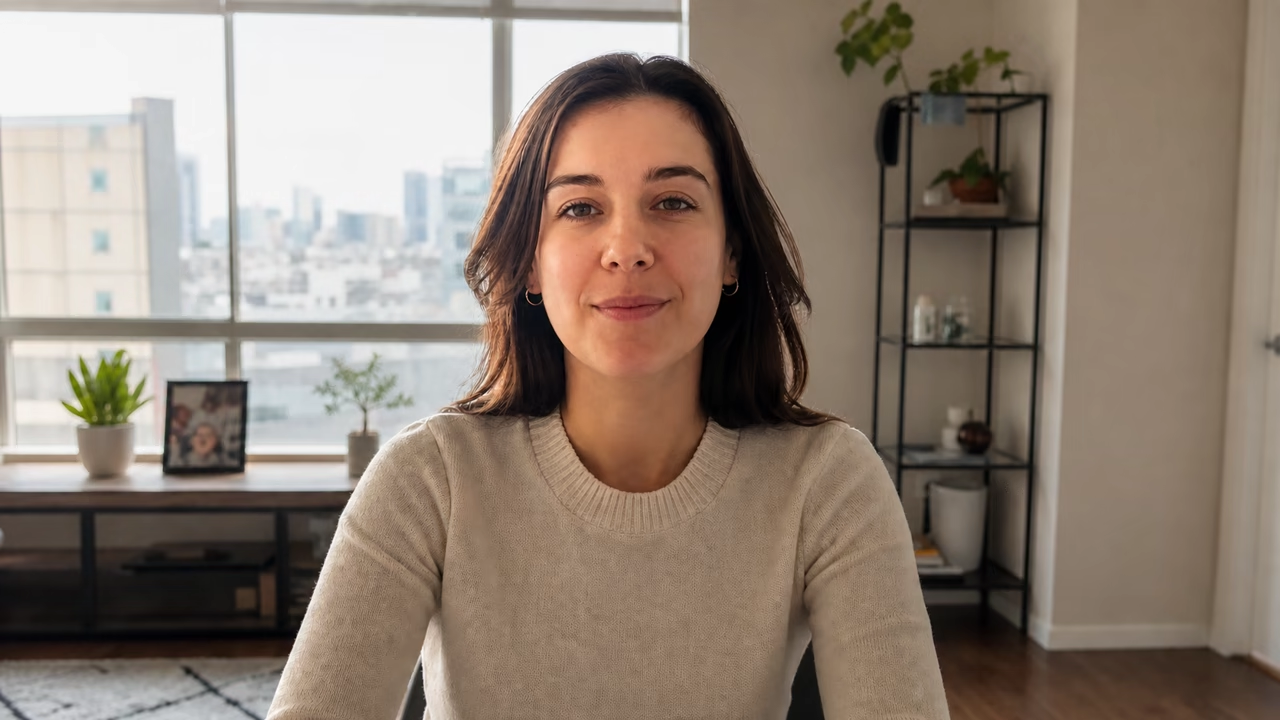
Why Use AI Photo Relighting Instead of a Brightness Slider?
A brightness slider lifts the whole frame. AI Photo Relighting can rebuild directional highlights, fill, shadows, reflections, and atmosphere while keeping the subject recognizable.
Correct Difficult Light
Fix a dark face, flat indoor image, mixed color temperature, uneven illumination, or backlit subject without manually painting masks.
Direct the New Light
Describe light from the left, right, front, above, or behind, then choose soft, hard, warm, cool, studio, golden-hour, or cinematic light.
Protect the Actual Photo
Identity, pose, composition, product shape, materials, text, background objects, and crop are explicitly preserved.
Six AI Photo Relighting Capabilities with Before-and-After Proof
These AI Photo Relighting examples cover corrective lighting, directional product light, mixed color, golden hour, cinematic night light, and brighter interiors.
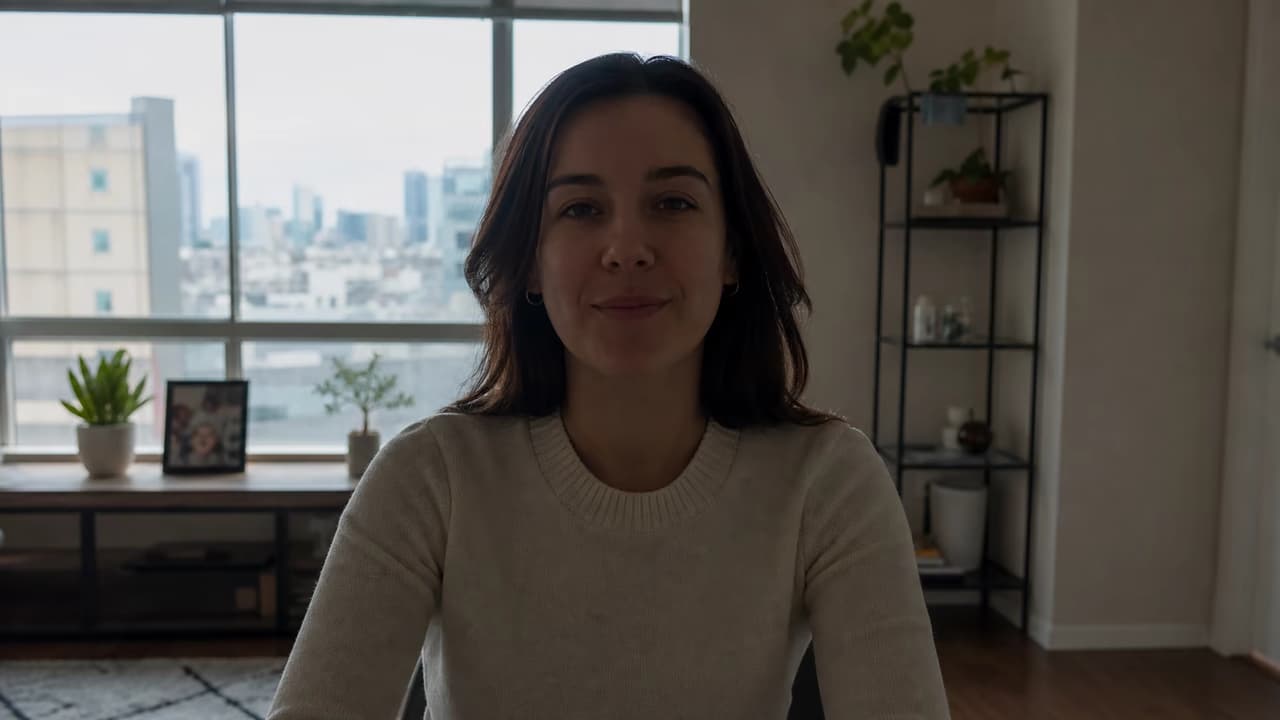
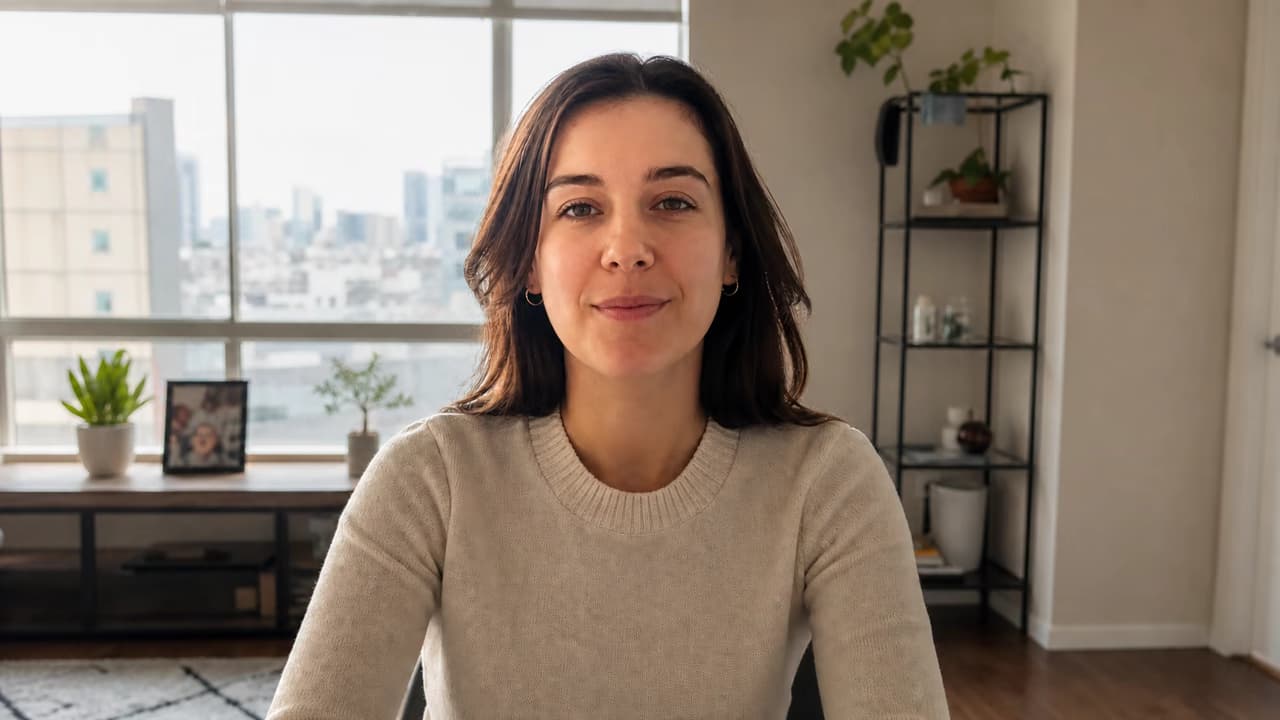
Fix a Backlit Portrait and Brighten a Dark Face
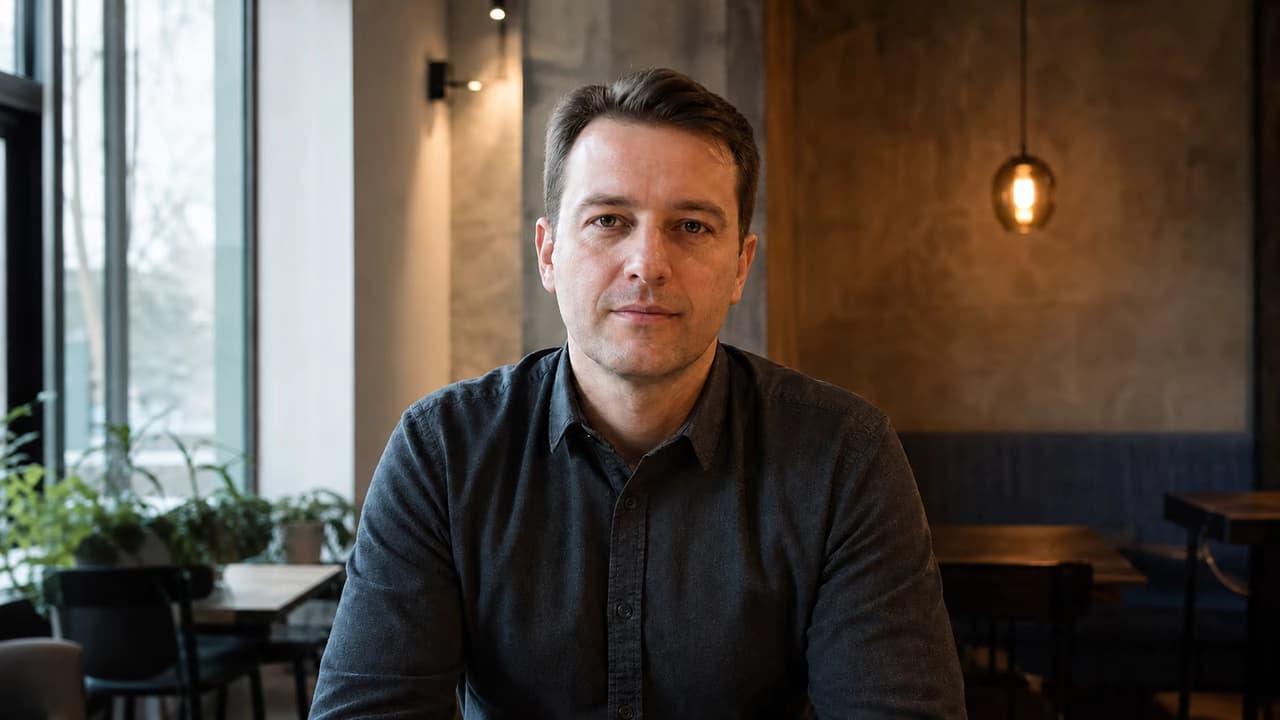
Use AI Photo Relighting to fix lighting in a photo where a bright window leaves the face dark. Balance the background, restore natural skin tone, and keep the same identity, expression, clothing, room, and framing.
Balance Uneven Lighting and Mixed Color Temperature
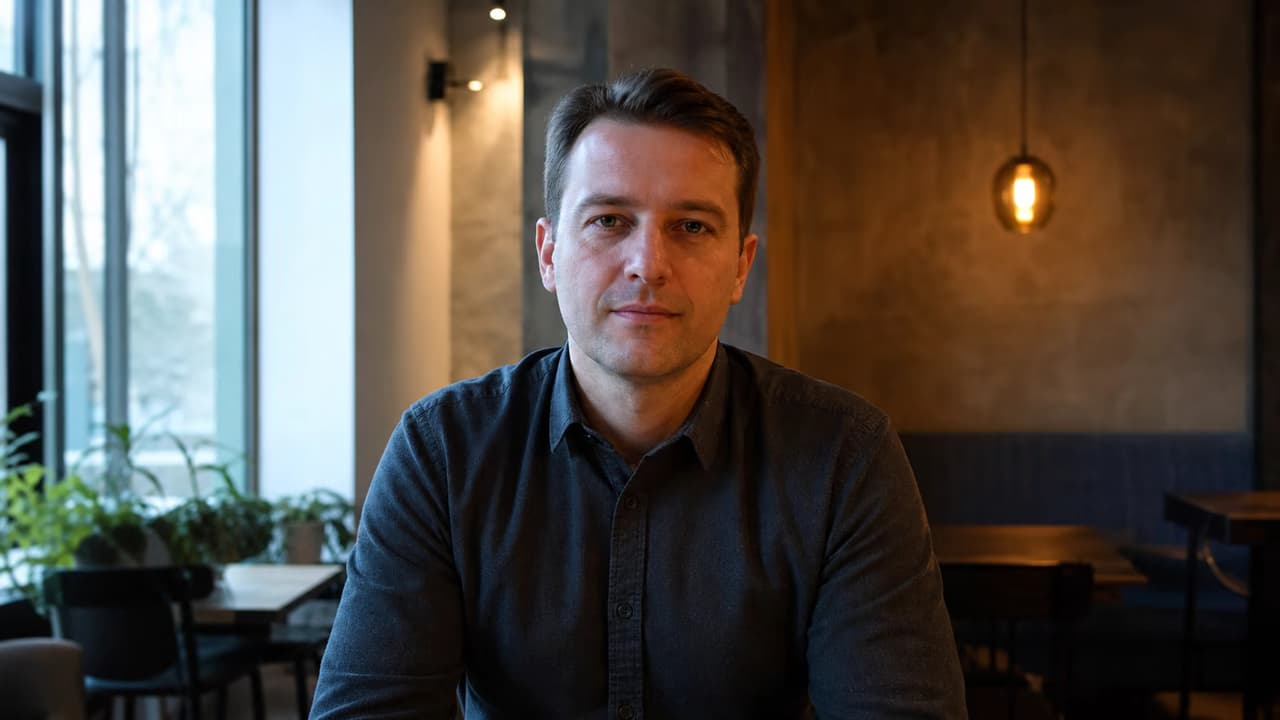
Correct cool window light on one side and muddy orange room light on the other. This photo lighting correction keeps natural depth while making skin tone and facial exposure more consistent.
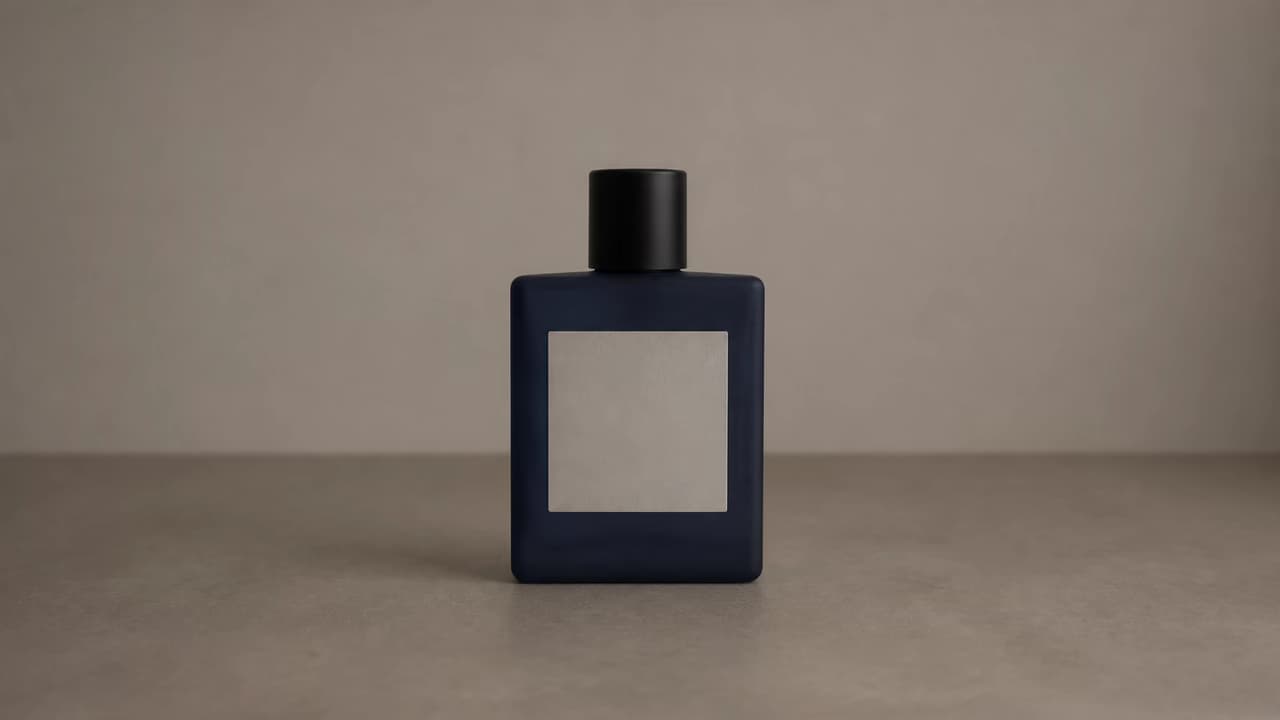
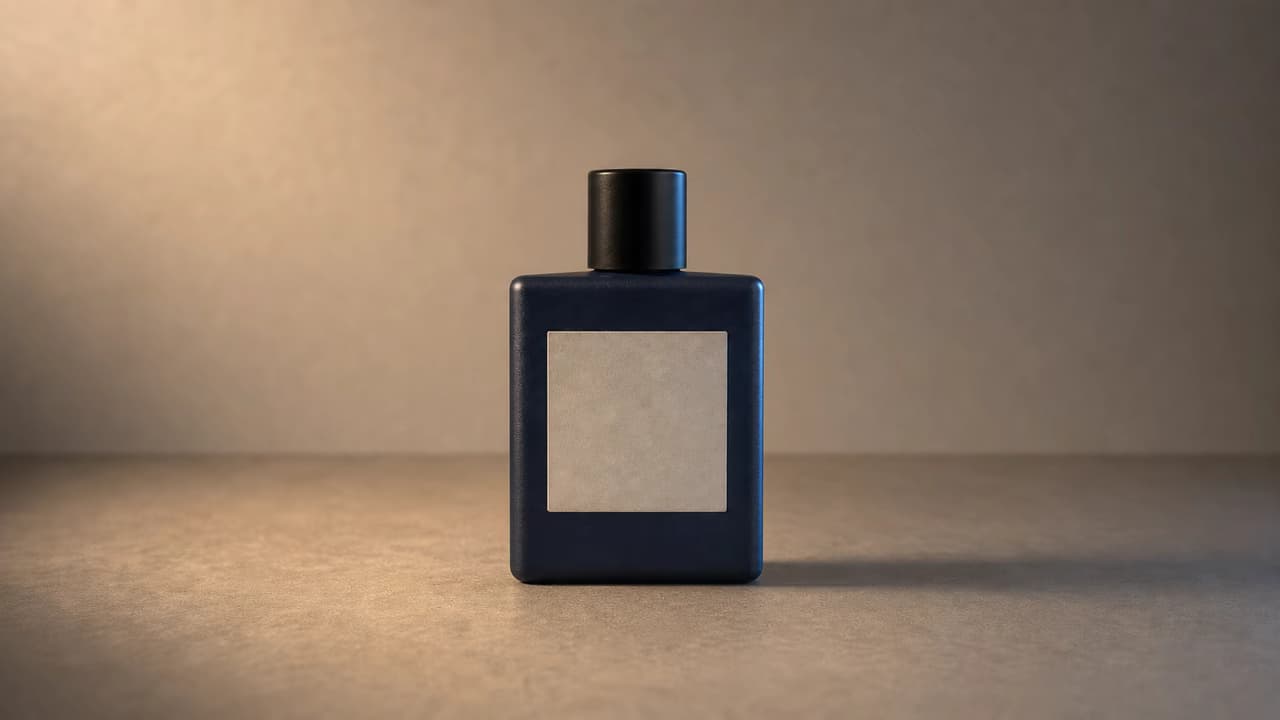
Change Product Photo Lighting Direction
AI Photo Relighting turns a flat pack shot into a polished product image with a clear key light, controlled rim light, stronger material definition, and a shadow that follows the requested direction.
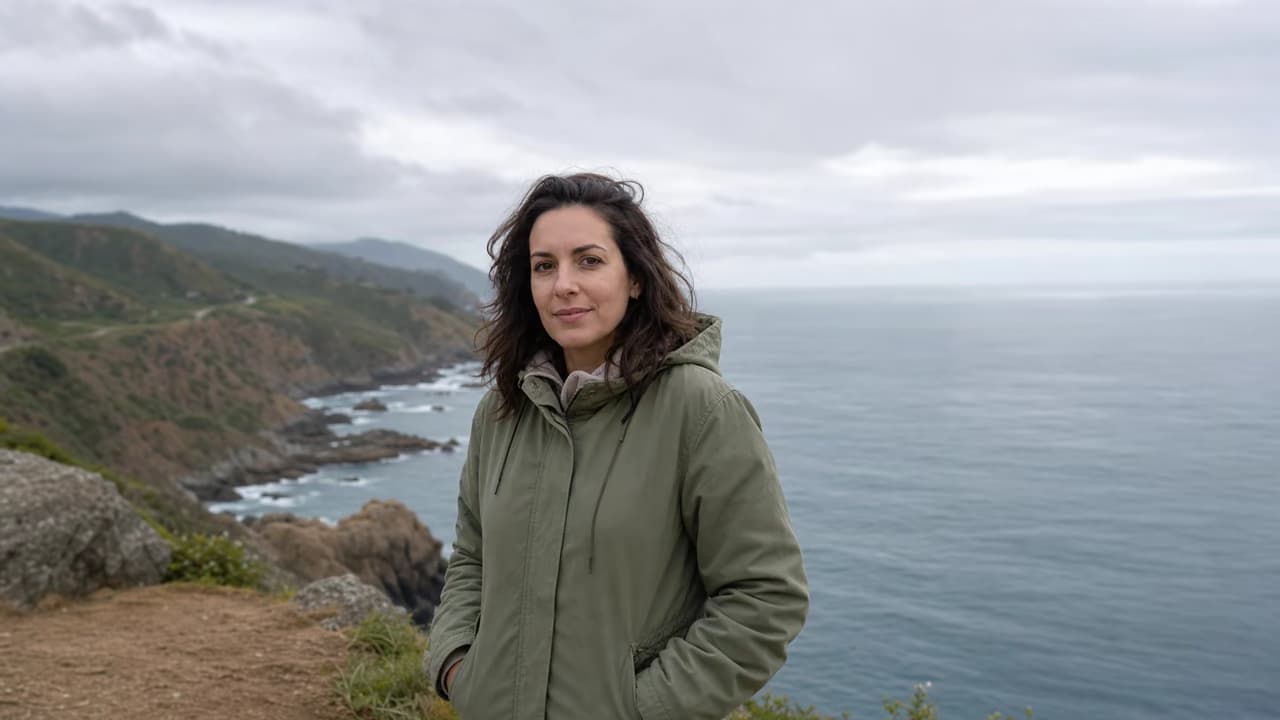
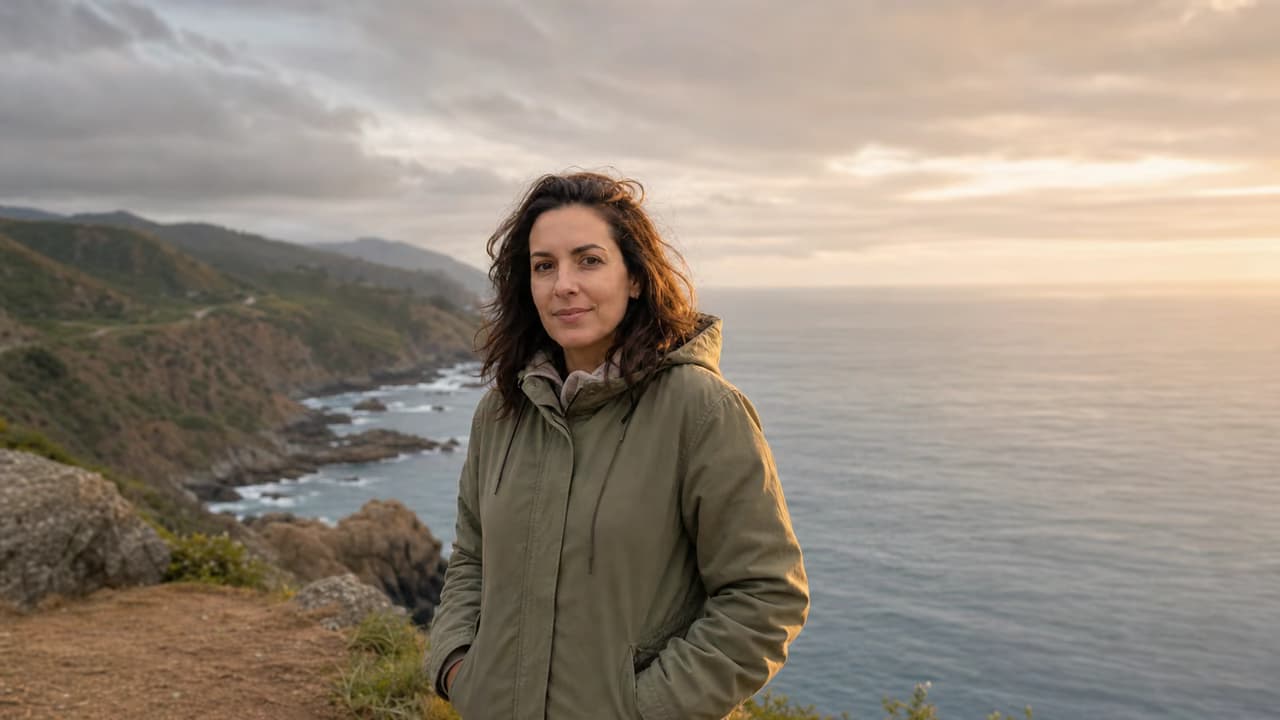
Add Golden-Hour Lighting to an Outdoor Photo
Turn cool overcast travel light into believable golden-hour photo lighting with warm edge light, gentle face fill, and an amber atmosphere that keeps the person, coastline, and sea recognizable.
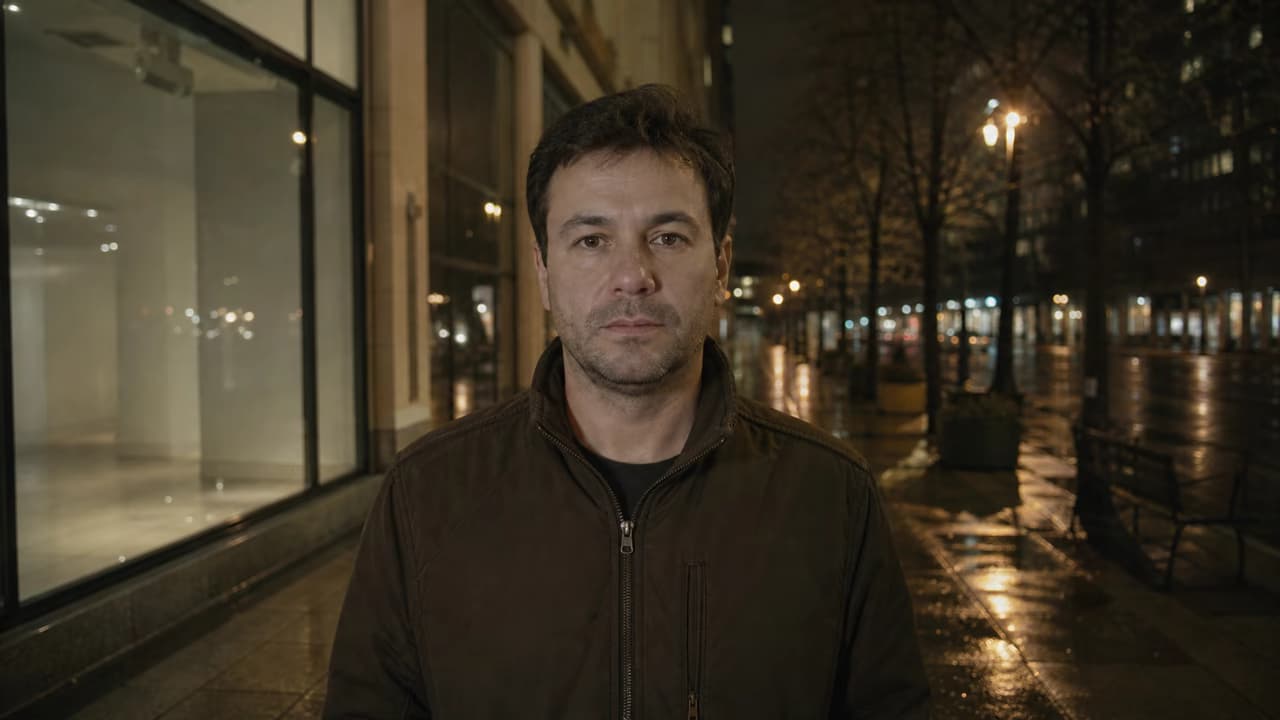
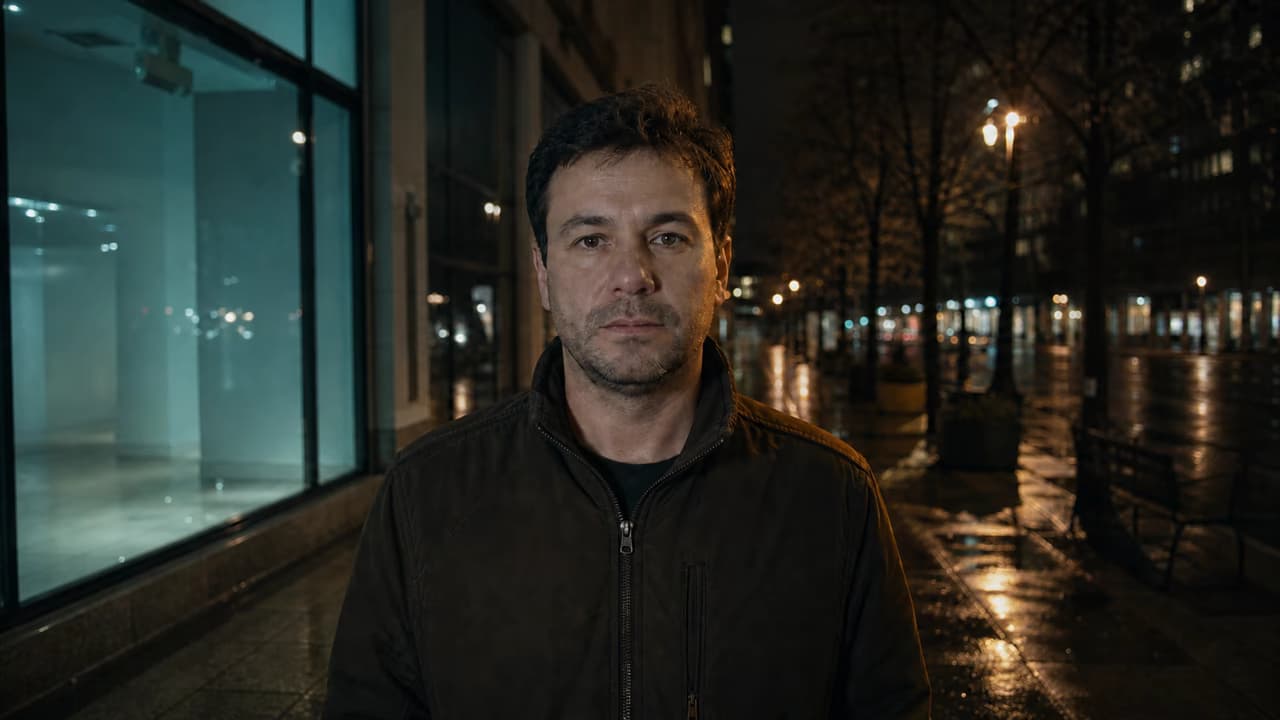
Create Cinematic Night and Colored Rim Lighting
Use cinematic photo relighting to add a restrained teal key light, warm street-side rim light, deeper contrast, and coherent wet-pavement reflections without turning the portrait into a fantasy scene.
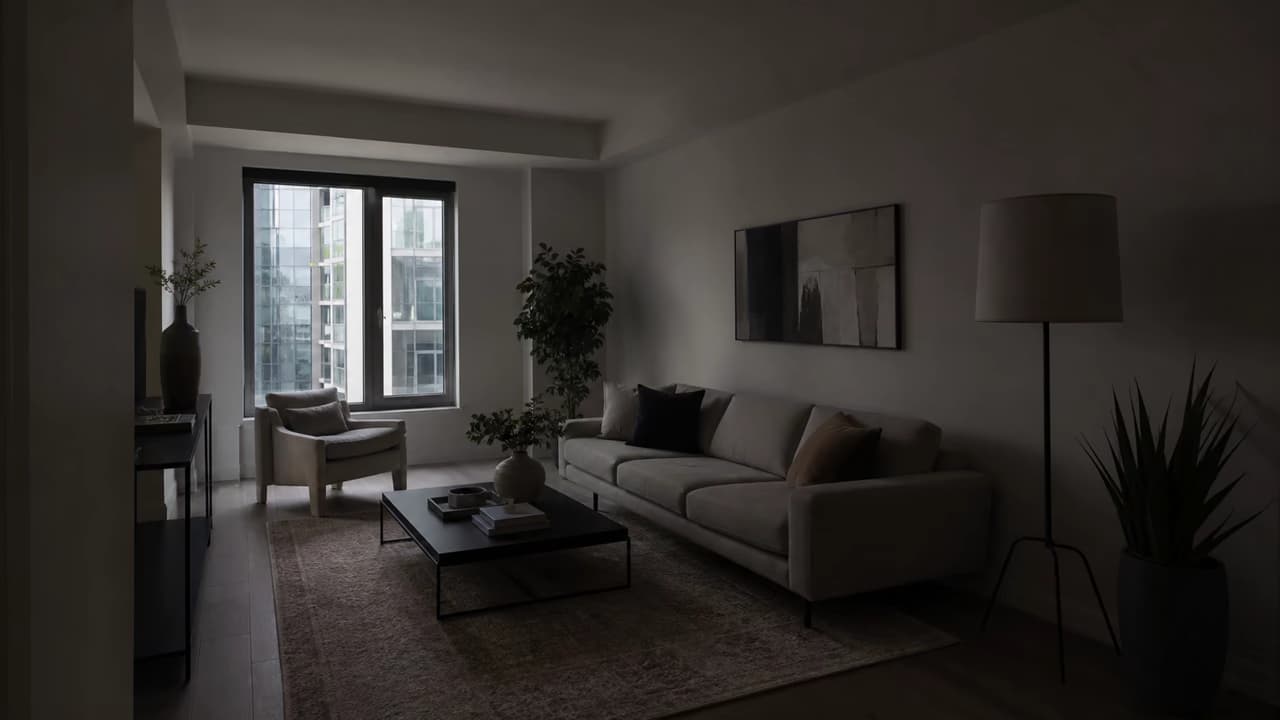
Brighten Interior and Real-Estate Photos Naturally
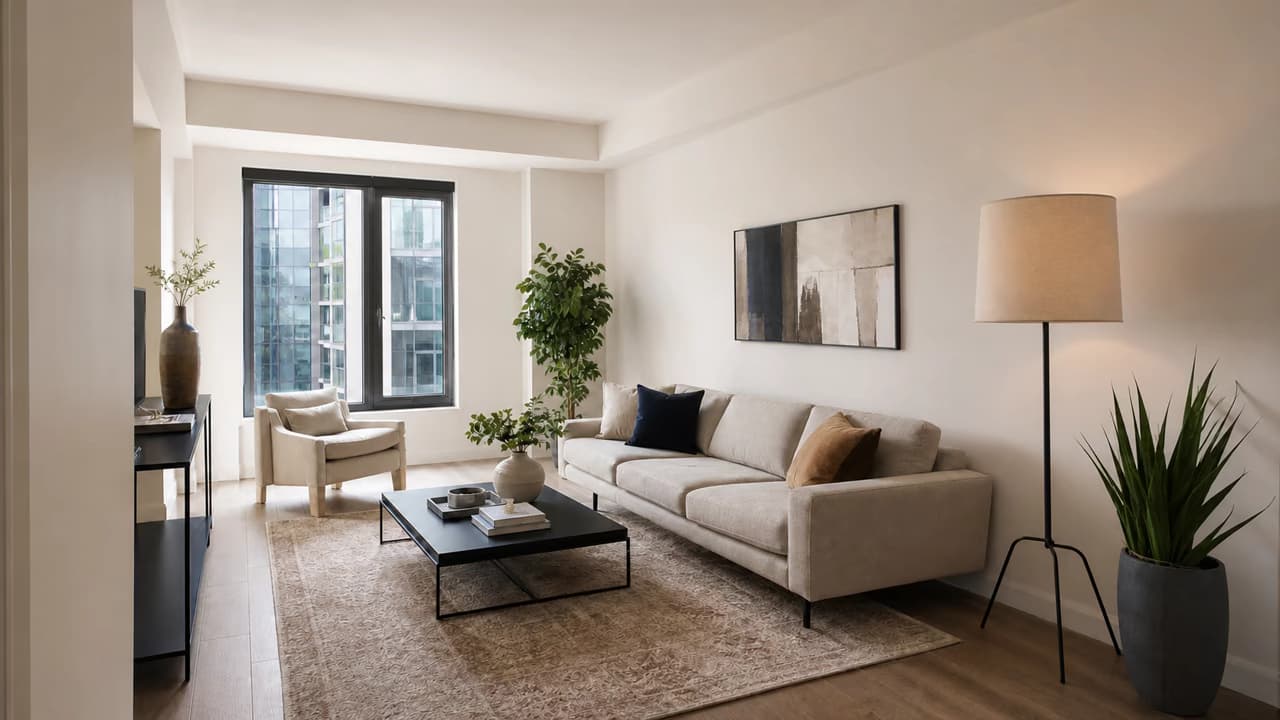
AI Photo Relighting can open dark room corners, balance a bright window, neutralize color, and create listing-ready interior lighting while preserving architecture, furniture, materials, and perspective.
How to Relight a Photo with AI
Upload the original, describe one lighting goal, and verify that the light changed without unwanted subject changes.
Upload the Best Original
Choose a clear, high-resolution photo with visible face, product, or scene detail. Moderate shadows are easier than fully black or clipped areas.
Describe Direction, Quality, and Mood
Name the problem or desired light: auto-balance, soft front light, left-side studio light, golden hour, rim light, moonlight, or cinematic contrast.
Check Light and Preservation
Inspect faces, skin, hands, product shape, logos, text, reflections, shadow direction, background objects, crop, and fine details before downloading.
What Makes This AI Photo Relighting Workflow Useful?
The value is not another filter. AI Photo Relighting combines corrective control, creative looks, and preservation instructions in one browser workflow.
Correct Light Without Manual Masks
Describe the dark face, backlight, mixed color, or uneven area in plain language instead of painting local exposure and color masks by hand.
Move Beyond Global Brightness
Generate directional key light, fill, rim light, cast shadows, contact light, reflections, and material highlights instead of lifting every pixel equally.
Protect Faces, Products, and Rooms
Use a focused prompt that tells the model to preserve identity, pose, product geometry, labels, background objects, architecture, framing, and crop.
Create Several Lighting Directions and Moods
Try soft portrait light, studio key and fill, golden hour, cinematic side light, moonlight, backlight, neon color, or a subtle rim-light atmosphere.
Get More Realistic AI Relighting Results
Strong results need visible source detail, one clear lighting idea, and a prompt that protects everything unrelated to the light.
Before You Generate
- Start with the highest-resolution original and avoid screenshots when possible.
- Describe where the light comes from, whether it is soft or hard, and whether it should feel warm, neutral, or cool.
- Lock identity, skin tone, pose, clothing, product geometry, text, material, background objects, framing, and crop.
- Ask for one correction or mood first; combine several colored lights only after a clean base result.
Common Problems and Better Instructions
AI Photo Relighting That Prioritizes the Original Image
The workflow describes the new illumination in plain language and protects the original subject, but it does not pretend to be a calibrated lighting rig.
Corrective or Creative Light
Start by fixing dark, flat, backlit, or uneven lighting, or describe a new studio, golden-hour, cinematic, moonlight, or neon mood.
Preservation Guidance
Tell the model to preserve identity, pose, composition, objects, product details, background, and crop while changing the illumination.
Full-Image Review Required
Relighting can affect skin, reflections, materials, text, and shadow geometry. Compare the result with the source before publishing.
Built for honest generative relighting
No RAW recovery claim
The model generates a new rendered image; it cannot restore clipped highlights, crushed shadows, or unseen source detail.
No imaginary sliders
Direction, strength, color temperature, softness, and mood are described with text prompts rather than numeric lighting controls.
No physical-simulation promise
The result is visually plausible generative relighting, not measured photometric reconstruction or a guaranteed pixel-accurate edit.
AI Photo Relighting FAQ
What is AI photo relighting?
Can AI fix bad lighting in a photo?
Can I change the light direction in a photo?
Can I add golden-hour or studio lighting?
Will the person or product stay exactly the same?
Can it remove a shadow from a face?
Is this the same as changing brightness or exposure?
Does the tool use sliders for intensity and temperature?
Can I use it online without Photoshop?
Fix the Lighting or Create a New Mood
Upload a clear photo, describe the light direction and atmosphere, and review every protected detail before downloading.