
LogoAI Picture Editor
  • AI Picture Editor
  • AI Image Generator
  • AI Image Agent
    • Background Remover
      Remove backgrounds locally with no sign-up or usage quota, then download a transparent or color-filled PNG.
    • Image Upscaler
      Enlarge images by 2× or 4× privately with no sign-up or usage quota.
  • Pricing
LogoAI Picture Editor
AI Picture Editor/Image to Image AI/Product Photo Editing

AI Fashion Model Generator for Realistic On-Model Photos

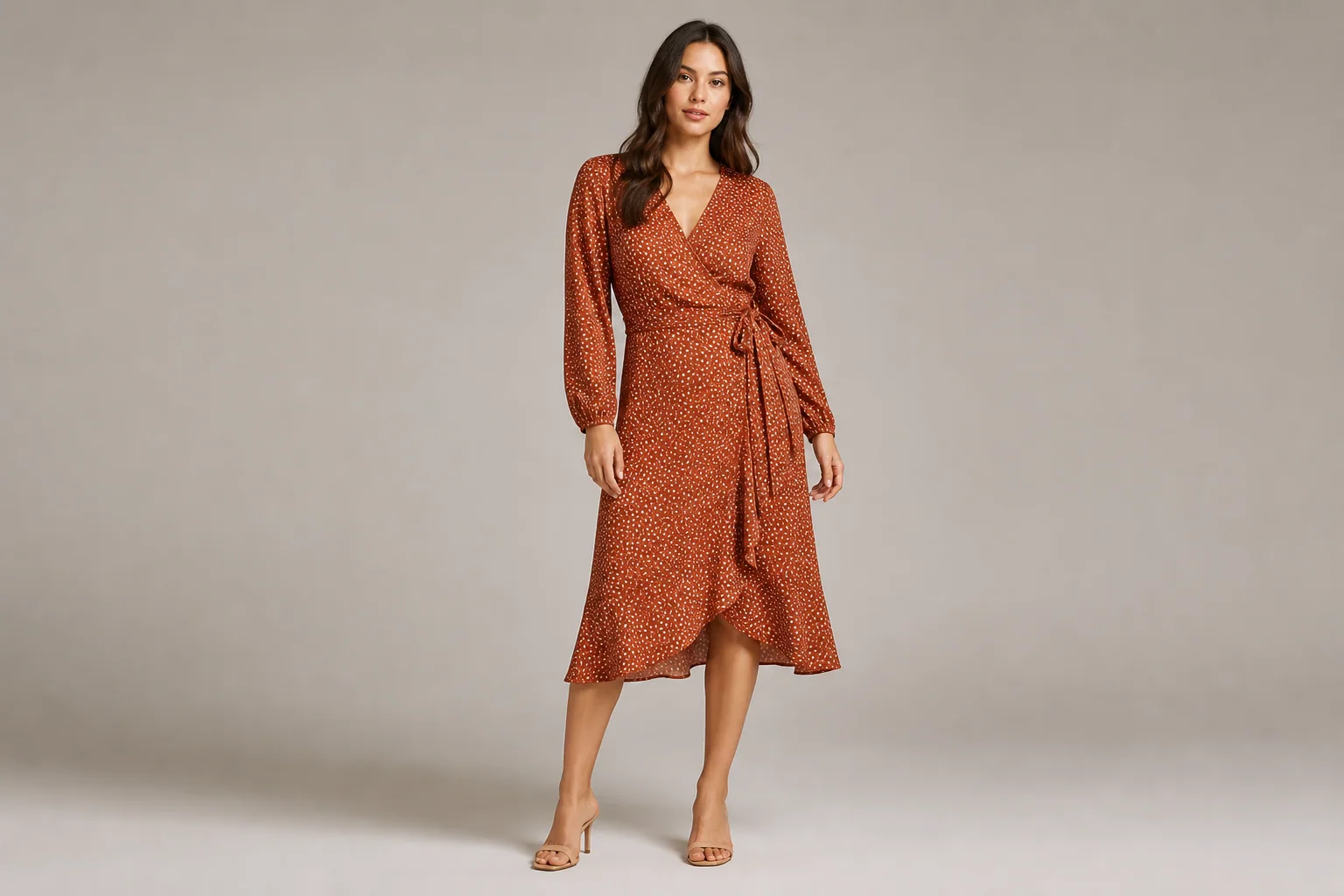
Turn flat lays, hanger shots, mannequin photos, or supplier images into realistic on-model fashion photos for stores and campaigns.

Flat Lay, Hanger, or Mannequin to ModelUp to 3 Garment and Model ReferencesCatalog and Lifestyle Fashion Images
Put this garment on an adult model in a clean studio.
Type @ to reference an uploaded image

Describe the adult model, pose, camera, scene, and garment details to preserve.

The selected resolution controls the configured credit cost.
Public
Private
AI Fashion Model Generator result with an adult model wearing a rust wrap dress in a warm-gray studio
Preparing generatorControls will be ready in a moment.

AI Fashion Model Generator Features for Ecommerce

Create product-page, catalog, and campaign-ready on-model fashion images.

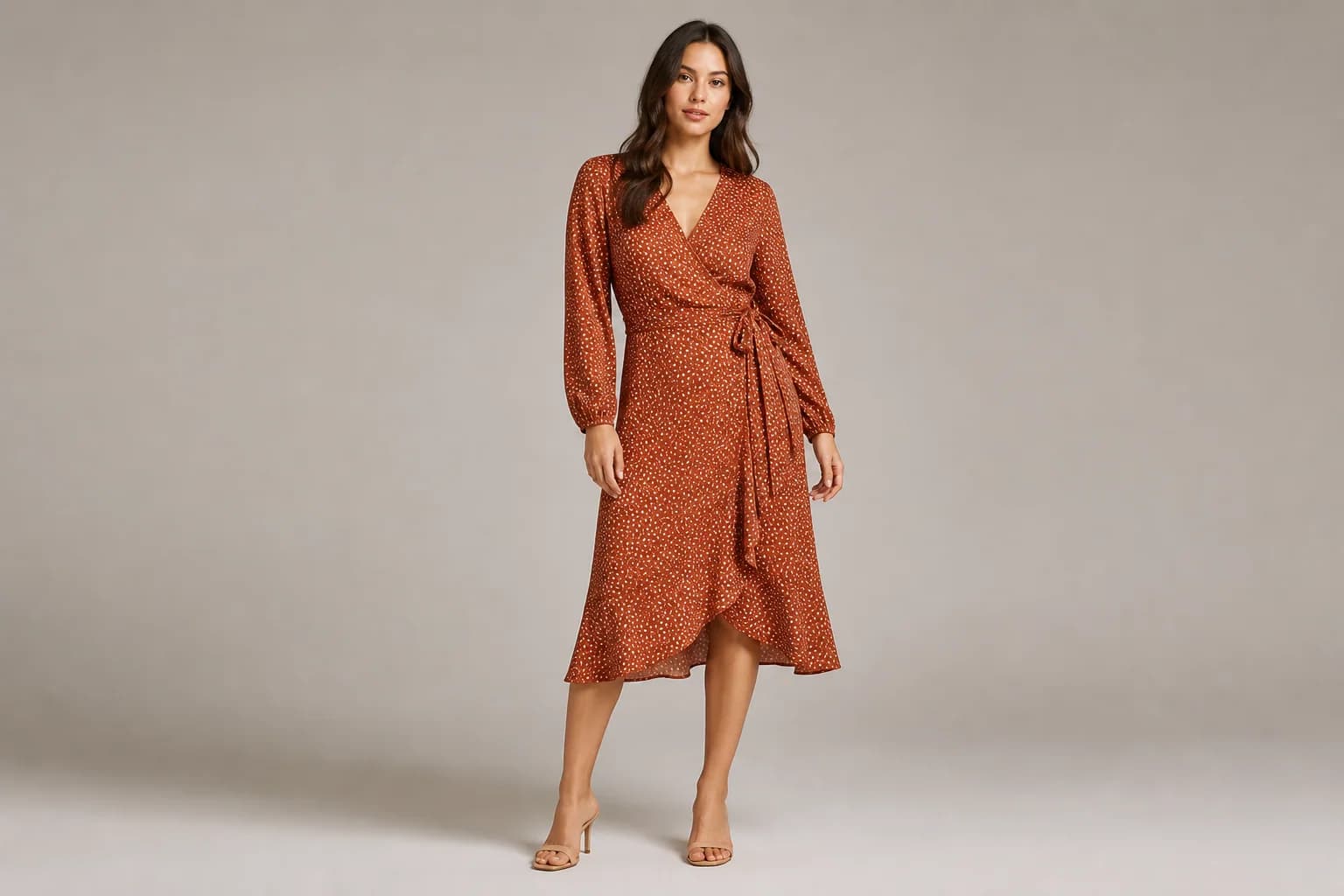
Turn Flat Lays into On-Model Fashion Photos

Turn a flat lay, hanger shot, mannequin photo, or supplier image into a realistic photo of an adult model wearing the garment.

  • Start with a full garment view and visible edges.
  • Choose a catalog or lifestyle pose and review the result before use.
Turn Flat Lays into On-Model Fashion Photos

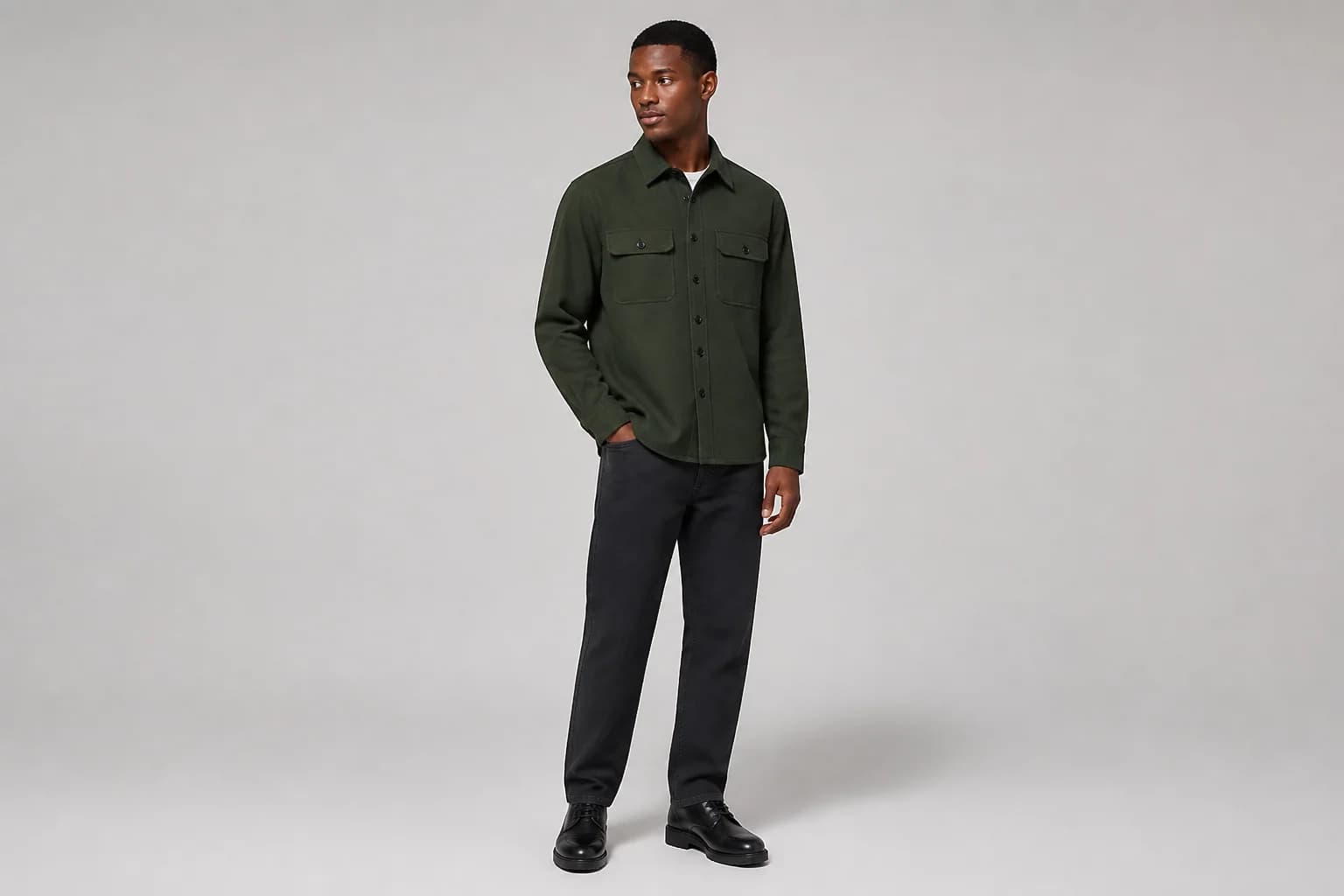
Keep Color, Print, Logo, and Construction Recognizable

Preserve the SKU’s silhouette, color, print, logo, seams, closures, and fabric texture.

  • Add a sharp close-up when small print, embroidery, or hardware matters.
  • Check lettering and repeating patterns at full size after generation.
Keep Color, Print, Logo, and Construction Recognizable

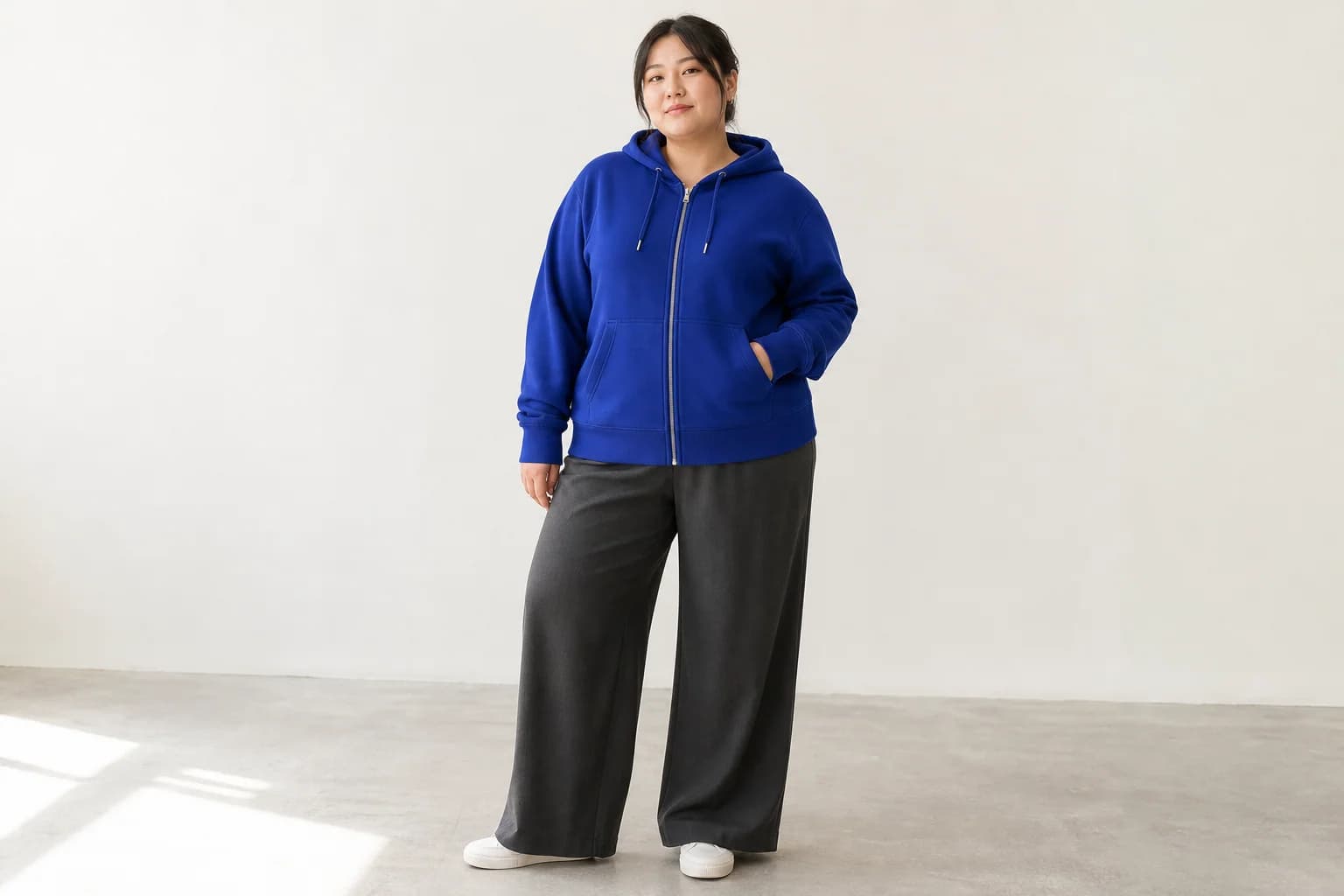
Create Fashion Models for Different Audiences

Describe an adult model’s age range, body type, skin tone, hair, pose, and styling to suit your audience.

  • Create inclusive on-model product imagery for different customer groups.
  • Check body proportions, hands, drape, and garment contact.
Create Fashion Models for Different Audiences

Guide the Look with an Optional Model Reference

Add an authorized model reference to guide face, hair, proportions, or styling; exact identity is not guaranteed.

  • Upload the garment first and identify each reference in the prompt.
  • Use only adult model photos you own or have permission to edit.
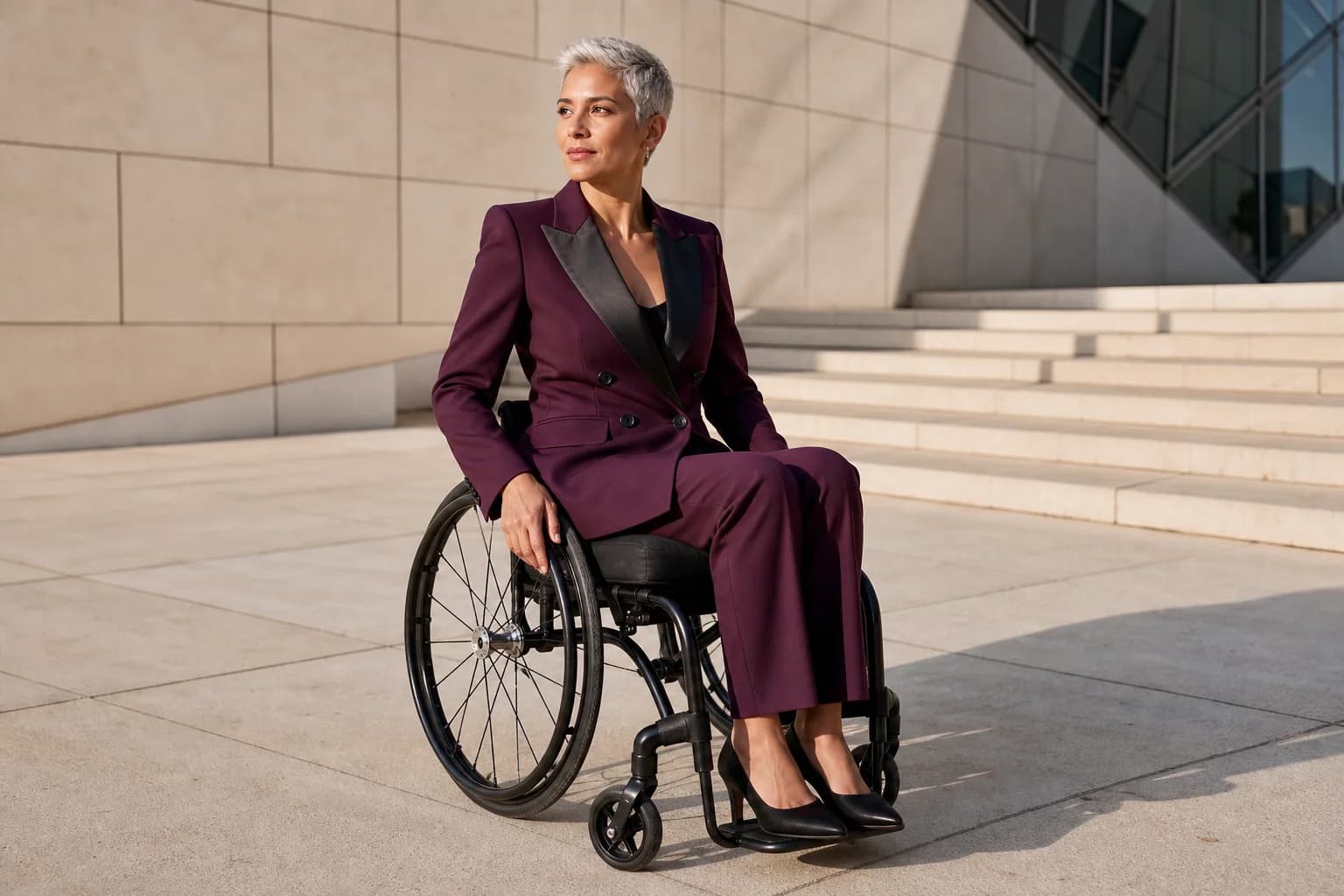
Guide the Look with an Optional Model Reference

Create Catalog and Lifestyle Fashion Photography

Create clean catalog shots or studio, street, resort, editorial, and seasonal campaign images.

  • Keep primary product images simple and factual.
  • Describe the camera, light, setting, and negative space for the final channel.
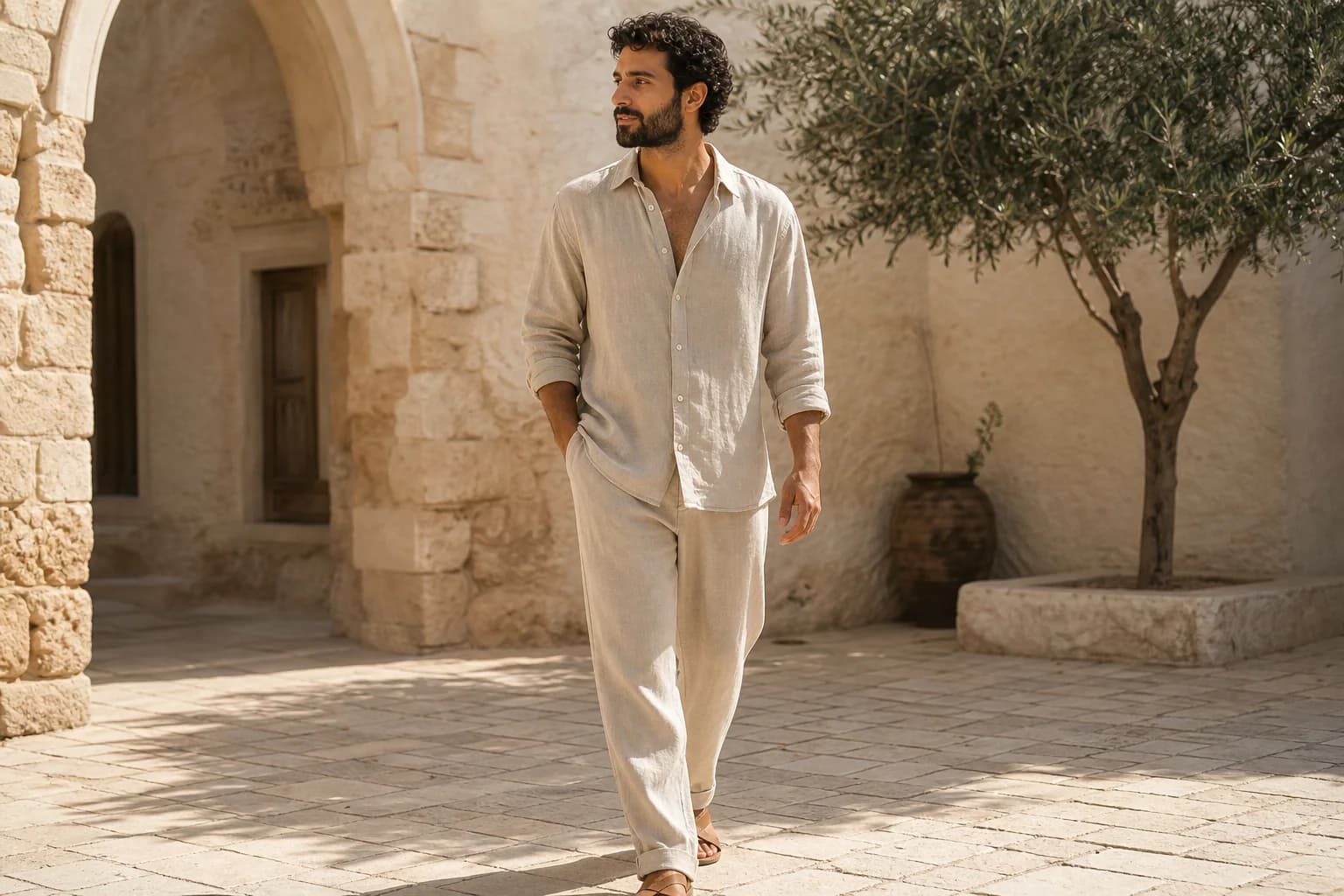
Create Catalog and Lifestyle Fashion Photography

Connect On-Model, Flat Lay, and Ghost-Mannequin Views

Pair on-model images with flat lays, ghost-mannequin views, and focused editing tools.

  • Show scale and drape with an on-model image.
  • Show construction with flat lay and ghost-mannequin views.
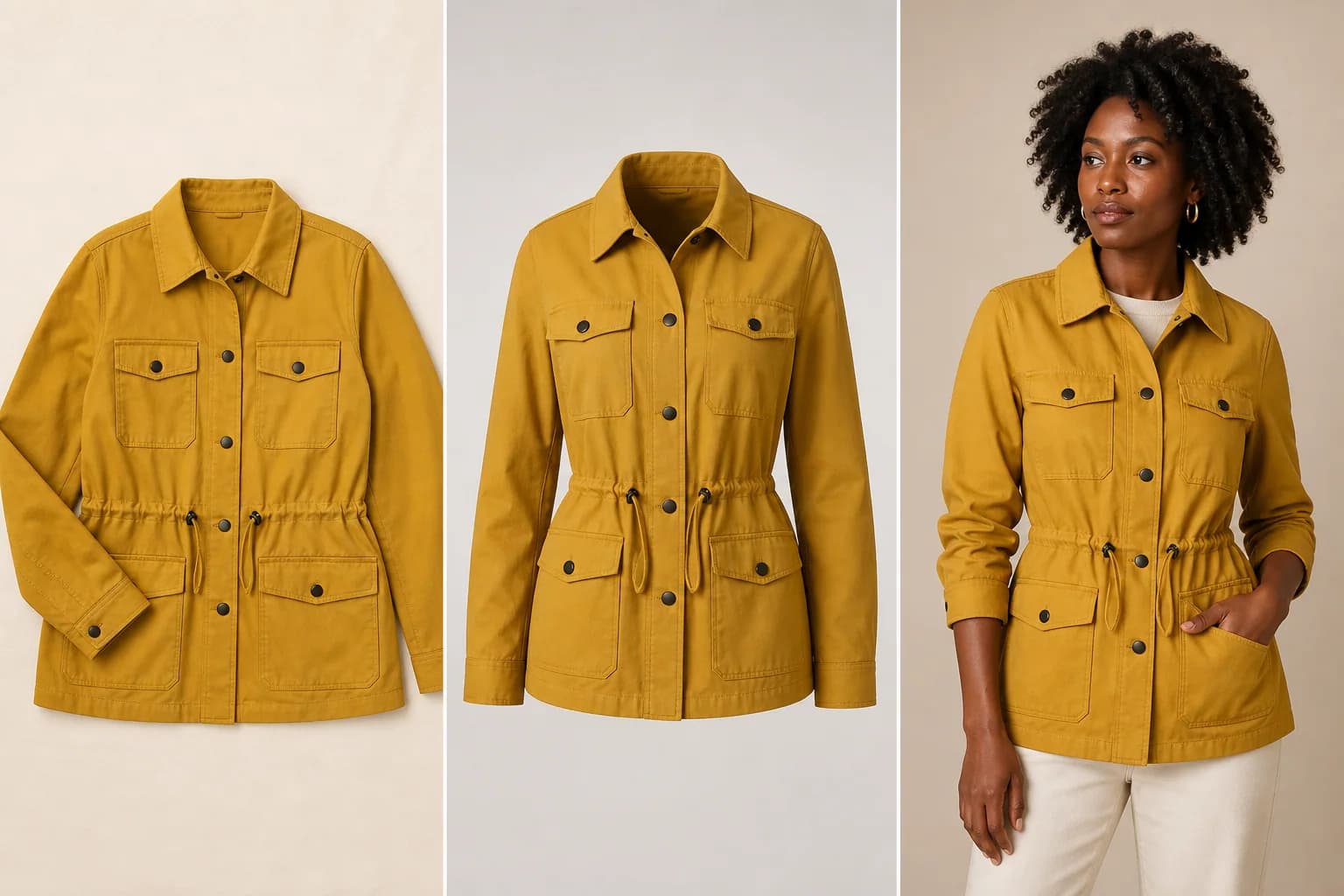
Connect On-Model, Flat Lay, and Ghost-Mannequin Views

Who Uses an AI Fashion Model Generator?

The AI Fashion Model Generator serves apparel teams that have product images but still need credible on-model photos for selling, merchandising, and creative exploration.

Shopify and DTC Fashion Brands

Expand a PDP gallery with on-model views that communicate scale, drape, styling, and customer context.

Marketplace and Resale Sellers

Turn supplier, hanger, flat lay, and mannequin photos into secondary on-model listing concepts after checking product truth and marketplace rules.

Designers and Small Studios

Explore a fashion catalog, lookbook, line-sheet, sample presentation, or campaign direction without restaging every concept first.

Agencies and Social Teams

Create varied model, studio, street, resort, editorial, and seasonal directions for client review and approved campaign assets.

How to Use the AI Fashion Model Generator

The AI Fashion Model Generator works best when one clear garment, optional same-SKU views, and a specific on-model brief all describe the same intended result.

1

1. Upload the Garment First

Choose a sharp flat lay, hanger, mannequin, ghost-mannequin, or supplier image with the complete garment visible. Add up to two same-SKU detail views or one authorized adult model reference if needed.

2

2. Describe the Model and Scene

Name the adult model, pose, camera angle, background, light, catalog or lifestyle goal, and every color, print, logo, seam, closure, and material detail to preserve.

3

3. Generate and Audit the Garment

Open the result at full size and compare silhouette, fit, pattern, wording, hardware, hands, anatomy, and inferred hidden areas with the source before downloading or publishing.

Why Choose This AI Fashion Model Generator?

Create on-model fashion images with reference support and garment-preservation guidance.

Usable Above the Fold

Upload references, write a brief, generate, refine, and download in one workflow.

Garment-Preservation Guidance

Protect key SKU details with front, back, and close-up references.

Connected Review and Editing

Finish the result with focused flat lay, text, color, lighting, and canvas tools.

Tools Related to the AI Fashion Model Generator

Continue from the AI Fashion Model Generator to the reverse flat-lay workflow, dimensional garment-only photography, general product editing, clothing cleanup, and campaign canvas tools.

AI Flat Lay Clothing Generator

Turn a model, hanger, mannequin, or garment photo into a clean top-down product image while protecting SKU details.

Open tool →

AI Ghost Mannequin Generator

Remove the person or torso form while keeping garment volume and rebuilding hidden collar and sleeve interiors.

Open tool →

AI Product Photo Editor

Create packshots, backgrounds, lighting, lifestyle scenes, and broader ecommerce transformations for a product image.

Open tool →

Remove Clothing Wrinkles

Reduce distracting garment creases in the source or generated image while retaining fabric texture and intentional folds.

Open tool →

AI Image Extender

Expand an approved fashion image into square, portrait, landscape, wide, or vertical campaign compositions.

Open tool →

Create an On-Model Image with the AI Fashion Model Generator

Upload one garment, add optional same-SKU or model references, and direct the AI Fashion Model Generator toward a catalog or lifestyle result you can inspect before use.

Try the AI Fashion Model Generator

About This AI Fashion Model Generator

AI Fashion Model Generator is an online AI clothing model generator for turning flat lay clothing, hanger photos, mannequin images, ghost-mannequin pictures, supplier photos, and apparel product shots into realistic on-model fashion images. Use the AI Fashion Model Generator for ecommerce product pages, Shopify stores, marketplace listings, fashion catalogs, lookbooks, line sheets, AI fashion photography, social posts, seasonal campaigns, and product images with a person. Upload the main garment first, then add same-SKU front, back, or detail views or one adult model reference you have permission to use. Describe model age range, body type, skin tone, hair, pose, camera view, studio or lifestyle scene, and every garment detail to preserve. The AI Fashion Model Generator should be treated as a generative image workflow rather than a size-accurate virtual try-on: color, print, logo, readable text, silhouette, neckline, sleeves, seams, pockets, buttons, zippers, hardware, fabric, fit, hands, anatomy, and hidden construction can change. Compare every result with the real SKU, keep the original product photos, and follow applicable advertising, marketplace, model-consent, and AI-disclosure rules before publication.

AI Fashion Model Generator FAQ

What is an AI Fashion Model Generator?+
An AI Fashion Model Generator uses garment photos and an optional adult model reference to create a new on-model fashion image. It can turn a flat lay, hanger, mannequin, ghost-mannequin, supplier, or phone photo into a catalog or lifestyle result while using your prompt as the creative brief.
Can the AI Fashion Model Generator put flat lay clothes on a model?+
Yes. Upload the flat lay as the first image, keep the full garment visible, and describe an adult model, pose, camera angle, and background. Front, back, and detail references of the same SKU provide more evidence for areas that the flat lay does not show clearly.
Can I use a hanger or mannequin photo?+
Yes. The AI Fashion Model Generator can start from a hanger, torso mannequin, full mannequin, or ghost-mannequin image. Remove severe obstruction when possible and name the hanger, stand, clips, pins, or body form that should not remain in the final on-model image.
Can I upload my own model reference?+
Yes. Add one adult model photo you own or have permission to use and identify it as the model reference in the prompt. The reference can guide face, hair, body proportions, pose, and styling, but generative identity and body details may still vary.
Can I choose model age, body type, skin tone, hair, and pose?+
Yes. Describe an adult model and the attributes relevant to the campaign, along with a front, three-quarter, walking, seated, or relaxed pose. Keep the direction respectful, inspect anatomy and garment fit, and avoid using a generated image as a factual size or fit guarantee.
Will the AI Fashion Model Generator preserve logos, prints, and seams?+
Preservation instructions and same-SKU detail references can help, but no generative editor can guarantee every small feature. Review logo shape, spelling, print repeat, embroidery, stitching, closures, hardware, color, fabric, silhouette, and proportions against the physical garment.
How can I keep a model consistent across a catalog?+
Reuse the same authorized model reference, model description, camera language, lighting, and styling brief for each generation. This can guide a more consistent direction, but the current AI Fashion Model Generator does not save a locked model identity or guarantee exact consistency.
Is an AI Fashion Model Generator the same as virtual try-on?+
No. This page creates marketing-oriented on-model fashion photography. It does not simulate exact garment size, body measurements, physical fit, pressure, stretch, or drape for a particular shopper and should not be presented as a fit guarantee.
Does the AI Fashion Model Generator create video or process a catalog in bulk?+
No. The current workflow creates static images one generation at a time. You can reuse a successful brief across garments, but the page does not offer automated batch processing, a locked catalog preset, or fashion video generation.
Is the AI Fashion Model Generator free to try?+
Eligible visitors can try the AI Fashion Model Generator while guest credits and anonymous-generation capacity are available. Each generation uses compute and may require credits or sign-in when the guest allowance is unavailable; the page does not promise unlimited free generation.
LogoAI Picture Editor

AI image editing tools for cleaner, publish-ready visuals.

Email
Tools
  • Image to Image AI
  • AI Object Remover
  • AI Object Replacer
  • AI Image Extender
  • AI Product Photo Editor
  • AI Product Ad Generator
  • AI Ghost Mannequin Generator
  • AI Background Changer
  • Photo Colorizer
  • Old Photo Restoration
  • AI Image Text Editor
  • Remove Glasses AI
  • Family Picture Editor
  • AI Action Figure Generator
  • AI Furniture Remover
  • Photo Remove Filter
  • AI Flat Lay Clothing Generator
  • AI Photo Relighting
  • All Tools
Models
  • GPT Image 2.5
  • ChatGPT Image Editor
  • Qwen Image Edit
  • Grok AI Image Editor
  • Nano Banana Photo Editor
  • Nano Banana 2 Lite
Company
  • About
  • Contact
  • Changelog
Legal
  • Cookie Policy
  • Privacy Policy
  • Acceptable Use Policy
  • Terms of Service
© 2026 AI Picture Editor All Rights Reserved.[email protected]We are not affiliated with the model providers. All trademarks belong to their respective owners.