
AI Flat Lay Clothing Generator for E-commerce Photos
AI Flat Lay Clothing Generator converts a model, hanger, mannequin, supplier, or garment photo into a clean top-down product image. Choose a marketplace-ready white background, natural folded display, linen surface, or styled editorial layout.
AI must infer garment areas hidden by a body, hanger, overlap, or fold. Review color, silhouette, logos, text, print, seams, pockets, buttons, fabric, and hardware before using a result in an e-commerce listing.
Choose clothing images
or drag and drop
Try “clean 90° top-down flat lay on warm white,” “natural folded display,” or “editorial flat lay on pale linen with no props.”
The selected resolution controls the configured credit cost.
Why Use an AI Flat Lay Clothing Generator?
The AI Flat Lay Clothing Generator removes the person, mannequin, hanger, or source scene, reconstructs the garment, and creates a consistent product view without another physical flat lay shoot.
Accepts Practical Source Photos
Start with the images sellers already have: model photos, hanger shots, mannequin images, supplier photos, phone pictures, or clear garment references.
Clean or Styled Flat Lays
Create a true flat lay, white-background product photo, folded clothing display, neutral catalog image, linen surface, or restrained editorial treatment.
Product Details Come First
Color, silhouette, proportions, neckline, sleeves, seams, pockets, buttons, print, logo, text, material, and hardware are explicitly protected.
Six AI Flat Lay Clothing Generator Capabilities for Sellers
These AI Flat Lay Clothing Generator examples show six useful transformations across model, hanger, mannequin, supplier, phone, catalog, folded, and editorial inputs.
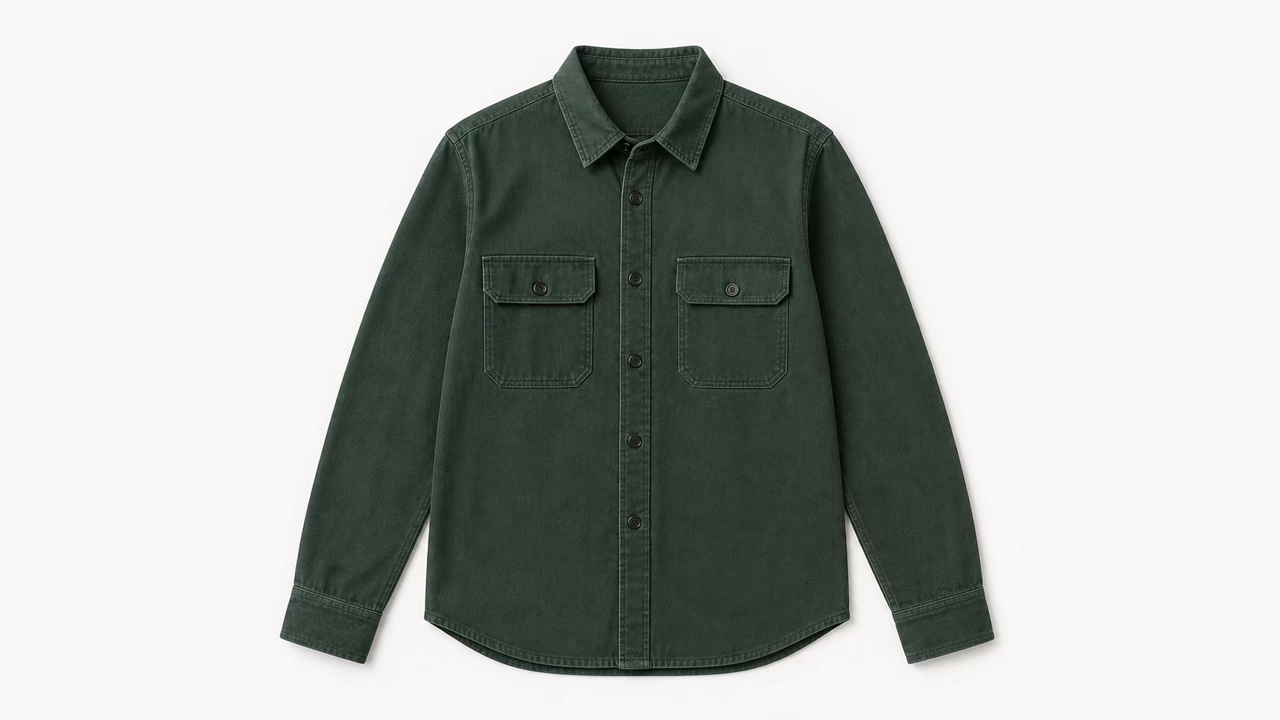
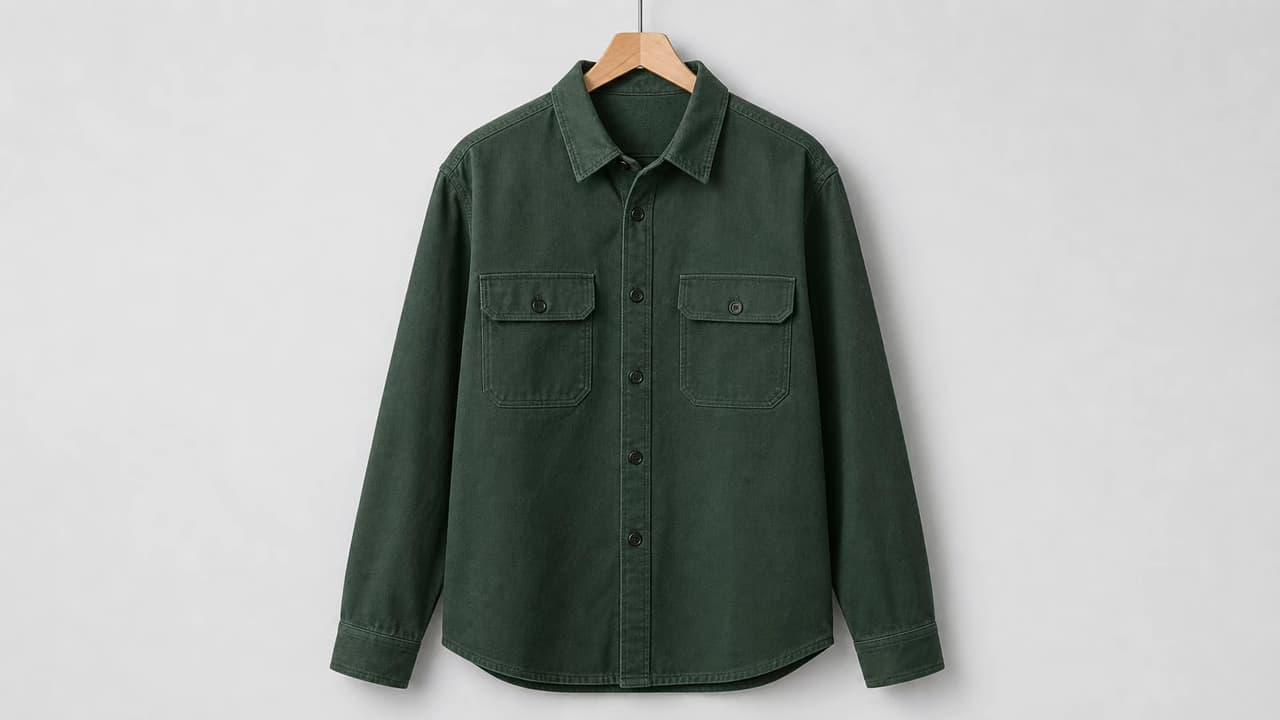
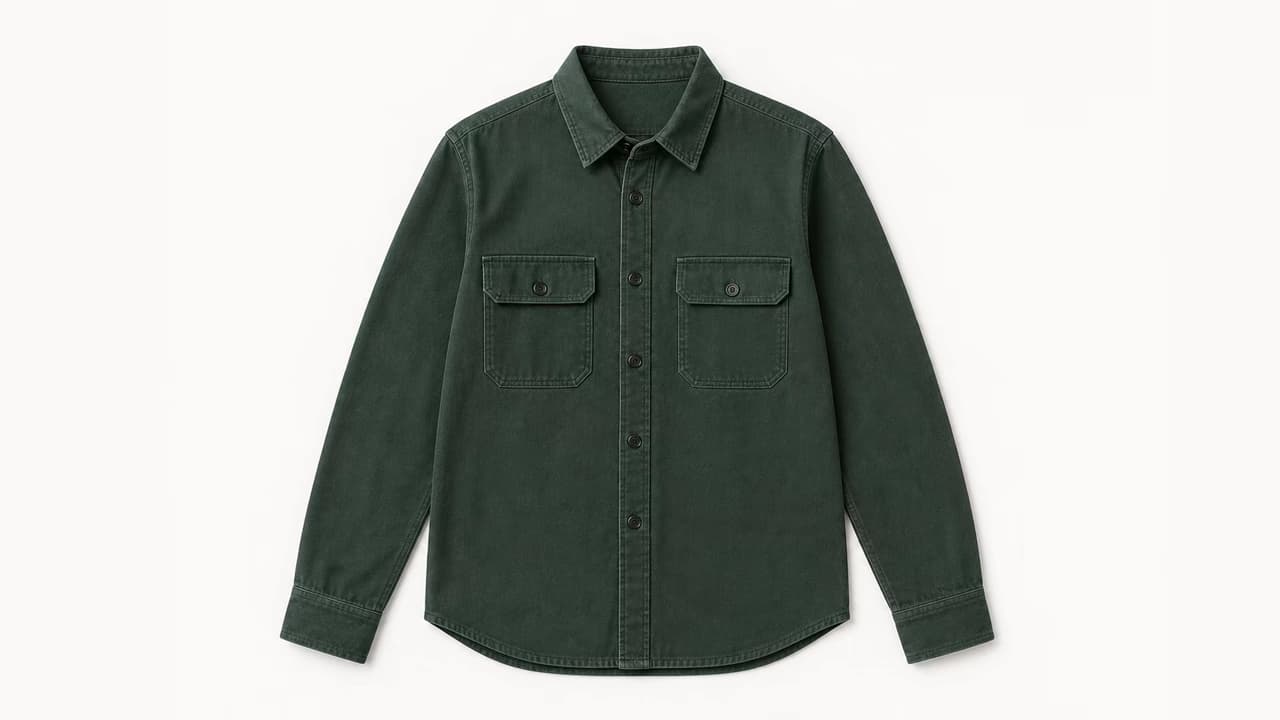
Hanger Photo to Clean Clothing Flat Lay
The AI Flat Lay Clothing Generator removes the hanger, preserves the overshirt color and construction, and arranges the garment at a true 90-degree overhead angle on a clean neutral canvas.
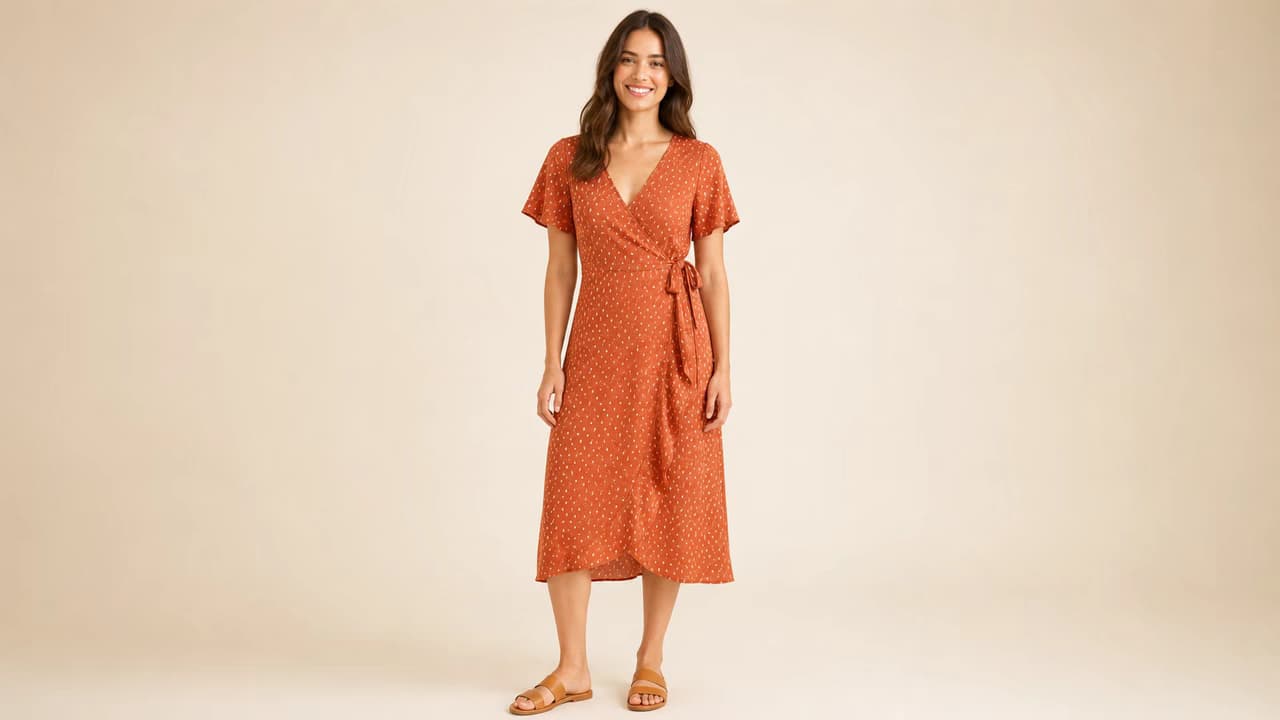
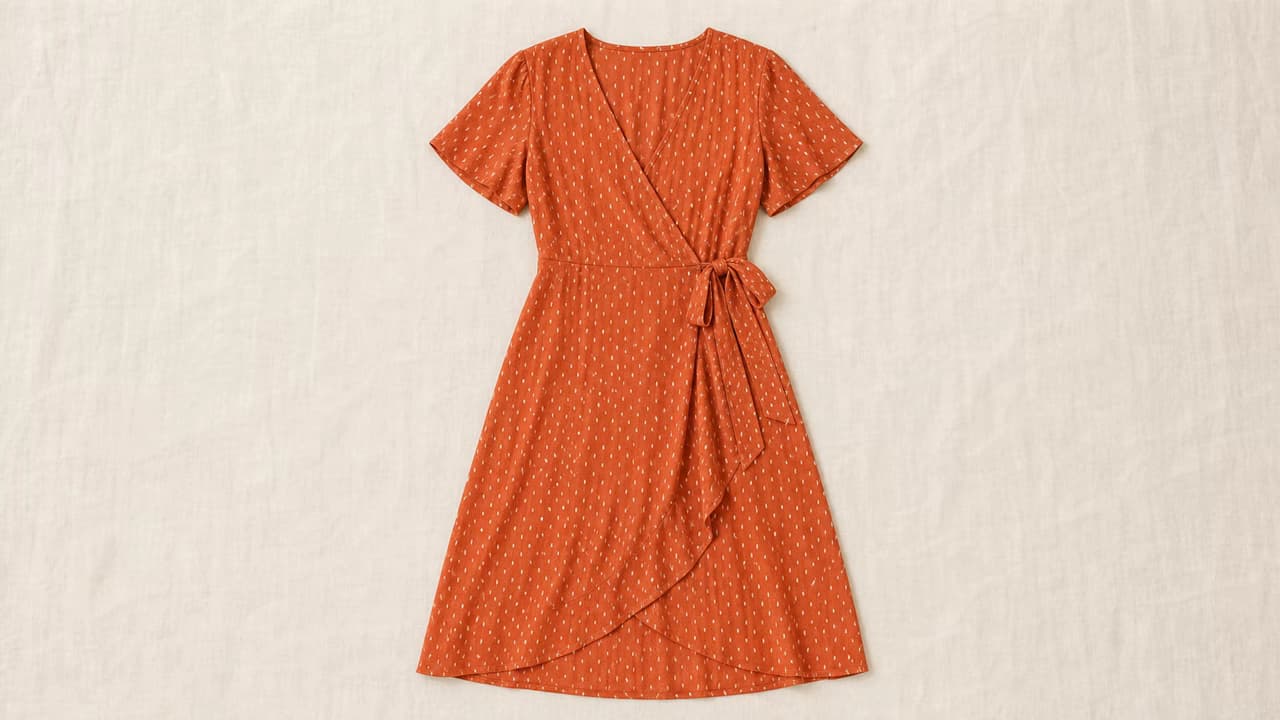
Model Photo to Styled Dress Flat Lay
Convert a model photo to a clothing flat lay on subtle linen while preserving the dress wrap shape, waist tie, sleeves, hem, rust color, cream print, and fabric character.
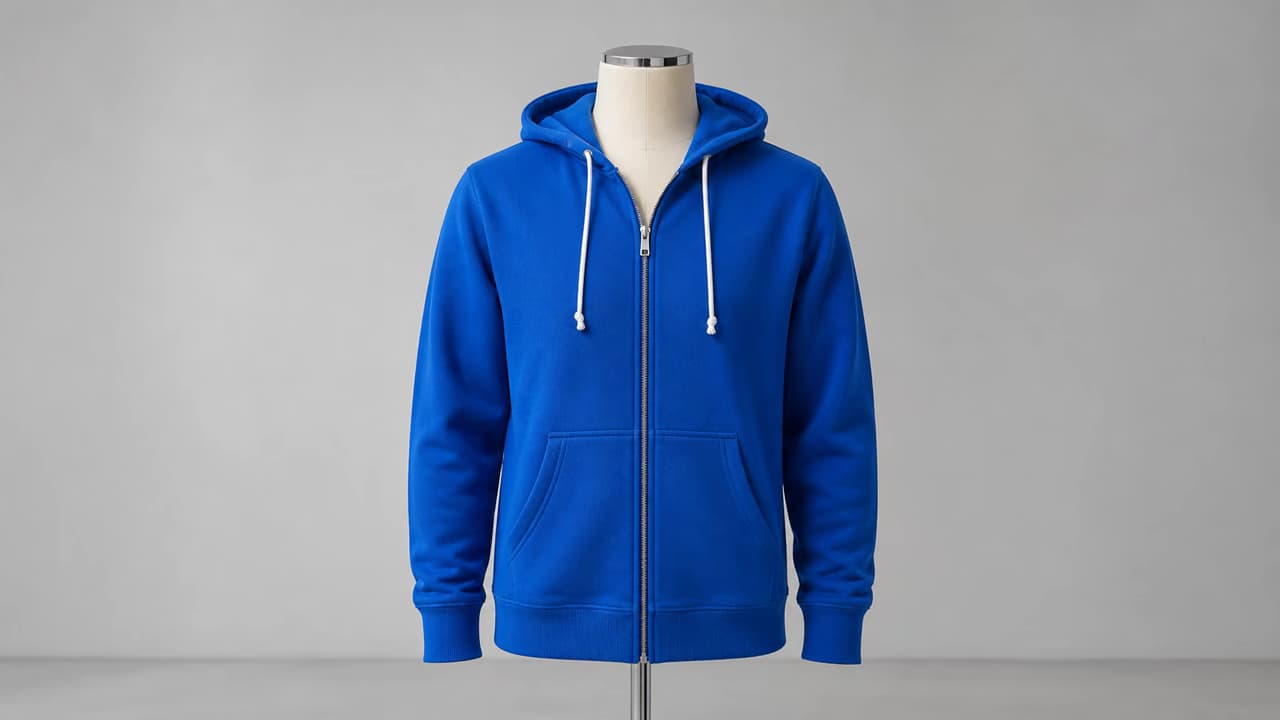
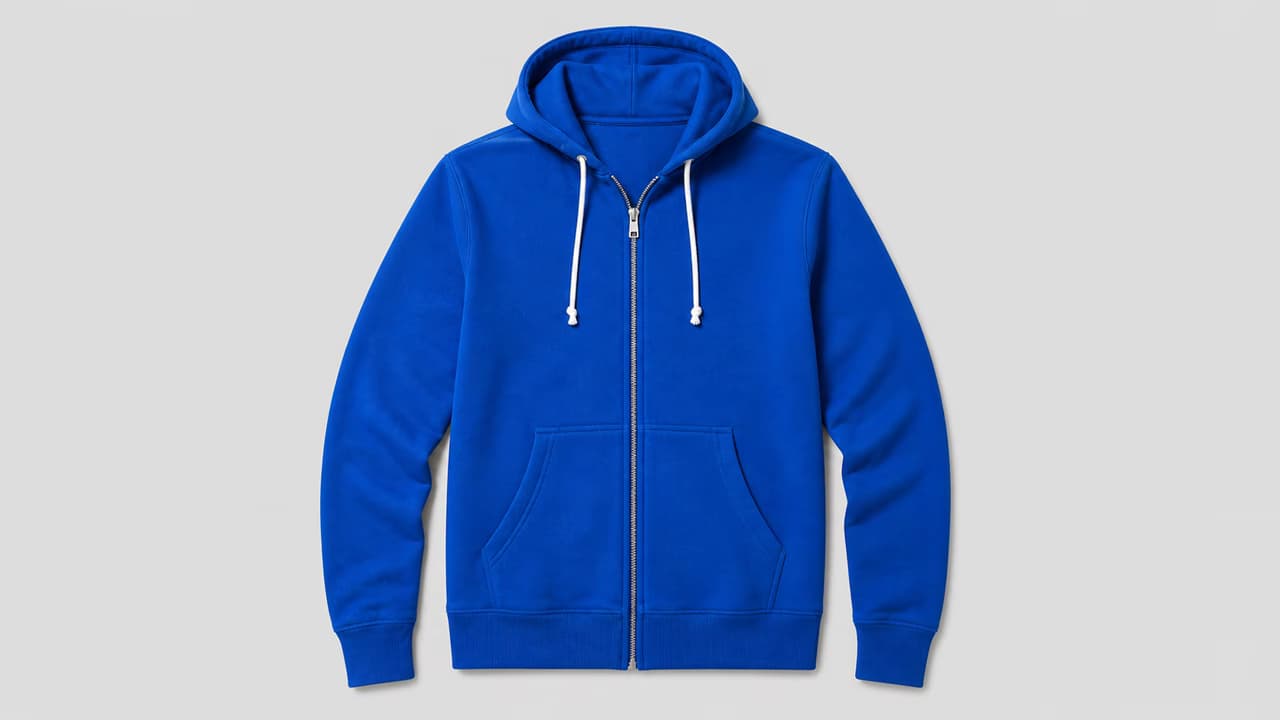
Mannequin to White-Background Hoodie Flat Lay
Remove a torso mannequin and stand, then create a complete hoodie flat lay with the hood, drawcord, zipper, pockets, ribbed cuffs, hem, color, and fleece texture clearly visible.
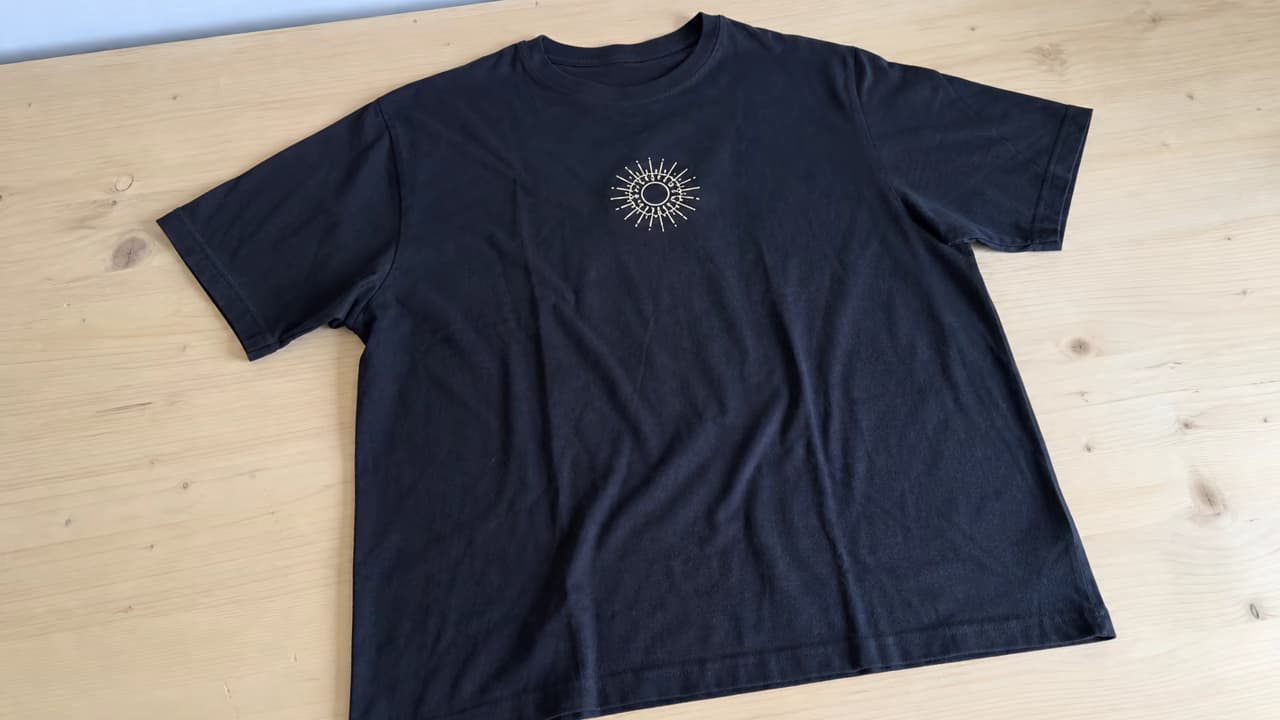
Phone Photo to Marketplace-Ready T-Shirt Image
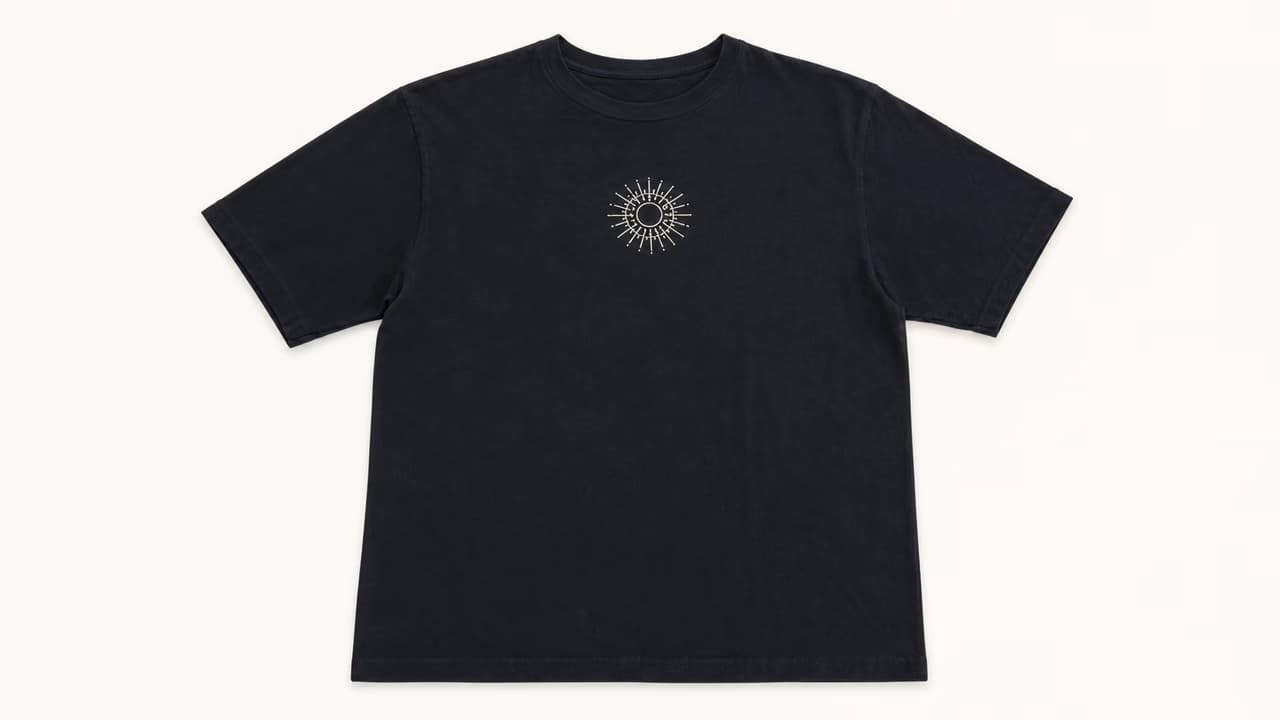
Turn a crooked phone photo on a table into a centered clothing flat lay with a warm-white background, even margins, accurate black cotton, and the same chest graphic placement.
On-Model Jeans to Folded Clothing Display
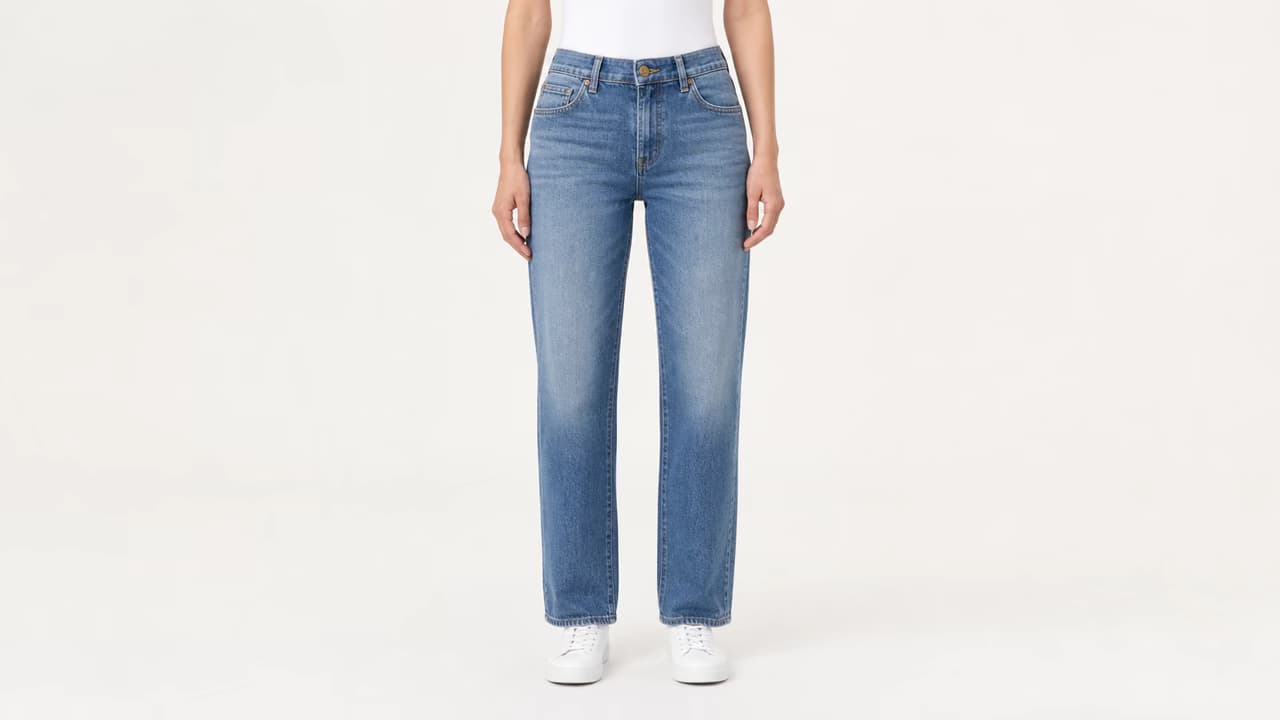
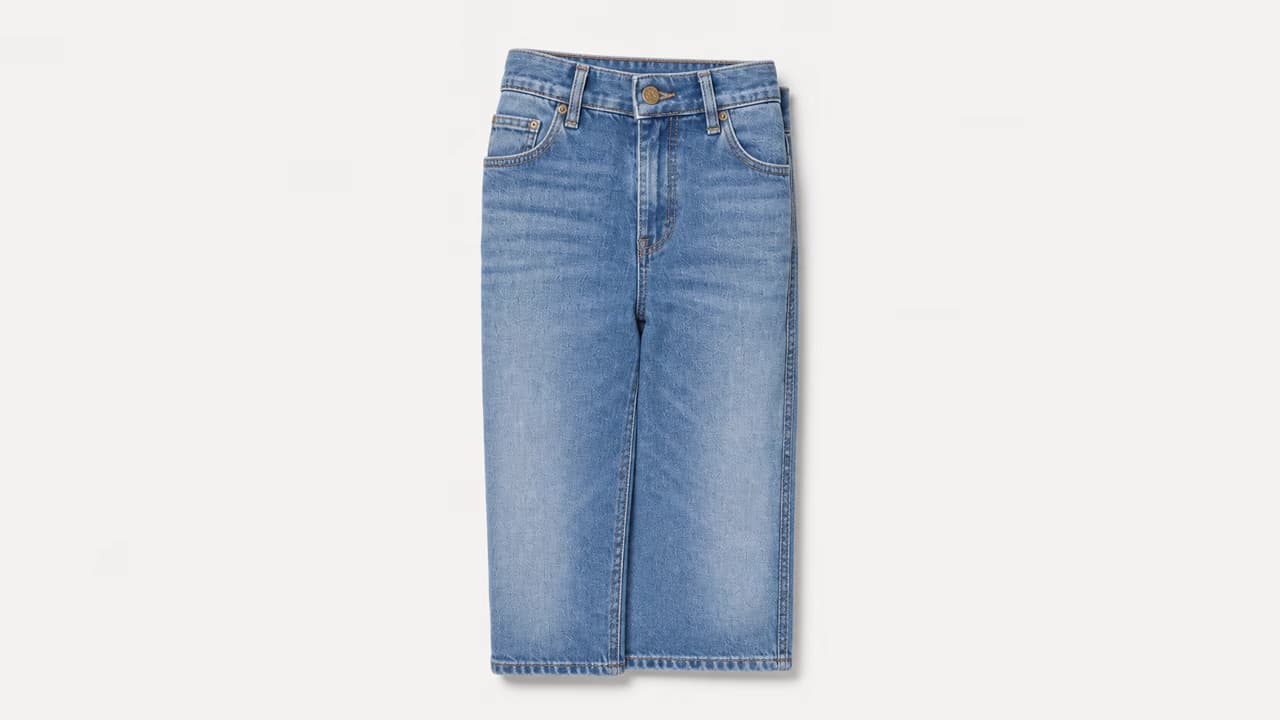
Use the AI Flat Lay Clothing Generator to remove the model and create a compact folded-jeans product photo that keeps the wash, waistband, five-pocket layout, brass button, fly, stitching, and denim texture visible.
Blazer Photo to Styled Editorial Flat Lay
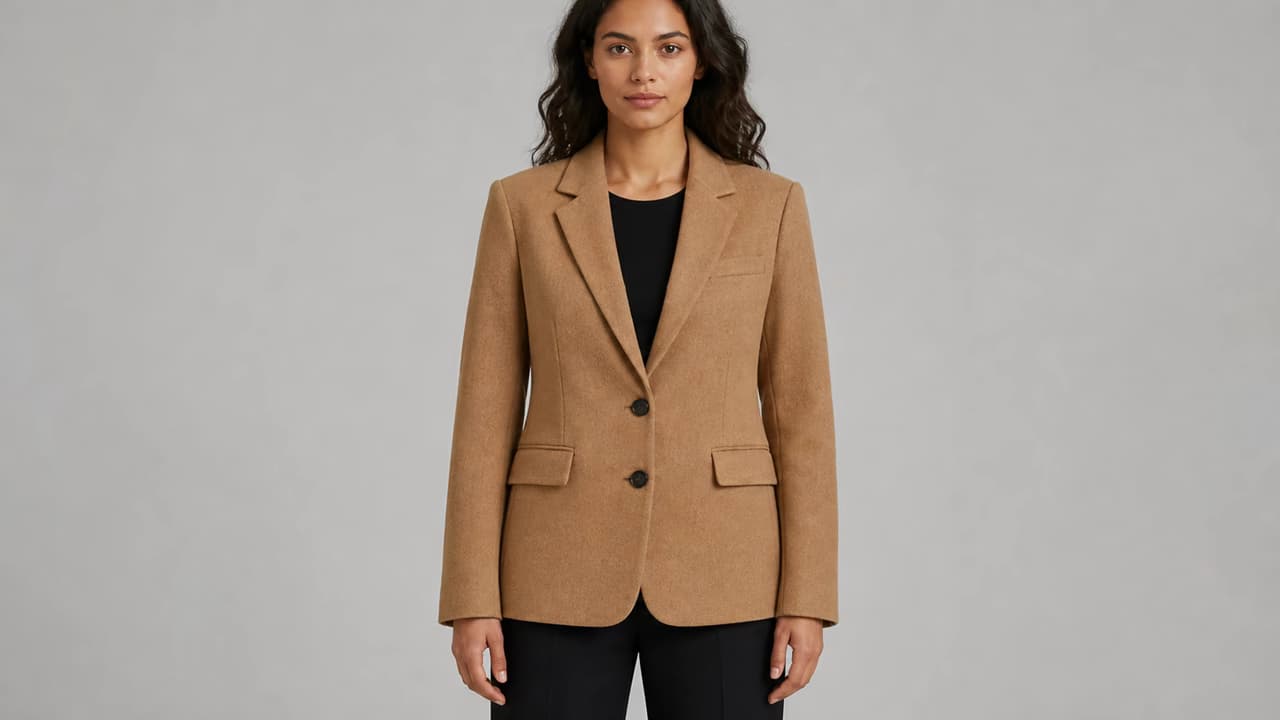
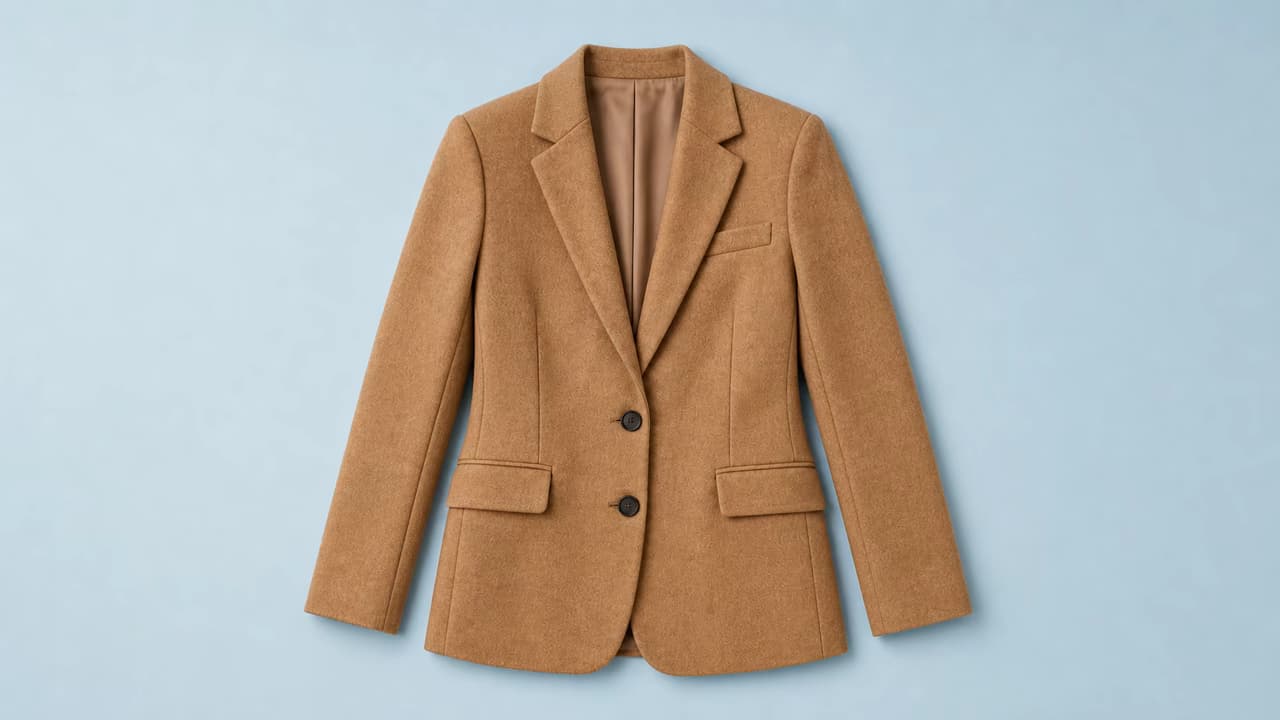
Create a jacket flat lay on muted colored paper for lookbooks and social campaigns while preserving the camel color, lapels, two-button construction, pocket layout, sleeves, seams, proportions, and wool texture.
How to Create a Clothing Flat Lay with AI
Use references that show the actual SKU, choose one layout, and verify every sellable product detail.
Upload One Garment or SKU
Choose a clear full-length model, mannequin, hanger, or product photo. Add front, back, and detail references of the same item when available.
Choose the Flat Lay Style
Describe a clean marketplace flat lay, natural true flat lay, folded display, white or gray studio background, pale linen, or restrained editorial surface.
Audit Product Fidelity
Compare color, silhouette, length, neckline, sleeves, seams, pockets, buttons, logos, text, pattern, fabric, and hardware with every source image.
How the AI Flat Lay Clothing Generator Helps E-commerce Teams
The AI Flat Lay Clothing Generator is most persuasive when it saves another shoot, standardizes messy source photos, and expands the useful image set for each SKU.
Reduce Physical Restaging and Reshoots
Create a new top-down product view from a model, hanger, mannequin, supplier, sample, or phone photo instead of rebuilding an overhead studio setup.
Standardize Inconsistent Supplier Images
Apply the same camera angle, background, margins, light, and layout language to product photos that arrived with different scenes and presentation styles.
Create Catalog and Campaign Variants
Generate a clean white or gray catalog image first, then a folded, linen, paper, wood, or color-background version for secondary listings and campaigns.
Use Same-SKU References for Better Fidelity
Upload front, back, and detail views of the same item so the workflow has more evidence for logos, prints, closures, seams, hidden areas, and materials.
Protect Clothing Accuracy in Generated Flat Lays
The main risk is not the background—it is an invented or altered product detail that could misrepresent the actual SKU.
Product Fidelity Checklist
- Use sharp front, back, and close-up references of the same SKU when possible.
- Check exact color, overall silhouette, garment length, neckline, sleeves, waist, hem, seams, pockets, closures, and hardware.
- Zoom into logos, printed text, repeat patterns, embroidery, lace, sheer panels, reflective trim, and fabric texture.
- Use a plain catalog background first; add editorial surfaces only after the garment itself is accurate.
Common Problems and Better Instructions
An AI Flat Lay Clothing Generator Built Around Product Fidelity
The page prioritizes garment fidelity, separates clean catalog layouts from styled creative images, and explains where AI inference can affect accuracy.
Detailed Garment Lock
Ask the model to protect product color, silhouette, construction, print, text, logo, texture, and hardware while changing the layout.
Multiple Same-SKU References
Front, back, and detail photos can supply information that a single model or hanger image does not reveal.
Publish Only After Review
A checklist directs attention to the details that influence product truth, returns, customer trust, and marketplace compliance.
Built around honest e-commerce review
No hidden-detail recovery claim
Areas covered by a body, hanger, fold, or overlap must be inferred unless another reference shows them.
No batch-mode claim
You can reuse prompt wording across products, but this page does not provide automatic batch processing or a locked catalog preset.
No automatic listing approval
Generated flat lays require human comparison with the real garment before they are used as product images.
AI Flat Lay Clothing Generator FAQ
What is an AI flat lay clothing generator?
Can I turn a model photo into a clothing flat lay?
Can I turn a hanger photo into a flat lay?
What flat lay backgrounds can I request?
Will logos, prints, and garment details remain exact?
Is a flat lay better than a ghost mannequin or on-model image?
Can it create flat lays for a whole clothing catalog?
Can I generate a transparent clothing cutout?
Can I use the image in an e-commerce listing?
Create a Clear Top-Down Clothing Image
Upload the best views of one garment, choose a clean or styled flat lay, and audit every product detail before publishing.