
Remove Wrinkles from Clothes Photo
Use AI to remove wrinkles from clothes photo uploads, including product shots, flat lays, mannequin images, and portraits, while keeping fabric texture, seams, structure, and natural shading.
This page removes clothing wrinkles—not facial wrinkles. The first pass starts automatically from one uploaded image and does not batch-process a catalog.
Use a clear, well-lit photo where the fabric surface and important seams or prints are visible.
Smooth Distracting Creases, Not the Fabric Itself
Good clothing cleanup keeps the garment believable. The page separates accidental wrinkles from seams, pleats, drape, weave, and the natural folds that show fit.
Targets Accidental Wrinkles
The instruction focuses on harsh storage creases, rumples, and distracting compression marks.
Keeps Fabric Character
Weave, texture, stitching, seams, pleats, print, shadows, and natural structural folds remain visible.
Protects Fit and Product Accuracy
The garment silhouette, body, pose, color, proportions, and surrounding scene are explicitly preserved.
Clothing Wrinkle Removal for Product and People Photos
Use a detailed source image and check that the result still represents the real garment accurately.
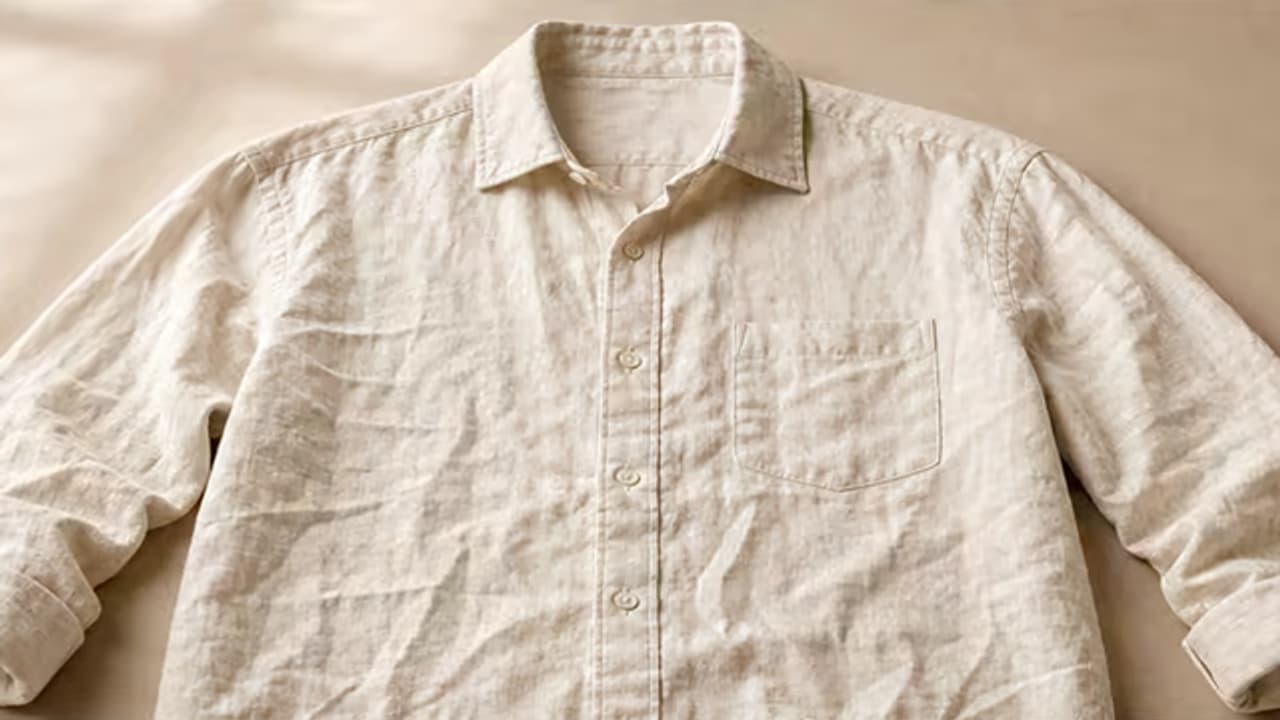
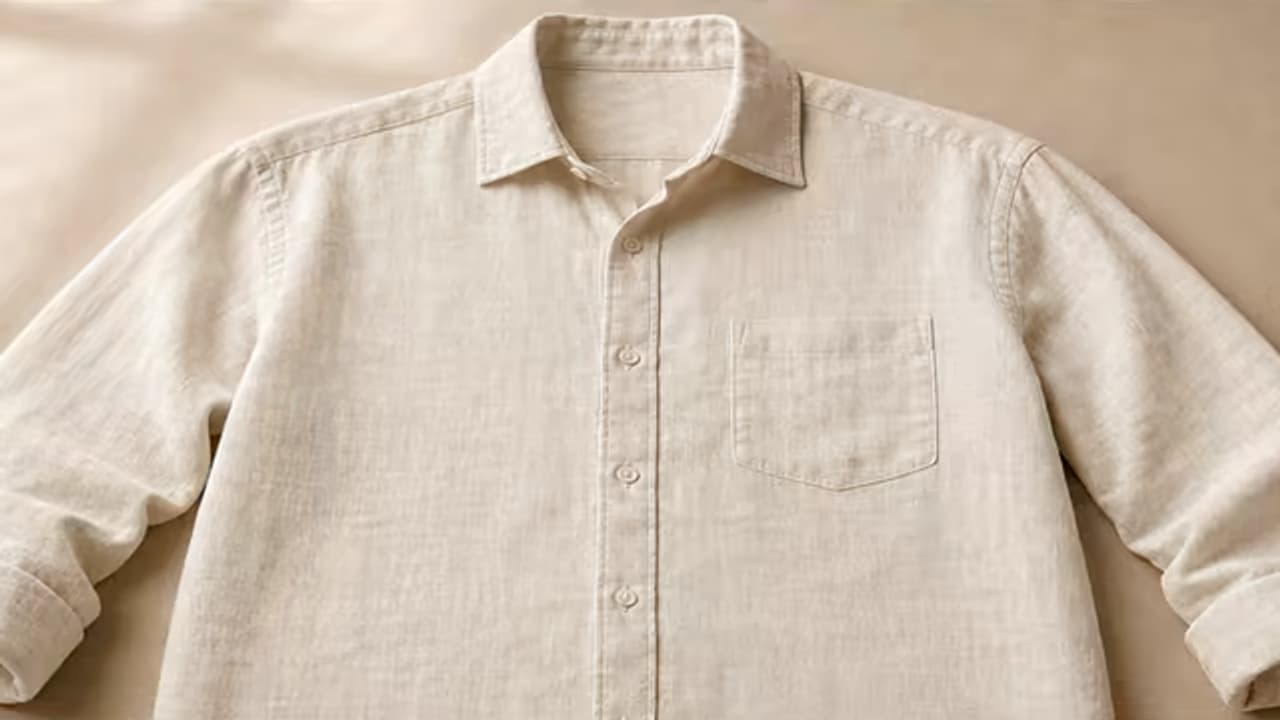
Polish a Flat-Lay Product Photo
Remove storage creases from a laid-out shirt while retaining its collar, seams, hem, weave, print, and original dimensions.
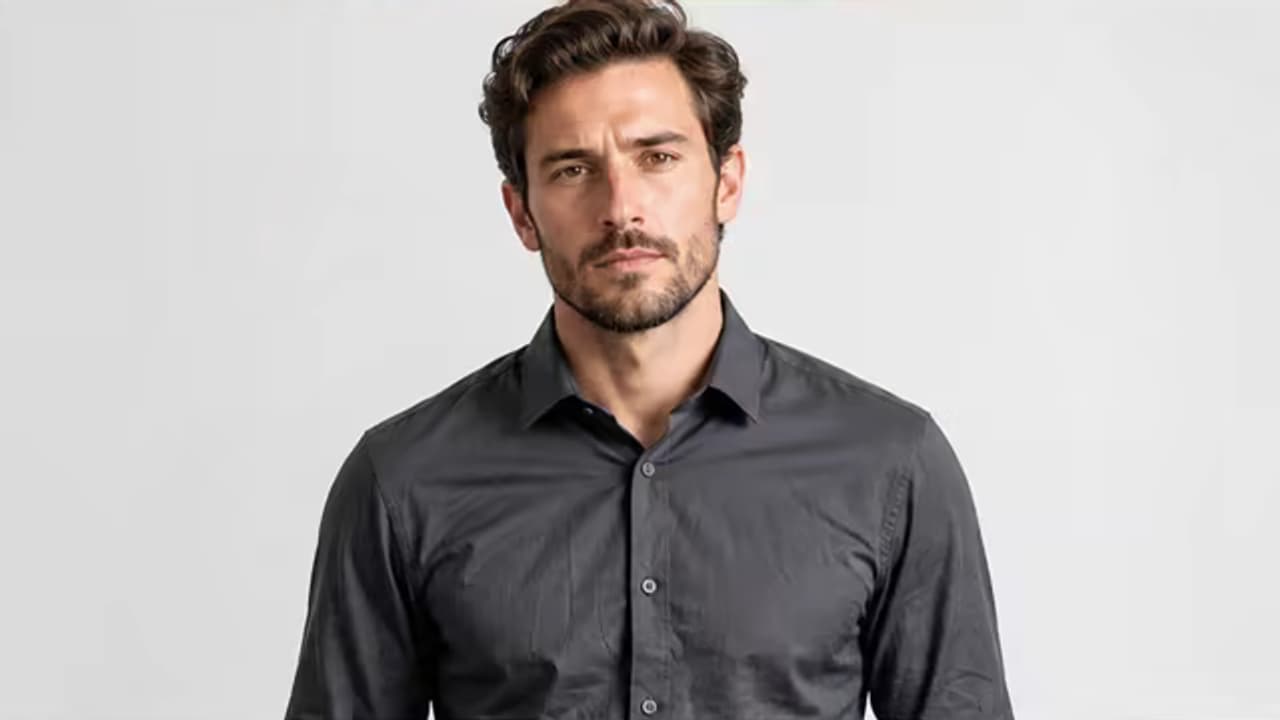
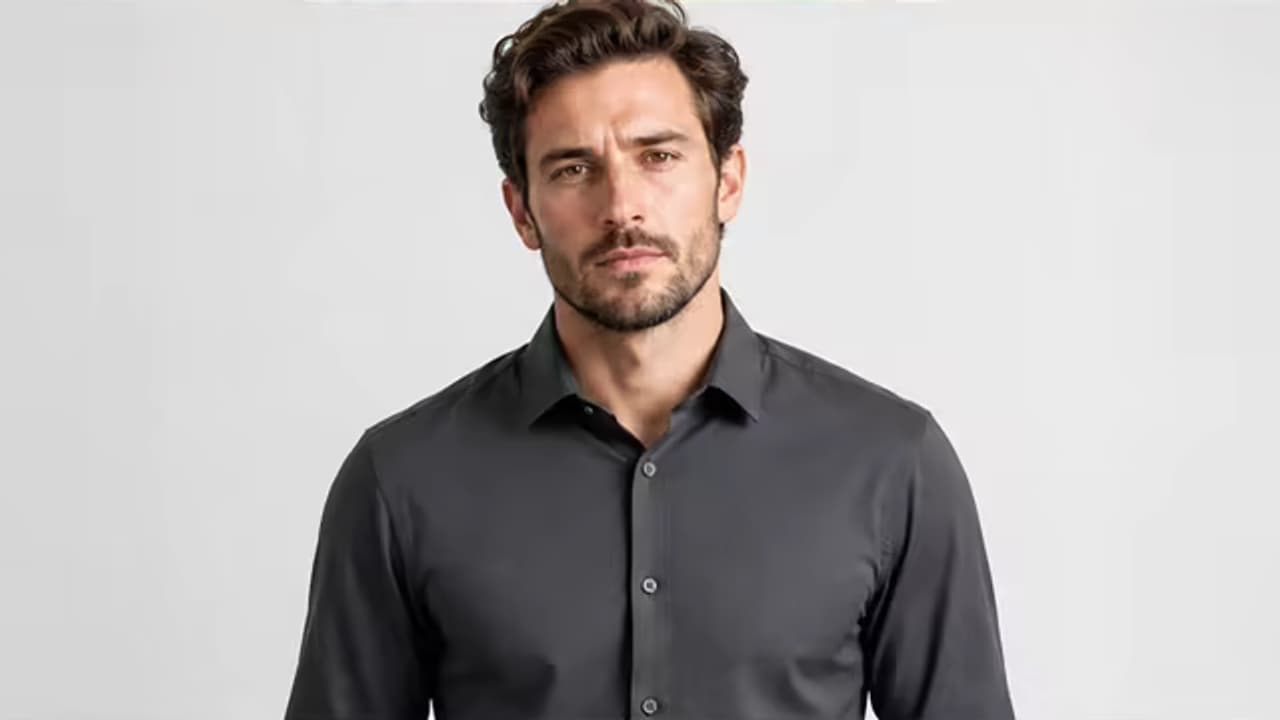
Clean Up a Shirt in a Portrait
Reduce distracting rumples around a torso or sleeve without retouching the face, body, hands, or background.
How to Remove Wrinkles from Clothes Photo
Choose a detailed image, distinguish unwanted creases from real garment structure, and inspect the material after generation.
Upload the Clothing Photo
Start with a clear product shot, flat lay, hanger, mannequin, or portrait where fabric detail is visible.
Start the Focused Smoothing Pass
The built-in task reduces clearly accidental wrinkles and packing creases while preserving natural folds, pleats, seams, prints, texture, silhouette, and drape.
Check Product Accuracy
Inspect the silhouette, texture, stitching, print, color, hands, body edges, and natural shading before publishing.
Where Clothing Wrinkle Cleanup Saves a Reshoot
The main demand comes from sellers, photographers, and people with an otherwise useful image.
E-commerce Product Listings
Clean packing and storage creases from clothing images before using them on a store or marketplace.
Resale and Inventory Photos
Polish a photographed garment when steaming and repeating the shoot is impractical.
Portrait and Event Photos
Reduce a distracting shirt, dress, jacket, or trouser rumple without retouching the person.
Catalog and Campaign Images
Make individual assets look more prepared while preserving truthful fabric and product details.
Avoid Plastic-Looking Fabric
Over-smoothing removes the cues that make cloth look real. Use a follow-up to name any material detail or natural fold that needs stronger preservation.
Before You Process Again
- Name the garment, fabric, and location of the distracting creases.
- Separate accidental wrinkles from intentional pleats, drape, elbow folds, and construction seams.
- Call out prints, embroidery, labels, logos, text, buttons, and stitching that must stay exact.
- For factual listings, compare the edit with the real garment before publishing.
Common Problems and Better Instructions
An Automatic First Pass with a Full Editor
Upload one image to start the focused task automatically, review the result, and carry it into the full editor only when you want more control.
Task Instructions Included
The page supplies its focused editing instruction and preservation rules on the server, so the first result does not depend on prompt writing.
Source Canvas Protected
The request keeps the uploaded image as the base and requires the same aspect ratio, framing, crop, identity, lighting, and unrelated details.
Review or Keep Editing
Generative edits can vary. Compare the result with the original, then open it directly in the full editor when a custom change is needed.
Built around honest editing boundaries
No fake recovery claims
AI generates plausible replacement pixels; it cannot recover hidden source detail that was never captured.
A simple one-click workflow
The first pass uses an image upload and built-in instructions, with no brush, mask, color picker, or required prompt.
One clear task
The page stays within its stated use case instead of behaving like an unrelated general-purpose generator.
Clothes Wrinkle Remover FAQ
Can AI remove wrinkles from clothes photo images?
Will it remove natural folds too?
Is this for clothing wrinkles or facial wrinkles?
Can I use it for flat lays, mannequins, and models?
Does it batch-process a product catalog?
Can I publish the result as a product listing?
Remove Wrinkles from Clothes Photo Without Flattening Fabric
Upload a detailed clothing photo to start automatically, then inspect the fabric and refine only if an intentional fold or remaining crease needs attention.