
Make Eyes Look at Camera in a Photo
Use AI to make eyes look at camera in a still portrait when the subject glanced just beside the lens. The subtle adjustment keeps the person, eyelids, eye color, catchlights, and expression.
For still photos with open, visible eyes and a mild off-camera glance. This is not video eye-contact correction, closed-eyes repair, beauty retouching, or medical treatment.
Near-frontal portraits with open, sharp, unobstructed eyes work best. Strong side profiles and sunglasses are poor candidates.
A Photo-Only Fix for an Almost-Keeper Portrait
Google results mix photo and video eye-contact tools. This page is intentionally limited to still images and subtle open-eye gaze correction.
Redirects a Mild Glance
The model makes the smallest plausible iris and pupil adjustment needed to create camera-facing eye contact.
Keeps the Original Eyes
Eye color, iris texture, catchlights, eyelids, lashes, brows, spacing, and surrounding face remain protected.
Preserves Identity and Expression
Face shape, head pose, skin, makeup, glasses, hair, body, clothing, and emotional expression stay fixed.
Eye Contact Correction for Still Portraits
The workflow is strongest when the person already faces roughly toward the camera and only the gaze missed the lens.
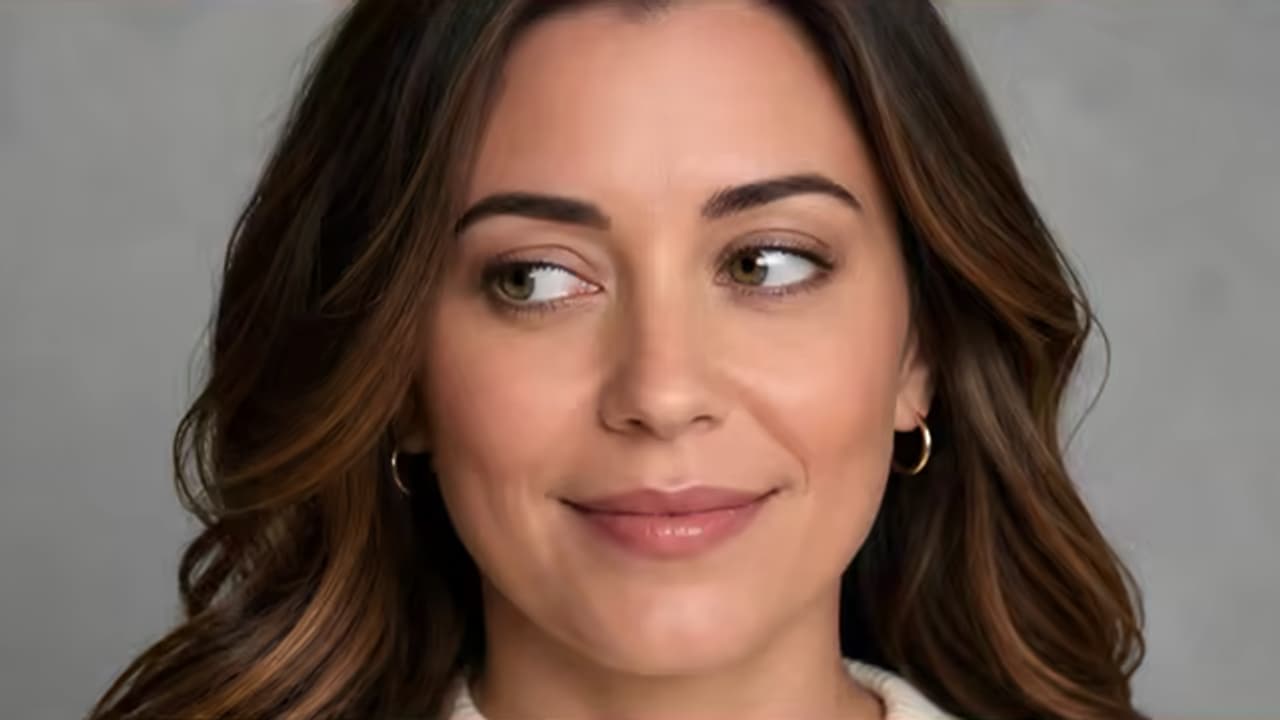
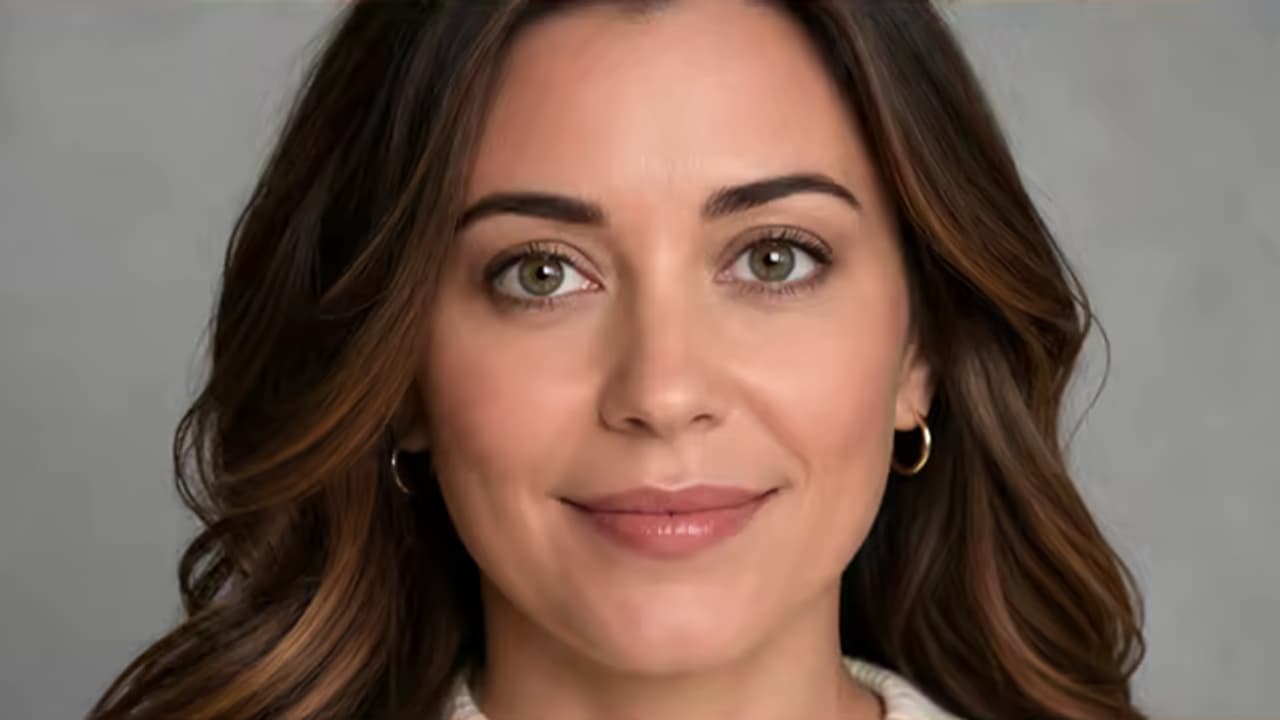
Fix an Off-Camera Headshot Gaze
Bring a small sideways glance toward the lens while preserving the person’s face, eye detail, expression, suit, and studio lighting.
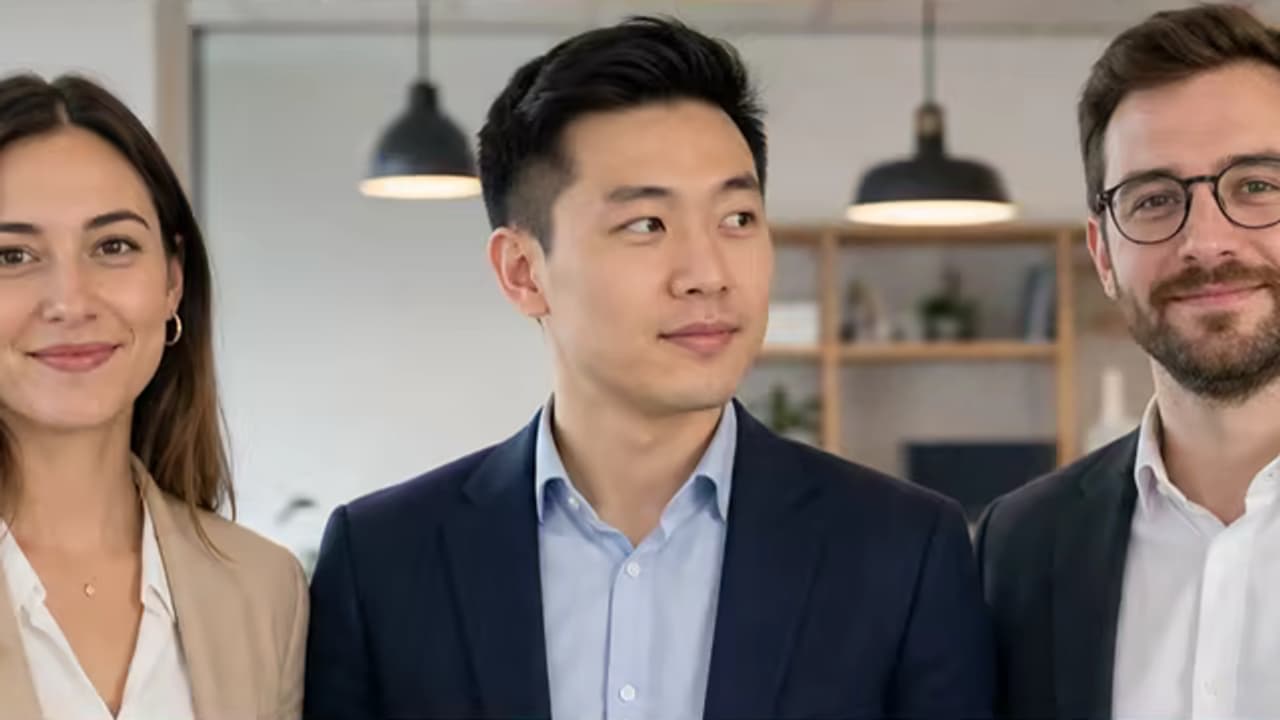
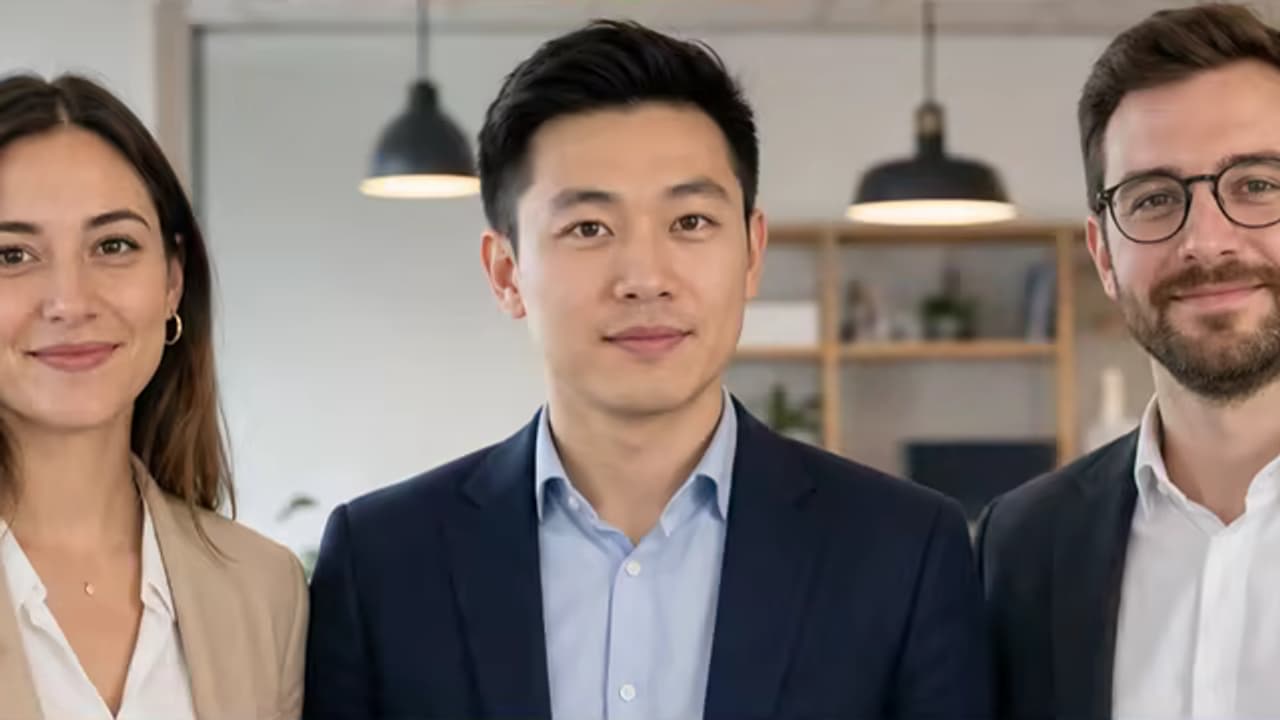
Correct One Person in a Group Photo
Specify the person who glanced away and protect every other face, pair of eyes, pose, and background detail.
How to Make Eyes Look at Camera in a Photo
Use a near-frontal portrait to start the correction automatically, then inspect both the eyes and the full face.
Upload a Still Photo
Choose an image with open, visible eyes, good resolution, and a mild off-camera glance rather than an extreme profile.
Let the Eye-Contact Pass Run
The built-in task makes a conservative adjustment to clearly visible subjects with open eyes and a mild off-camera glance, while leaving profiles and ambiguous gazes unchanged.
Check for Natural Eye Contact
Inspect alignment, eye color, irises, pupils, catchlights, eyelids, expression, glasses, and the surrounding face.
Still Photos That Benefit from Gaze Correction
Use it for an otherwise successful frame where eye direction—not a closed eye or larger portrait problem—is the only issue.
Professional Headshots
Correct a slight glance toward a monitor, photographer, or edge of the lens in a profile portrait.
Weddings and Events
Rescue a strong candid or posed frame when one person looked away at the decisive moment.
Family and Group Photos
Correct one identified person while keeping everyone else’s eyes and expressions untouched.
School, Team, and Speaker Portraits
Create more direct eye contact in a still portrait without changing clothing, background, or overall retouch.
Keep the Gaze Subtle and Human
Extreme corrections can look cross-eyed, glassy, or pasted on. Use a strong source and limit the task to a small direction change.
Before You Process Again
- Use a near-frontal photo with both eyes open, sharp, and unobstructed.
- After the first result, identify a target person in a group only when you want a one-person correction.
- Keep eye color, pupil size, iris texture, catchlights, eyelids, lashes, and expression fixed.
- Use Fix Closed Eyes for a blink; do not ask this page to open closed eyelids.
Common Problems and Better Instructions
An Automatic First Pass with a Full Editor
Upload one image to start the focused task automatically, review the result, and carry it into the full editor only when you want more control.
Task Instructions Included
The page supplies its focused editing instruction and preservation rules on the server, so the first result does not depend on prompt writing.
Source Canvas Protected
The request keeps the uploaded image as the base and requires the same aspect ratio, framing, crop, identity, lighting, and unrelated details.
Review or Keep Editing
Generative edits can vary. Compare the result with the original, then open it directly in the full editor when a custom change is needed.
Built around honest editing boundaries
No fake recovery claims
AI generates plausible replacement pixels; it cannot recover hidden source detail that was never captured.
A simple one-click workflow
The first pass uses an image upload and built-in instructions, with no brush, mask, color picker, or required prompt.
One clear task
The page stays within its stated use case instead of behaving like an unrelated general-purpose generator.
Photo Eye Contact Correction FAQ
Can AI make eyes look at camera in a photo?
Is this for photos or videos?
Is this the same as fixing closed eyes?
Will eye color and catchlights stay the same?
Can it correct one person in a group photo?
Can it treat lazy eye or strabismus?
What images are poor candidates?
Make Eyes Look at Camera Naturally
Upload a clear still photo to start a small, natural-looking eye-contact correction, then refine a specific subject only if needed.