
Remove Power Lines from Photo Without Manual Retouching
Upload a landscape, travel, architecture, or property exterior photo to start removing distracting overhead wires automatically. The editor rebuilds a plausible continuation of the sky, foliage, roofline, or facade while keeping the rest of the scene recognizable.
Clear wires against open sky are the easiest. Lines crossing trees, text, people, or detailed architecture may need another generation. AI creates plausible replacement pixels rather than recovering hidden originals. Real-estate advertising rules vary, so keep the original and check local disclosure and MLS requirements before publishing an altered property image.
Use the clearest original JPG, PNG, or WebP available. Wires with visible contrast and enough surrounding sky, foliage, roof, or wall detail are easier to reconstruct.
Remove Power Lines from Photo with a Focused AI Editor
The Remove Power Lines from Photo workflow follows clearly visible wires across open sky, tree canopy, roof edges, and facades while protecting the structures and details around them.
Targets the Full Wire Run
The built-in task follows visible overhead power lines, telephone wires, and utility cables so the edit removes connected segments instead of leaving short broken ends.
Protects the Scene Around Them
Built-in preservation rules protect rooflines, windows, tree branches, mountain ridges, people, vehicles, streetlights, signs, lettering, framing, and unrelated infrastructure.
Rebuilds, Then Asks You to Review
AI generates a plausible continuation from visible context. Zoom into line endpoints, crossings, textures, shadows, and important geometry before using the result.
Remove Power Lines from Photo Across Different Backgrounds
Use Remove Power Lines from Photo on a clear source, then inspect every texture change. Open sky is usually simpler than foliage, roof tiles, brick, lettering, or people.
Clean Power Lines from a Landscape Sky
Remove parallel wires that cut across an otherwise useful mountain or countryside view while preserving clouds, horizon detail, color, grain, and the original composition.
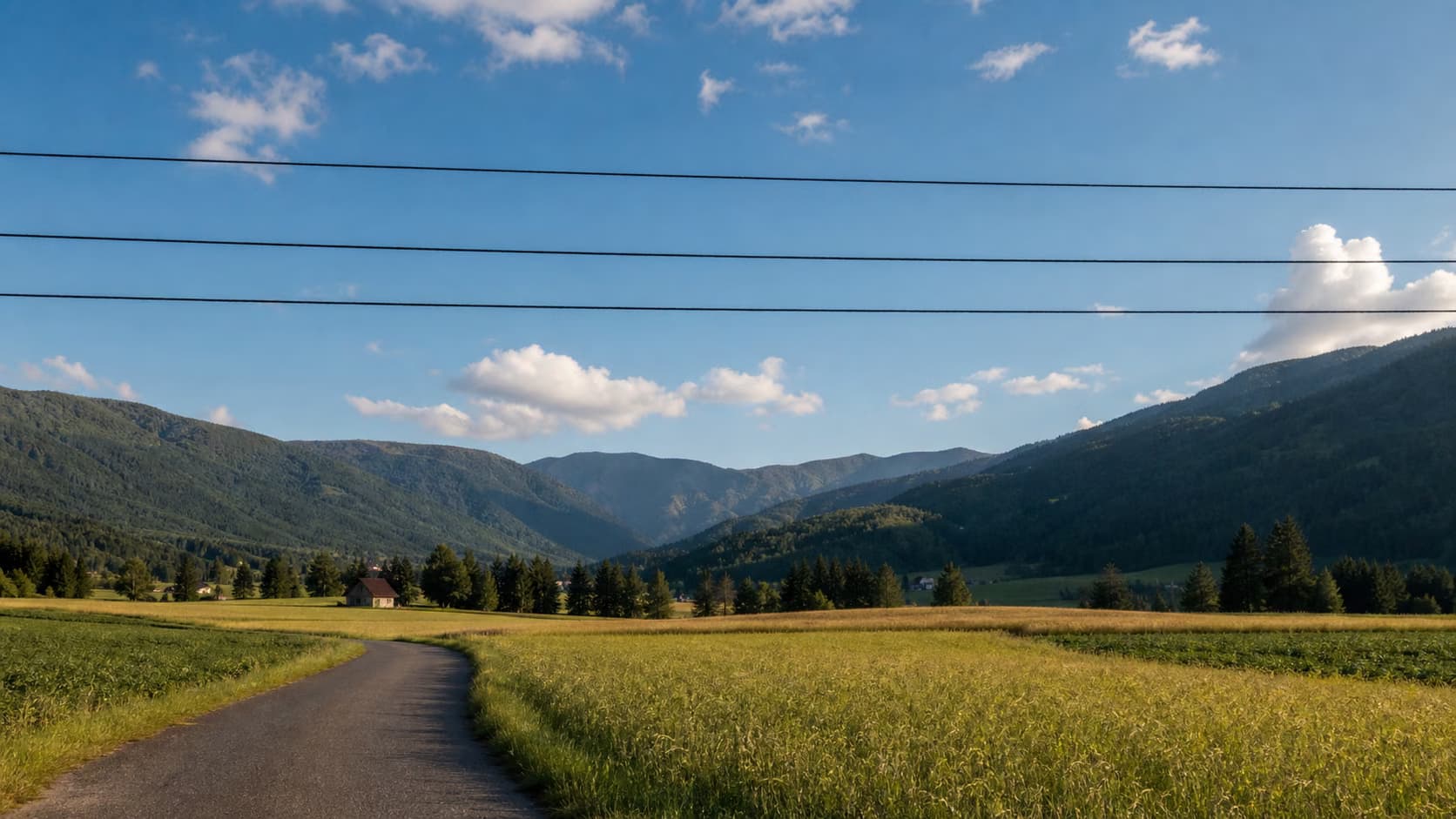
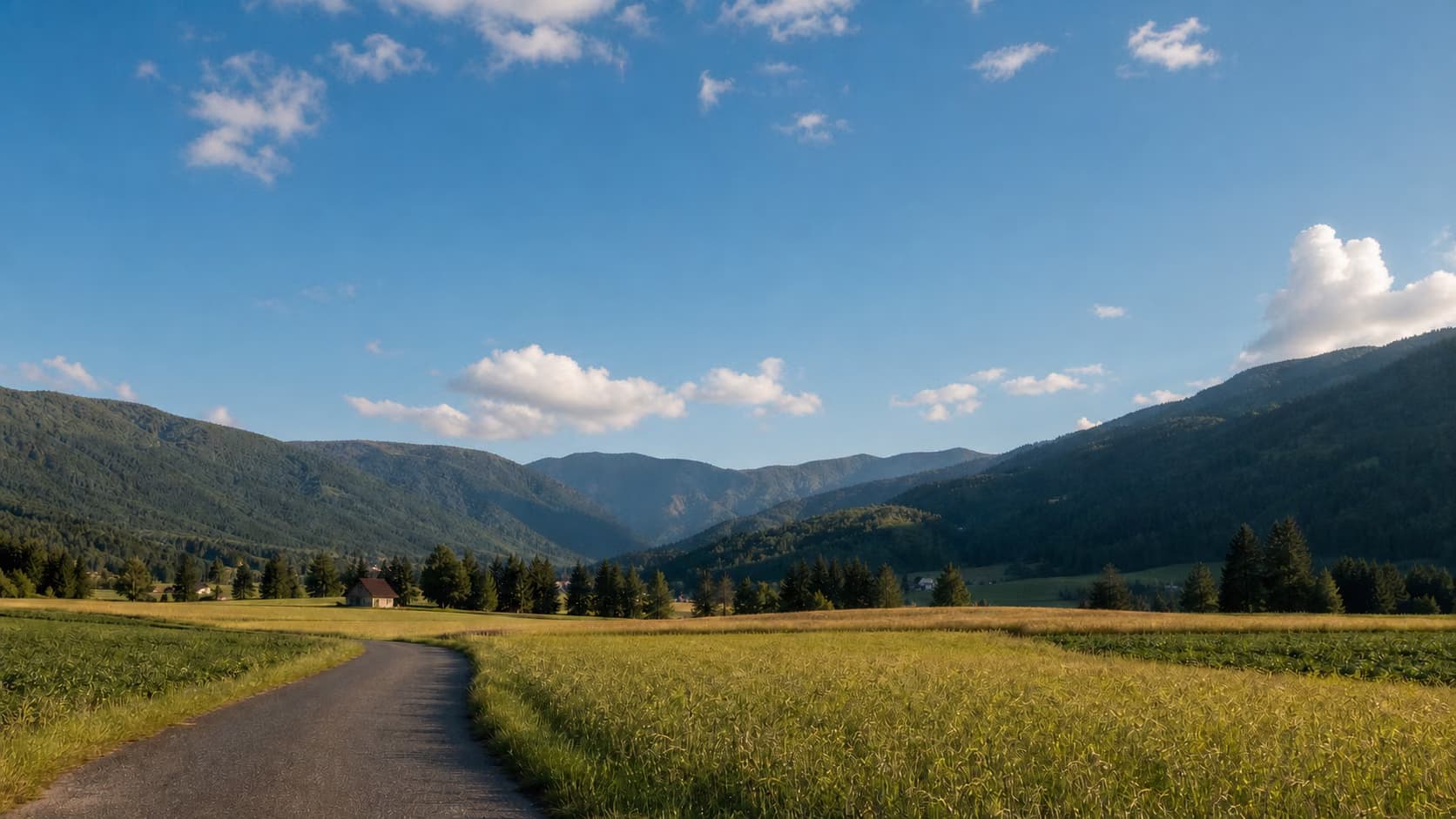
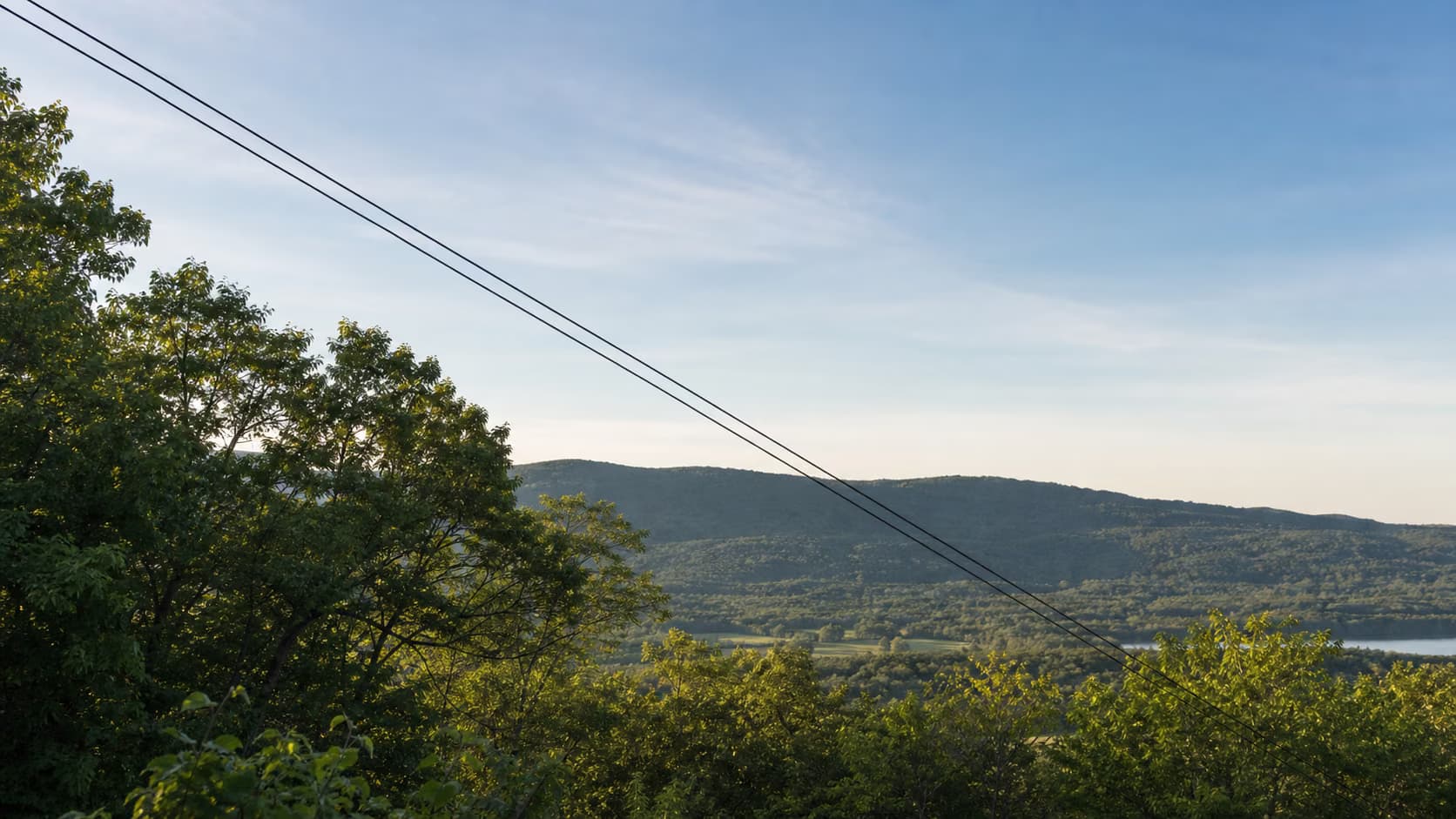
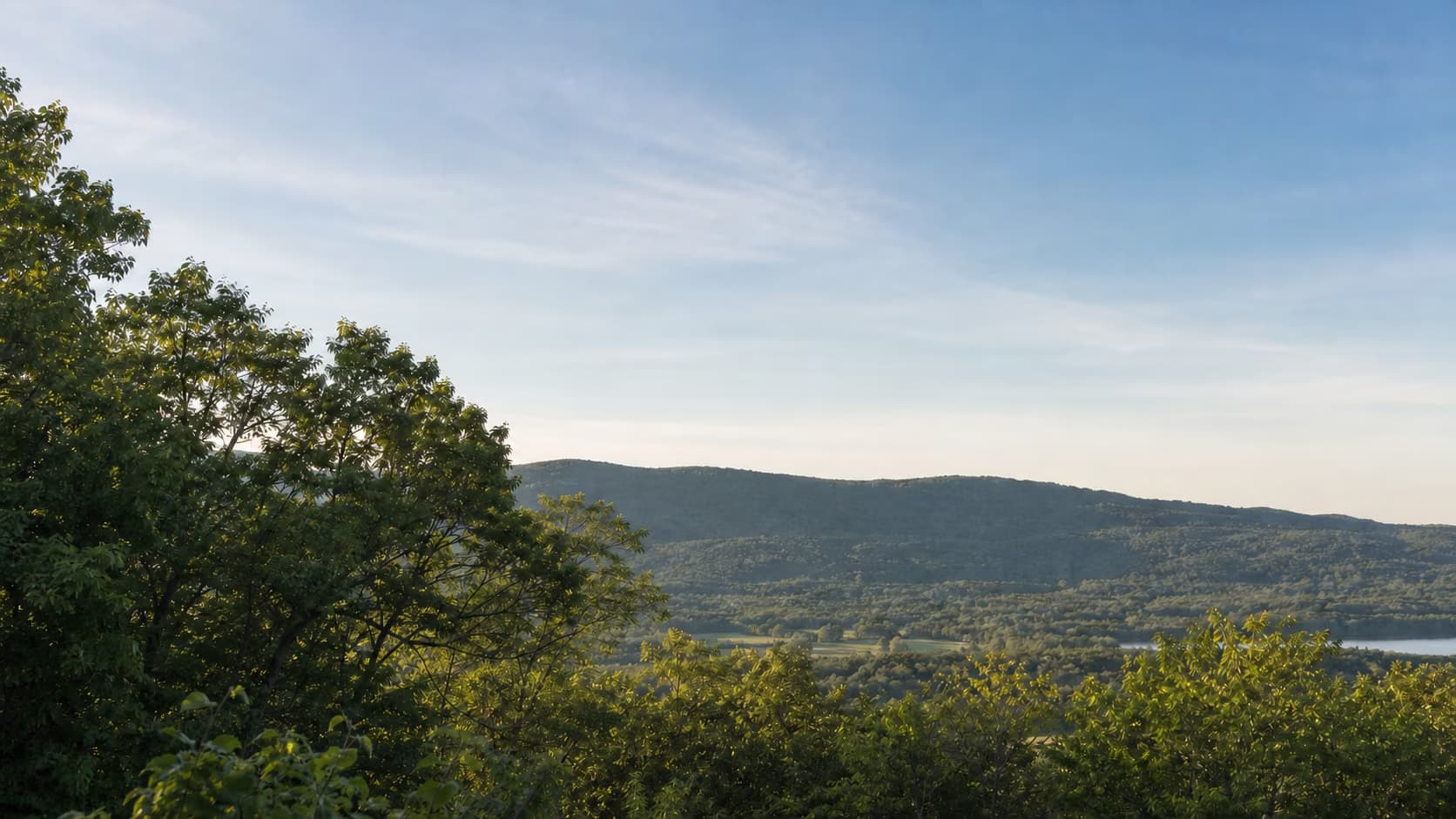
Remove Wires Across Trees and a Mountain Ridge
Thin wires can resemble branches or ridge lines. Keep the instruction narrow, then inspect leaf clusters, branch continuity, horizon edges, and sky gradients.
Preserve Rooflines, Windows, and Building Detail
Clean overhead wires from a travel or architecture photo without warping roof edges, masonry, windows, signs, house numbers, streetlights, or perspective.


Create a Clearly Disclosed Property Visualization
For an authorized property-photo concept, remove the named wires while preserving the building and lot. Keep the unaltered original and follow the local advertising, disclosure, and MLS rules that apply to the listing.
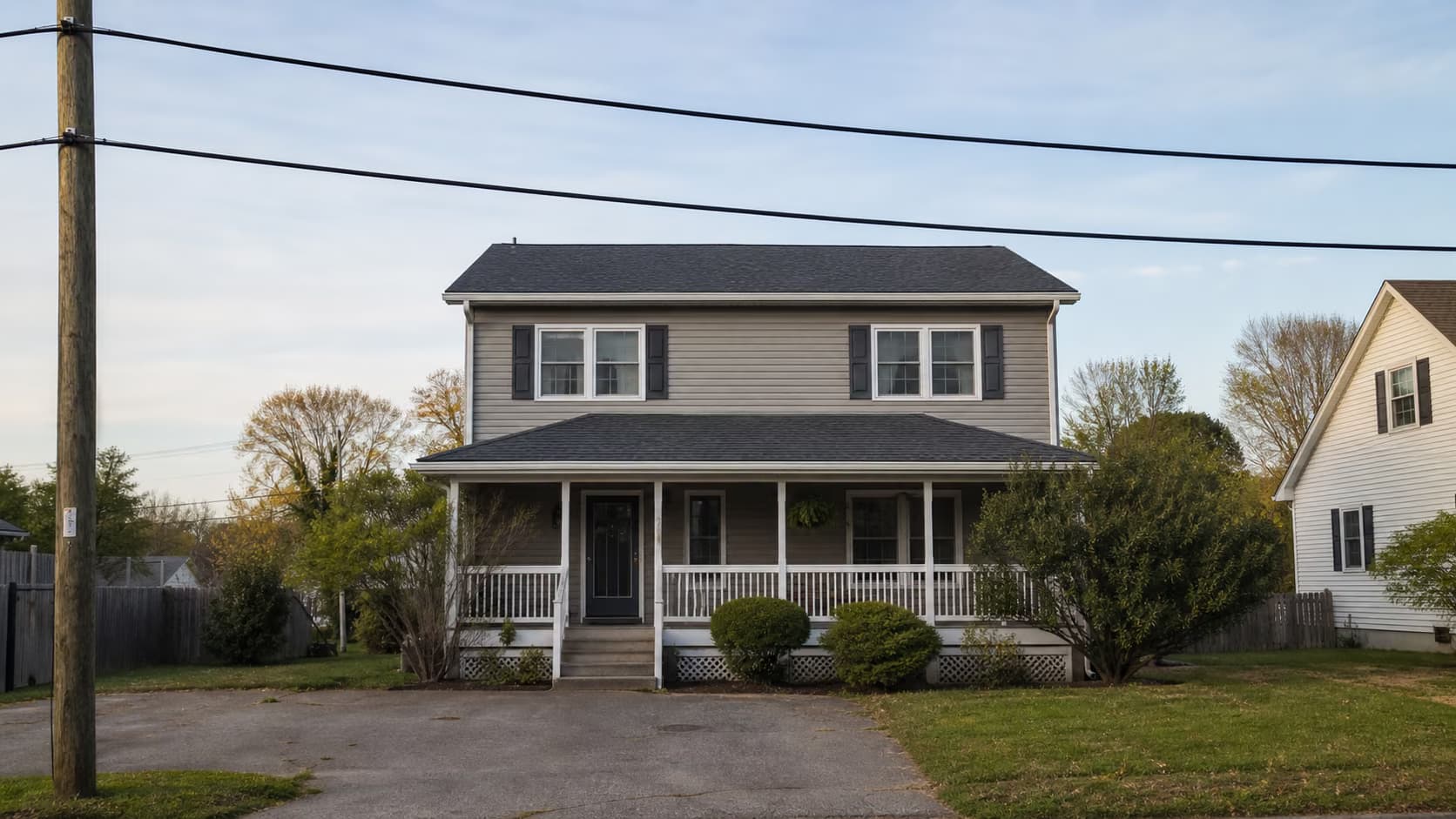
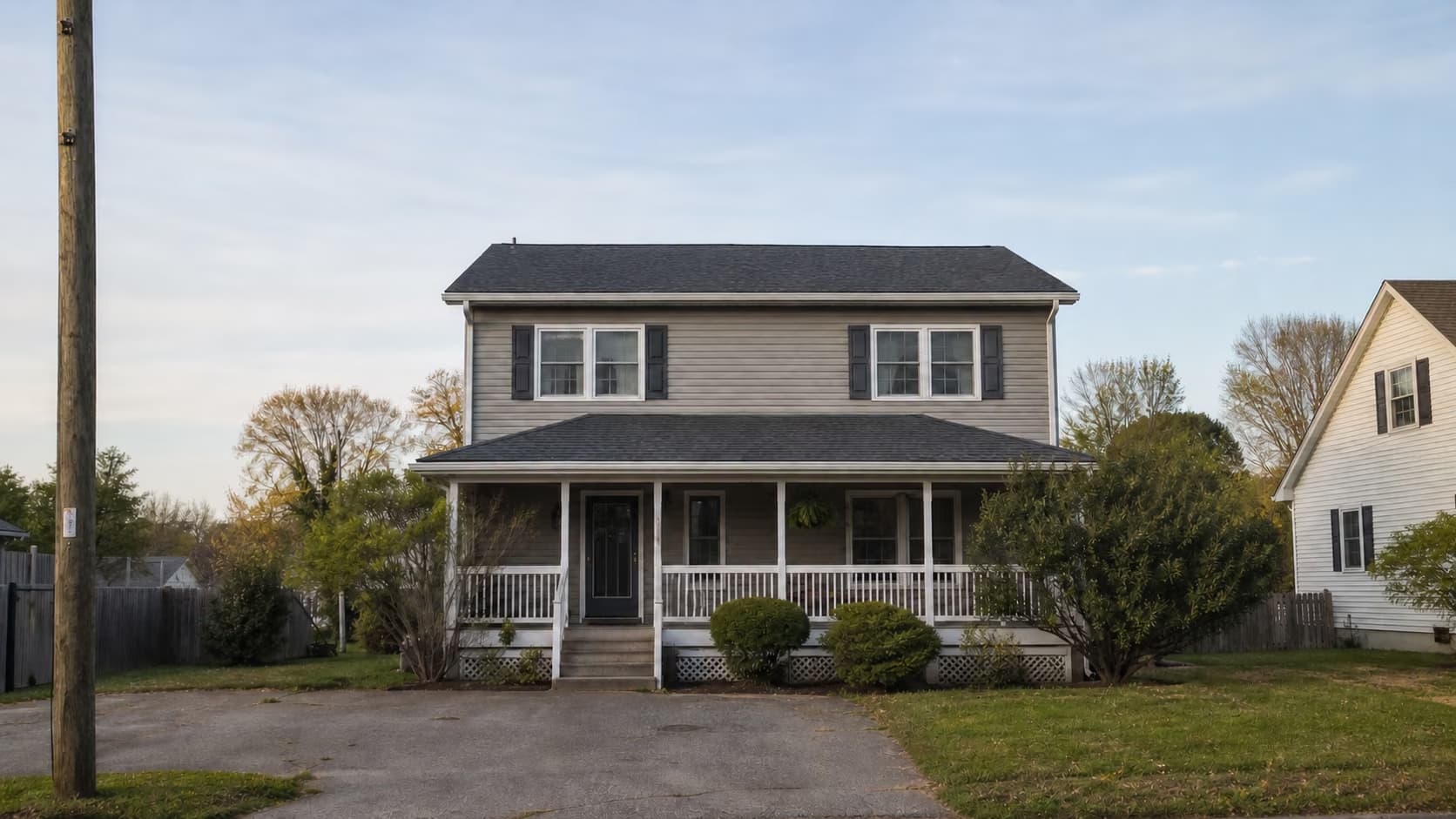
How to Remove Power Lines from Photo Online
Upload the best source to start the focused cleanup, then inspect the entire line path and refine only if needed.
Upload the Clearest Original
Choose a clear JPG, PNG, or WebP rather than a screenshot or social-media copy. Visible contrast and surrounding context help the model follow thin wires.
Let the Focused Cleanup Run
The built-in task removes clearly visible suspended wires while protecting poles, streetlights, hardware, people, text, branches, rooflines, and nearby structures.
Review the Entire Wire Path
Inspect endpoints, crossings, sky gradients, foliage, roofs, signs, shadows, and other nearby detail before using the result.
Inspect, Refine, and Keep the Original
If a wire remains or a protected detail changes, add one short location-specific refinement and process the original image again. Keep the unaltered source for comparison and disclosure.
When to Remove Power Lines from Photo
Use Remove Power Lines from Photo when wire cleanup supports the intended composition and does not conceal information viewers need to see.
Landscape and Nature Photos
Clean overhead wires from mountains, coastlines, countryside roads, sunsets, fields, and scenic viewpoints that cannot easily be photographed again.
Travel and Architecture Photos
Keep attention on a historic building, village street, temple, venue, skyline, or landmark while preserving roof edges, signs, masonry, and perspective.
Outdoor Portraits and Events
Remove distant wires from a wedding venue, graduation portrait, roadside stop, or travel picture without retouching the people in the foreground.
Drone and Portfolio Images
Prepare an authorized visual, art print, portfolio image, or social post after checking small wires, line shadows, and complex intersections at full size.
Responsible Property Visualizations
Create a clearly disclosed concept only when permitted. Do not use wire removal to hide safety issues, permanent surroundings, inspection evidence, or property conditions.
How to Remove Power Lines from Photo Cleanly
Most failures happen at wire endpoints, texture changes, ambiguous line clusters, or places where the requested removal would leave connected hardware looking physically inconsistent.
Before You Refine
- Count or locate the wires instead of saying only “clean up the photo.”
- State whether utility poles, streetlights, transformers, attachments, and shadows must remain.
- Name important roof edges, branches, text, house numbers, people, and vehicles that must not change.
- Use the original source file and avoid asking for unrelated color, sky, crop, or style changes in the same generation.
- Keep the unaltered source for archives, client approval, disclosure, and comparison.
Common Problems and Better Instructions
An Automatic First Pass with a Full Editor
Upload one image to start the focused task automatically, review the result, and carry it into the full editor only when you want more control.
Task Instructions Included
The page supplies its focused editing instruction and preservation rules on the server, so the first result does not depend on prompt writing.
Source Canvas Protected
The request keeps the uploaded image as the base and requires the same aspect ratio, framing, crop, identity, lighting, and unrelated details.
Review or Keep Editing
Generative edits can vary. Compare the result with the original, then open it directly in the full editor when a custom change is needed.
Built around honest editing boundaries
No fake recovery claims
AI generates plausible replacement pixels; it cannot recover hidden source detail that was never captured.
A simple one-click workflow
The first pass uses an image upload and built-in instructions, with no brush, mask, color picker, or required prompt.
One clear task
The page stays within its stated use case instead of behaving like an unrelated general-purpose generator.
Remove Power Lines from Photo FAQ
Can the Remove Power Lines from Photo AI detect wires automatically?
Can I remove power lines from photo online for free?
Can I remove power lines from photo on iPhone without Photoshop or Lightroom?
What photos work best for power line removal?
Can it remove wires crossing trees or buildings?
Does it also remove utility poles, transformers, and wire shadows?
Can I remove several power lines at once?
Will the edited photo keep its original resolution?
Can I batch-process a property or photo shoot?
Does AI recover the real scene hidden behind a wire?
Can I remove power lines from a real-estate listing photo?
Can I use this power line remover without Photoshop?
Are uploaded property and travel photos private?
Remove Power Lines from Photo, Keep the Scene
Upload the clearest source to begin automatically, then inspect every crossing and refine only a remaining issue before downloading.